Google Sheets vs Apple Numbers: Which Is Best in 2026?
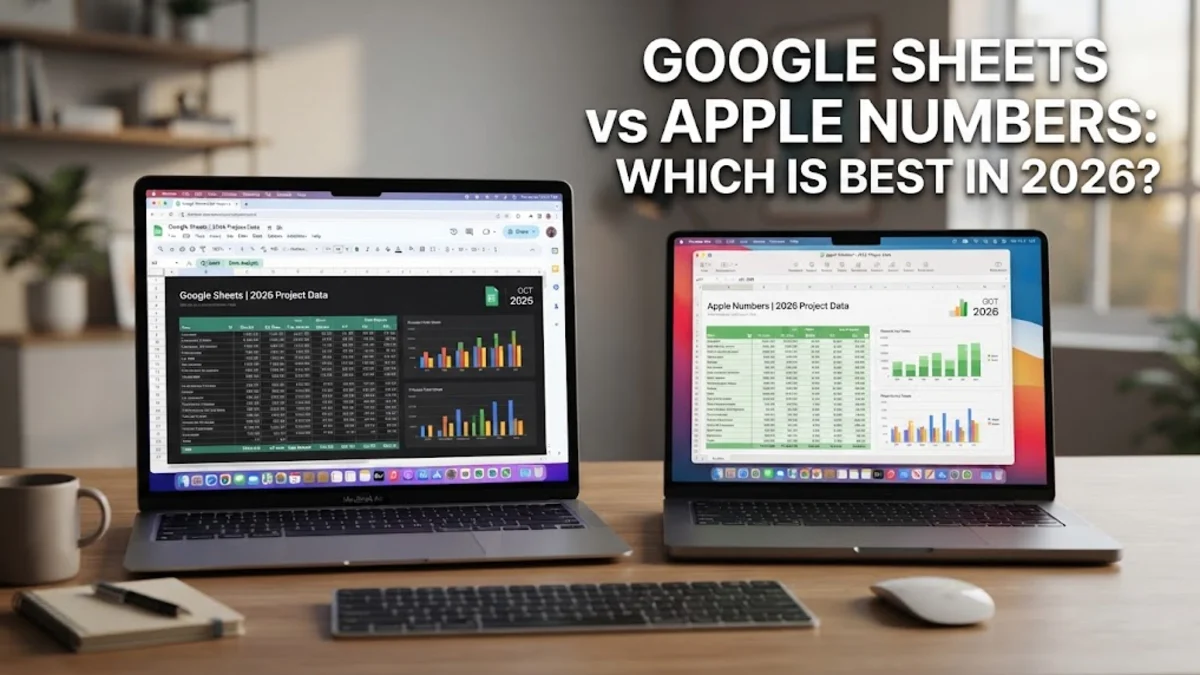
When choosing between Google Sheets and Apple Numbers, your decision ultimately comes down to whether you prioritize seamless web-based collaboration or polished, design-forward document creation. Google Sheets operates entirely in the browser with powerful data processing, making it the go-to tool for cross-platform teams and heavy data analysis.
Apple Numbers takes a completely different approach by treating the canvas as a blank slate where you can mix free-floating tables, charts, and images on a single page. Understanding how these distinct philosophies affect your daily workflow will help you choose the right application for your specific projects.
Core Philosophy and Interface Design
Google Sheets follows the traditional spreadsheet paradigm established by desktop applications like Microsoft Excel. You are greeted with an infinite grid of rows and columns that spans across your entire browser window. This structured, uniform layout is ideal for financial models, inventory logs, and large datasets where data consistency is paramount. Every cell adheres strictly to the grid structure, ensuring that sorting and filtering operations execute predictably across millions of rows without shifting surrounding elements.
Apple Numbers breaks away from the rigid grid model by using a flexible canvas approach. When you open a new document, you start with a blank page where you can place multiple independent tables, charts, text boxes, and images side by side. This makes Numbers look and feel more like a page layout program or a presentation tool rather than a traditional ledger. If you are building client-facing reports, personal budgets, or visually engaging dashboards where design matters just as much as the data, Numbers provides an unmatched level of aesthetic freedom.
Collaboration and Cloud Integration
Google Sheets was built from the ground up for cloud collaboration. Multiple users can open the same spreadsheet simultaneously, see each other's cursors moving in real-time, and leave inline comments or assign tasks directly within specific cells. Version history is tracked automatically with minute-by-minute granularity, allowing you to revert changes or see who edited a particular formula. Because it lives entirely within Google Drive, sharing a document requires nothing more than sending a link with customized permission levels ranging from view-only to full editor access.
Apple Numbers relies on iCloud for cloud synchronization and sharing, offering a very different collaborative experience. While you can invite other users to collaborate on a spreadsheet in real-time using modern Apple devices or a web browser via iCloud.com, the ecosystem is heavily optimized for Apple users. Sharing permissions are robust, but users outside the Apple ecosystem may find the web-based version of Numbers less responsive than Google's native cloud infrastructure. For teams operating entirely within macOS and iOS, iCloud integration is seamless, but cross-platform groups will encounter friction.
Formulas, Functions, and Data Analysis
Google Sheets excels at heavy-duty data crunching and automation. It supports a massive library of functions, ranging from standard financial calculations to advanced array manipulation tools like FILTER, SORT, and QUERY, which functions almost like a lightweight SQL database inside your spreadsheet. Furthermore, Google Apps Script allows you to write custom JavaScript code to automate repetitive tasks, build custom menus, and connect your spreadsheets to external web APIs with ease.
Apple Numbers offers a robust set of standard functions that cover most personal and small business needs, but it handles complex data differently. Instead of forcing all data into a single massive grid, Numbers encourages you to break information down into smaller, discrete tables on the same sheet. This makes referencing cells across different tables intuitive, but writing massive arrays or handling hundreds of thousands of rows can cause performance slowdowns. Numbers lacks a direct equivalent to Google's QUERY function, meaning advanced data manipulation often requires more manual steps or nested formulas.
Charting and Visual Presentation
Apple Numbers easily wins the battle when it comes to out-of-the-box visual presentation. Because of its canvas-based design, creating stunning charts, infographics, and visually polished reports requires minimal effort. The styling options, typography controls, and color palettes provided by Apple allow you to transform raw numbers into presentation-ready documents without needing to export your data into a separate design tool. You can easily drag and drop media, adjust alignment guides, and build interactive elements like sliders and steppers directly into your tables.
Google Sheets provides a wide variety of standard charts, including line charts, bar graphs, scatter plots, and pivot tables, but they often require significant manual styling to look modern and professional. While Google has improved its chart editor with better customization options and theme settings, the default output looks functional rather than polished. If your primary goal is to present data cleanly to stakeholders or clients without spending hours adjusting padding, fonts, and color hex codes, Numbers delivers superior visual results with much less effort.
Compatibility, File Formats, and Ecosystems
Google Sheets operates across any operating system through a web browser, and it offers dedicated mobile apps for Android and iOS. However, working offline requires deliberate setup through Google Drive settings, and unexpected internet interruptions can occasionally disrupt your workflow. When importing or exporting Microsoft Excel files, Google Sheets handles most formatting well, though complex macros written in VBA will need to be rewritten in Google Apps Script.
Apple Numbers is deeply tied to the Apple ecosystem, running natively on macOS, iPadOS, and iOS with exceptional performance and battery efficiency. It also provides a web-based fallback via iCloud, but the native apps offer the best experience. Numbers handles Microsoft Excel file imports and exports surprisingly well, preserving most formulas and basic formatting, but advanced Excel features may occasionally break during conversion. If you live exclusively in the Apple ecosystem, Numbers is a delight to use, but Windows and Android users will find Google Sheets far more practical.
Feature Comparison Summary
To help you decide quickly between these two powerful spreadsheet applications, review the comparison table below highlighting their key differences across critical categories:
| Feature | Google Sheets | Apple Numbers |
|---|---|---|
| Primary Environment | Web Browser / Cloud-First | Native Desktop / Canvas-First |
| Collaboration | Best-in-class real-time multi-user | Good, optimized for Apple devices |
| Max Dataset Scale | Handles hundreds of thousands of rows efficiently | Optimized for smaller, modular tables |
| Visual Design | Functional, requires manual styling | Polished, beautiful default templates |
| Automation | Google Apps Script (JavaScript) | Limited built-in scripting |
| Cross-Platform | Universal (Web, Windows, Mac, Android, iOS) | Apple exclusive (Mac, iOS, Web fallback) |
The bottom line
Choosing between Google Sheets and Apple Numbers depends entirely on your daily tools and project requirements. If you collaborate daily with diverse teams, manage massive datasets, or rely on web automation, Google Sheets is the clear winner. Conversely, if you work exclusively on Mac or iPad and need to produce gorgeous, presentation-ready reports with flexible layouts, Apple Numbers is the superior choice.
Frequently asked questions
Can I open Microsoft Excel files in Google Sheets and Apple Numbers?
Yes, both applications allow you to import and export Microsoft Excel (.xlsx) files. Google Sheets opens them directly in the browser, while Apple Numbers opens them natively on Mac or iOS devices, though very complex macros or formatting may require minor adjustments.
Is Apple Numbers completely free to use?
Yes, Apple Numbers is free for all users with a Mac, iPhone, or iPad, and it is also accessible for free via iCloud.com using any standard web browser.
Which app is better for handling large datasets?
Google Sheets is significantly better for handling massive datasets with hundreds of thousands of rows. Apple Numbers is designed around smaller, modular tables on a canvas, which can experience performance slowdowns with extremely large data volumes.
Does Apple Numbers work on Windows PCs?
Apple Numbers does not have a native Windows application. However, Windows users can access a web-based version of Numbers by logging into iCloud.com with an Apple ID.
Can I use Google Sheets without an internet connection?
Yes, you can enable offline access through Google Drive settings on your computer or mobile device, allowing you to view and edit spreadsheets without an active internet connection.