How to Fix Google Account Age Restrictions in 2026
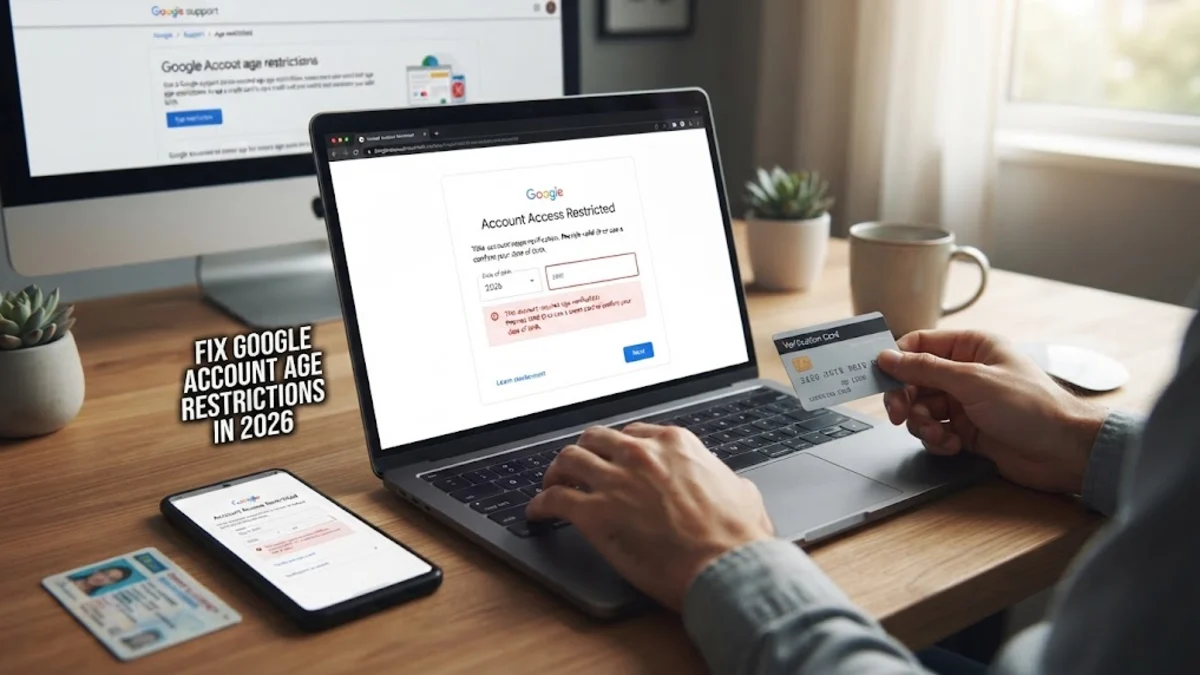
If your Google account has been locked or restricted because of an incorrect birth date, you can fix your Google account age by verifying your identity with a valid ID or a credit card. Google requires all users to meet specific age requirements depending on their country, and accounts created with incorrect birthdays often face suspension until corrected.
Fixing this issue quickly prevents permanent data loss and restores access to Gmail, YouTube, Google Drive, and other essential services. This guide walks you through the exact steps to submit age verification, update your date of birth safely, and regain full control over your locked Google profile.
Understanding Why Google Locked Your Account
Google enforces strict age policies to comply with international child online protection laws. If the birth date on your profile indicates that you are under the legal age requirement for your country—typically 13 in the United States and Canada, or 16 in parts of the European Union—Google will temporarily suspend your account. This suspension locks you out of all linked services, including your emails, saved passwords, and cloud storage files.
Many users encounter this problem because they entered a fake birth date when creating the account years ago, or they made a typo during setup. Once Google detects a discrepancy or receives a flag regarding account ownership, automated systems trigger a 30-day countdown before the account and all associated data are scheduled for permanent deletion. Recognizing this trigger early is critical because it gives you a safe window to prove your actual age and rescue your profile from being wiped out entirely.
Preparing Your Verification Documents
To prove your age and unlock your account, Google requires valid proof of identity. You have two primary options: uploading a government-issued identification document such as a driver license, passport, or national ID card, or using a valid credit card. If you choose the ID route, make sure the document clearly shows your full name, photograph, and exact date of birth matching or proving you are above the legal age threshold. The image must be clear, well-lit, and capture the entire card without any obscured corners.
If you prefer using a credit card, Google will make a temporary, small authorization charge to verify that the card belongs to an adult. This charge is automatically reversed within a few business days and is completely secure. Having your documents ready before you begin the recovery process ensures you can complete the verification workflow without timing out or running into frustrating upload errors.
Submitting Your Age Verification
When your account is locked due to age restrictions, logging into any Google service will redirect you straight to the age verification page. To initiate this process proactively or follow the on-screen recovery prompts, navigate to your Google Account management page in a web browser. Click on Personal info from the left-hand menu, locate your Birthday field, and select the option to verify your age.
Follow the prompts to upload your chosen identification document or enter your credit card details. Google's automated systems and specialized review teams process these submissions securely. Once you upload the document, you will receive a confirmation message stating that your submission is under review. Keep your notification email handy to track the status of your account recovery request.
Updating Your Birthday After Unlocking
Once Google reviews and approves your documentation, your account will be fully unlocked and restored to normal operation. However, the work is not quite finished until you permanently correct the incorrect birth date on your profile to prevent future automated lockouts. Log back into your account, go to Data & privacy or Personal info, and click on your Birthday section to edit the year.
When updating your birthday, ensure you select the option that restricts visibility appropriately, such as making it visible only to you or people you share things with. Save your changes and refresh your browser. Taking this extra step ensures that background synchronization tools across your Android devices, tablets, and computers recognize the correct birth date moving forward.
Troubleshooting Common Age Verification Errors
Sometimes your initial age verification submission might be rejected by Google's automated review system. This usually happens if the uploaded image is blurry, expired, or if the name on the ID does not match the name listed on the Google account profile. If your submission fails, do not panic. Check your image quality, ensure there is no glare on your ID card, and verify that your account name matches your legal identity before attempting to re-upload.
If you encounter technical glitches during the upload process, try switching to a different web browser or clearing your browser cache and cookies. You can also attempt the process using an incognito window or directly from a mobile device browser. Persistence is key, and Google typically allows multiple attempts to submit valid proof before locking the recovery portal.
Best Practices for Maintaining Account Security
Recovering your account from an age restriction lock is a great reminder to audit your overall account security settings. Make sure your recovery phone number and backup email address are up to date so you never lose access if security triggers occur again in the future. Enable two-factor authentication to add an extra layer of protection against unauthorized access or accidental lockouts.
Additionally, review the connected apps and third-party services that have permission to access your Google account. Removing outdated or unused applications minimizes security risks and keeps your personal data streamlined. Maintaining accurate profile information across all tech platforms ensures compliance with terms of service and guarantees uninterrupted access to your digital workspace.
The bottom line
Fixing a restricted Google account due to age verification is straightforward when you have the right identification documents ready. By following the official submission process and updating your birthday correctly once unlocked, you can secure your data and restore full access to your favorite digital services.
Frequently asked questions
How long does Google take to review age verification documents?
Google typically reviews age verification submissions within 3 to 5 business days, though many users receive a decision much sooner.
Will my credit card be charged when verifying my Google account age?
No, Google only places a temporary authorization hold to verify that the card belongs to an adult, and the charge is reversed immediately.
What happens if I don't verify my age within 30 days?
If you fail to verify your age within the 30-day window after your account is locked, Google will permanently delete the account and all its data.
Can I change my Google account birth date without an ID?
If your account is already locked for being underage, you must provide a valid ID or credit card to verify your age and unlock it.