Two Factor Authentication vs Multi Factor Authentication
When securing your online accounts, understanding the terminology behind security protocols is essential. While many people use various security terms interchangeably, knowing the distinction helps you make informed choices about your digital privacy.
The debate around two factor authentication vs multi factor authentication comes down to scope and scale, as one is a specific subset of the broader security category.
Understanding Two Factor Authentication
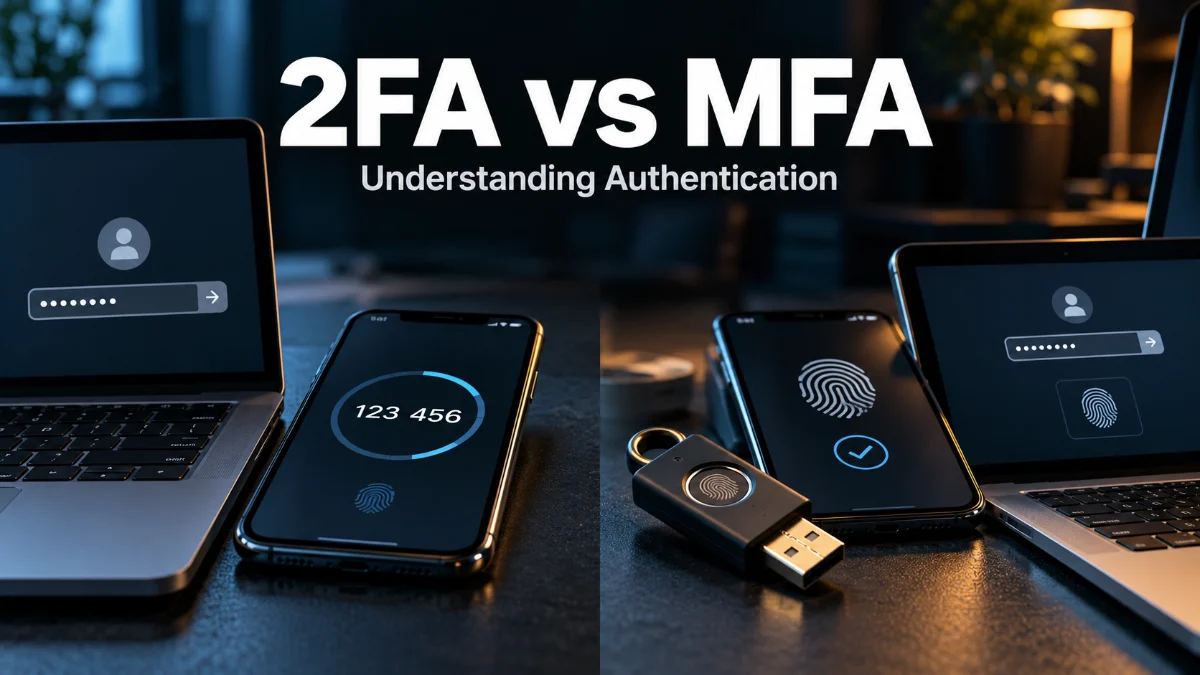
Two factor authentication, commonly known as 2FA, is a specific type of identity verification that requires a user to provide two distinct forms of identification before gaining access to an account, application, or network. Typically, this combines something you know, such as a password, with something you have, such as a physical security key, a text message code, or an authenticator app token. By adding this extra layer, even if a cybercriminal compromises your primary password, they cannot access your account without that second piece of physical or digital evidence. Implementing 2FA has become an industry standard across banking platforms, email providers, and social media networks to prevent unauthorized intrusions.
The primary advantage of 2FA is its simplicity and widespread availability. Most major consumer applications support standard 2FA methods out of the box, making it easy for everyday users to secure their personal data without requiring advanced technical knowledge. However, relying strictly on two factors can sometimes leave gaps depending on the strength and type of those factors. For instance, SMS-based verification codes are vulnerable to SIM-swapping attacks, which has pushed security experts to advocate for more robust verification mechanisms across sensitive corporate and personal environments alike.
What Is Multi Factor Authentication?
Multi factor authentication, or MFA, is a comprehensive security framework that requires two or more independent credentials to verify a user's identity. While 2FA is technically a subset of MFA because it utilizes two factors, true multi factor authentication can incorporate three, four, or even more layers of verification depending on the organization's risk tolerance. These additional layers ensure that a breach of a single credential does not automatically result in total system compromise. MFA is heavily utilized in enterprise environments, cloud infrastructure, and financial institutions where data security is paramount.
In an enterprise setting, an MFA prompt might require your Windows password, a push notification sent to your smartphone, a biometric scan such as a fingerprint or facial recognition, and validation that your device is connecting from a recognized corporate IP address. Because it combines multiple categories of authentication factors, MFA provides a significantly higher security posture compared to basic passwords or even standard two-step verification. It adapts to modern threat landscapes where automated credential stuffing and phishing attacks routinely bypass single-factor and weak two-factor defenses.
Key Differences Between 2FA and MFA
When examining two factor authentication vs multi factor authentication, the most noticeable difference lies in the quantity and flexibility of verification layers. Two factor authentication is strictly limited to exactly two factors. If a system requires a password and an email confirmation, that is 2FA. In contrast, multi factor authentication can encompass two, three, or more factors simultaneously. This scalability allows security administrators to tailor access controls based on the sensitivity of the resource being accessed, applying stricter requirements for administrative privileges than for standard user accounts.
Another key distinction is the intended use case and deployment environment. 2FA is generally designed for consumer-facing applications where user friction must be kept to a minimum to avoid frustrating customers. MFA, on the other hand, is built with scalability and granular access control in mind, making it the preferred choice for business networks, remote work environments, and sensitive database access. Understanding these structural differences helps you determine whether a basic consumer security setup or an enterprise-grade framework is appropriate for your specific needs.
Authentication Factors Explained
To fully grasp how both 2FA and MFA operate, you need to understand the three fundamental categories of authentication factors: knowledge factors, possession factors, and inherence factors. A knowledge factor is something you know, such as a password, PIN, or the answer to a security question. This is the most common form of authentication, though it is also the most vulnerable to social engineering, phishing, and brute-force guessing attacks if users choose weak or repetitive combinations.
A possession factor is something you have, such as a physical hardware token, a smartphone running an authenticator app, or a smart card. Because an attacker typically needs physical proximity or specialized remote access to obtain this item, possession factors drastically increase security. Finally, an inherence factor is something you are, referring to biometric data like fingerprints, facial recognition, or voice patterns. Combining different categories across these three pillars provides the robust defense that modern authentication standards demand.
Which Security Method Should You Choose?
Deciding between 2FA and MFA depends heavily on what you are trying to protect and who has access to the system. For personal accounts like social media, entertainment streaming, and casual email, robust two factor authentication using a dedicated authenticator app or hardware security key is usually more than sufficient to keep malicious actors at bay. Avoid relying on SMS text messages whenever possible, as they represent the weakest link in standard 2FA implementations due to interception and carrier vulnerabilities.
If you manage business networks, handle sensitive financial data, or oversee remote teams accessing company infrastructure, implementing a full multi factor authentication policy is essential. Modern MFA solutions allow you to enforce risk-based policies where additional factors are only triggered if unusual behavior is detected, such as a login attempt from an unfamiliar geographic location or a new device. This balances stringent security requirements with a seamless user experience for authorized personnel.
Best Practices for Implementing Authentication
Regardless of whether you choose a 2FA or MFA approach, following industry best practices ensures maximum protection for your accounts. First, always prioritize authenticator apps or hardware security keys over SMS or email verification codes. Apps generate time-based one-time passwords locally on your device, shielding them from interception over cellular networks. Additionally, ensure you securely store backup recovery codes in a password manager or physical safe in case you lose access to your primary authentication device.
Another critical practice is auditing your active security settings regularly across all platforms. Remove outdated devices, revoke permissions for third-party applications you no longer use, and update your recovery phone numbers and email addresses immediately if they change. By combining strong authentication protocols with vigilant account management habits, you create a formidable defense against unauthorized access and digital identity theft in 2026.
The bottom line
While 2FA and MFA share the common goal of enhancing account security through multiple verification steps, MFA offers a broader, more scalable framework. Choosing the right method depends on your specific security requirements, balancing ease of use with robust protection against modern cyber threats.
Frequently asked questions
Is 2FA the same as MFA?
Not exactly. 2FA is a specific type of MFA that always uses exactly two factors. MFA can use two or more factors.
Which is more secure: 2FA or MFA?
MFA is generally more secure because it can incorporate three or more verification factors, reducing the risk of a single point of failure.
Can I use SMS for two factor authentication?
Yes, but it is discouraged because text messages can be intercepted or vulnerable to SIM swapping attacks. Authenticator apps are much safer.
Do I need MFA for personal accounts?
Standard 2FA using an authenticator app is usually enough for personal accounts, but high-value accounts benefit from comprehensive MFA.