Password Manager vs Passkey: Which Is Better?
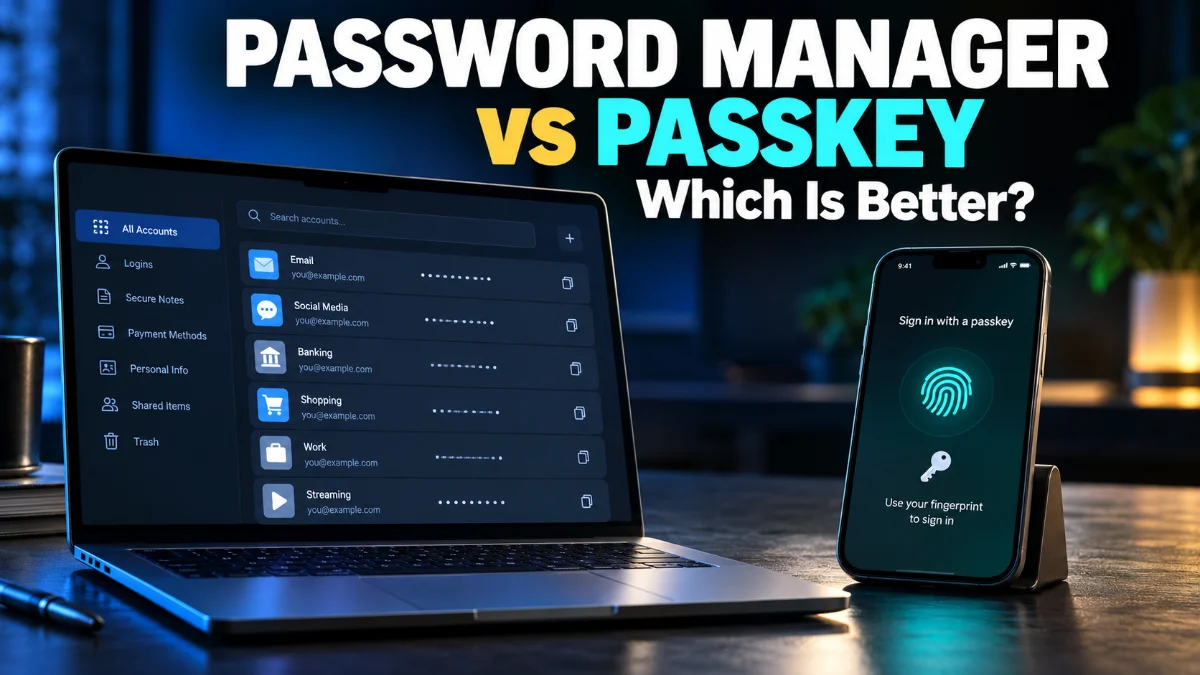
Choosing the right way to secure your online accounts can be confusing with modern technology evolving so fast. When comparing a password manager vs passkey, you are looking at two distinct approaches to digital security that shape how you log into websites and apps today.
While password managers store traditional credentials behind a master password, passkeys rely on cryptographic key pairs stored directly on your trusted devices. Understanding how each option works will help you choose the best strategy for your personal data protection and online convenience.
Understanding Traditional Password Managers
A password manager is a dedicated software application designed to store, generate, and manage your online credentials securely. Instead of remembering dozens of complex passwords, you only need to remember one strong master password to unlock your encrypted digital vault. These tools generate unique, complex passwords for every website you visit, preventing the dangerous habit of password reuse across multiple platforms.
Modern password managers do much more than just store text strings. They autofill login forms seamlessly across your web browsers and mobile devices, store secure notes, and alert you if any of your credentials appear in known data breaches. Many popular services also support secure credential sharing with family members or team members. However, they still fundamentally rely on the concept of a shared secret—the password—sent to a server during authentication, which leaves a small window of vulnerability if interceptors capture your session or if your master password is compromised.
How Passkeys Work and Why They Are Changing Security
Passkeys represent a revolutionary shift away from traditional passwords by utilizing cryptographic key pairs based on the FIDO2 and WebAuthn standards. When you create a passkey for a website or service, your device generates two unique keys: a public key stored on the service provider's server and a private key kept strictly confidential on your personal device. Because the private key never leaves your hardware, there is no secret to steal from a corporate database during a server hack.
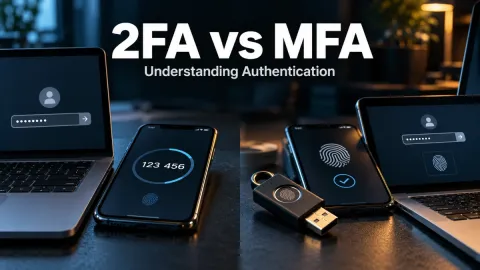
To log into an account using a passkey, you simply verify your identity on your device using biometric methods such as fingerprint scanning, facial recognition, or a local PIN. Your device then uses the private key to sign a cryptographic challenge sent by the website. This completely eliminates phishing attacks because a malicious website cannot trick your browser into sending the cryptographic signature to the wrong domain. Passkeys offer a frictionless login experience while providing a significantly higher baseline of security compared to standard passwords.
Security Comparison: Which Offers Better Protection?
When evaluating security in the debate of password manager vs passkey, passkeys hold a distinct advantage regarding phishing resistance and credential theft. Because passkeys rely on device-bound cryptography, they are virtually immune to traditional phishing scams where users accidentally type their credentials into a fake website. If you navigate to a fraudulent URL, your device recognizes the domain mismatch and refuses to sign the authentication challenge, blocking the attack instantly.
Password managers, on the other hand, rely heavily on your master password and your vigilance. If your master password is weak, or if you fall victim to a sophisticated adversary who intercepts your session cookies or tricks you into entering your master password on a fake autofill prompt, your entire vault could be exposed. Nevertheless, top-tier password managers utilize robust zero-knowledge encryption architectures, meaning even the provider cannot read your stored data. While password managers are secure when paired with multi-factor authentication, passkeys eliminate human error from the authentication equation entirely.
Convenience and Cross-Platform Compatibility
Convenience plays a major role in deciding how you manage your online logins. Traditional password managers excel in cross-platform flexibility. Whether you use a Windows PC, an Android phone, a Mac, or an iPad, your password vault syncs seamlessly across all your devices through encrypted cloud storage. You can easily share passwords with friends or family, and recover your account using emergency contacts or recovery phrases if you forget your master password.
Passkeys are also becoming increasingly flexible through cloud syncing services provided by Apple, Google, and Microsoft, allowing your passkeys to follow you across devices within the same ecosystem. However, sharing passkeys between different operating systems or with other people can sometimes feel more rigid than sharing a standard password entry. While operating systems and third-party credential providers have made massive strides in cross-platform passkey sharing, password managers currently offer a more mature workflow for collaborative environments and multi-device households.
Feature and Security Comparison
To better understand the differences between these two authentication methods, it helps to compare their core characteristics side by side. Each system approaches digital identity with unique strengths that cater to different user preferences and technical requirements.
| Feature | Password Manager | Passkey |
|---|---|---|
| Primary Secret | Master password | Device-bound private key |
| Phishing Resistance | Moderate (depends on user awareness) | Complete (bound to exact domain) |
| Setup Complexity | Low | Low to Moderate |
| Cross-Platform Sharing | Very flexible | Improving, but more restrictive |
| Server Breach Risk | Zero-knowledge encrypted vault | Only public keys stored on server |
As shown in the comparison table, passkeys provide superior resistance against modern cyber threats like phishing, while password managers offer greater flexibility for managing legacy accounts and sharing access across different platforms and users.
Can You Use Both Together?
Fortunately, choosing between a password manager vs passkey is not an all-or-nothing proposition. Modern standalone password managers have evolved to support passkeys natively. This means you can store both your traditional passwords for older websites and your advanced passkeys for modern services inside the exact same secure vault application.
Using a hybrid approach allows you to adopt passkeys for major services like Google, Apple, and financial institutions as they add support, while relying on your password manager to secure the thousands of other websites and apps that still require traditional username and password combinations. This bridges the gap between legacy security structures and next-generation authentication standards without requiring you to change your entire digital workflow overnight.
The bottom line
Ultimately, both password managers and passkeys serve vital roles in modern cybersecurity. While passkeys offer unbeatable phishing resistance and eliminate the need to remember complex codes, password managers provide the flexibility and multi-platform compatibility needed to manage everyday digital life. Embracing both technologies together ensures optimal security across all your online accounts.
Frequently asked questions
Are passkeys safer than password managers?
Passkeys are generally safer against phishing and server-side breaches because they use device-bound cryptographic keys instead of shared secrets. However, modern password managers that support passkeys offer the best of both worlds.
Can I store passkeys inside my password manager?
Yes, many leading password managers now support storing and syncing passkeys alongside your traditional login credentials across your supported devices.
What happens if I lose the device holding my passkey?
Most cloud ecosystem providers like Apple, Google, and Microsoft securely sync your passkeys to your cloud account, allowing you to restore them on a new device provided you verify your identity.
Do all websites support passkeys?
No, while adoption is growing rapidly among major tech platforms, financial institutions, and email providers, many smaller websites still rely exclusively on traditional passwords.
Do I still need a master password if I use passkeys?
If you use a password manager to store your passkeys, you will still need a master password or biometric authentication to unlock your vault.