Why Is My Google Account Paused and How to Fix It
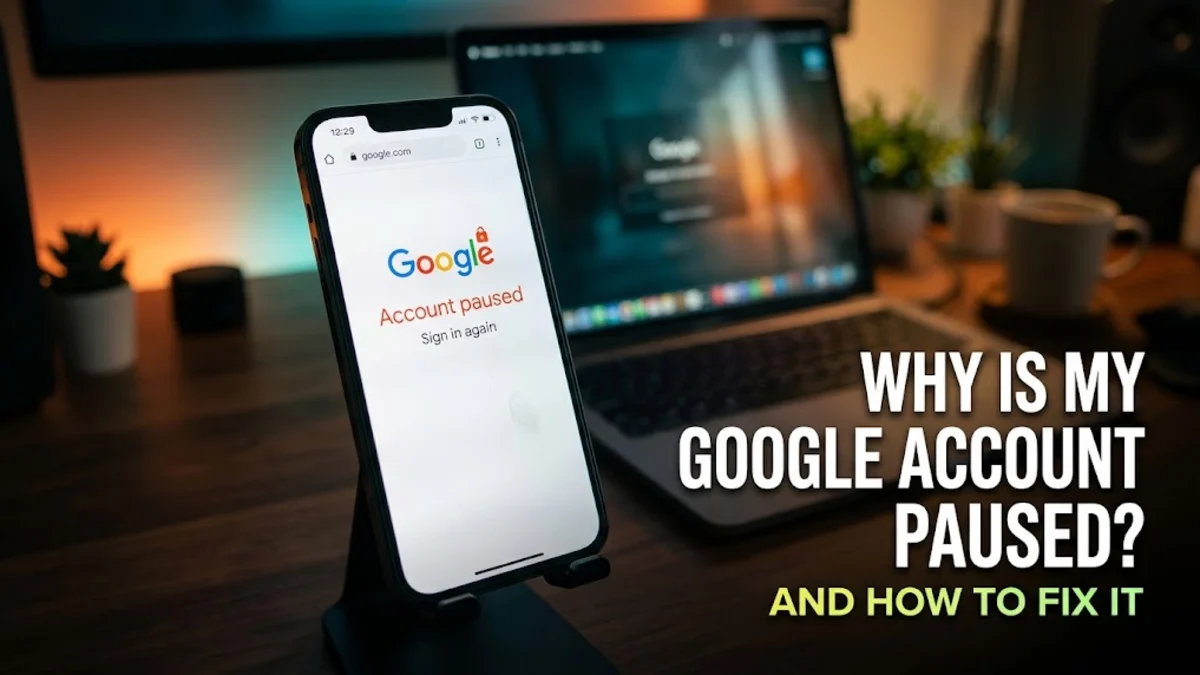
Finding out that your Google account has been paused can be stressful, locking you out of your email, cloud storage, and connected services instantly. This security measure is usually triggered automatically when unusual activity is detected.
Fortunately, you can often restore your access quickly by verifying your identity, updating your security settings, or submitting a formal recovery request through official channels.
Understanding Why Google Pauses Accounts
Google pauses accounts temporarily to protect users from unauthorized access, fraud, or policy violations. When an account is paused, you lose access to Gmail, Google Drive, YouTube, and other connected services until you verify your identity. This safety measure is triggered automatically by algorithmic monitoring systems that detect unusual login patterns, sudden password changes from unfamiliar locations, or bulk activity that mimics automated bots. Knowing why this happens helps you take the correct corrective action immediately without panicking.
In many cases, an account pause is merely a precautionary measure rather than a permanent ban. If Google detects that someone tried to access your profile using compromised credentials, it locks the door to keep malicious actors out. Understanding this distinction allows you to approach the recovery process with confidence, knowing that your personal data is protected and that standard verification steps will usually restore your full privileges within minutes.
Suspicious Activity and Security Breaches
One of the most common reasons for a paused Google account is detected unauthorized access. If someone attempts to log into your account from a foreign country, uses an unverified virtual private network, or enters incorrect passwords multiple times, Google's security protocols lock the account down. This protects your personal data, emails, and payment methods stored securely across the ecosystem. To resolve this, you will need to complete a verification challenge, such as entering a security code sent to your recovery phone number or confirming your identity through a trusted device currently logged into your account.
Always make sure you attempt recovery from a secure, familiar network environment. Using public Wi-Fi or unfamiliar hardware during the unpausing process can sometimes trigger secondary security filters, making the recovery process longer. If you receive alerts about suspicious sign-in attempts leading up to the pause, take note of them so you can address the root vulnerability once you regain access to your main dashboard.
Violations of Google Terms of Service
Beyond security threats, Google frequently pauses accounts when automated systems or human reviewers flag content or behavior that violates their terms of service. This can happen if your Gmail account is used to send bulk emails that resemble spam, if you upload copyrighted material to Google Drive, or if your YouTube channel comments violate community guidelines. If your account was paused due to a policy violation, the reactivation process requires a formal appeal rather than just a simple password reset. You must carefully review Google policies and submit a reinstatement request explaining your situation.
When dealing with policy-related suspensions, honesty and patience are essential. Submitting multiple duplicate appeals or providing false information will only delay the review process or lead to a permanent account closure. Take the time to read through the specific policy notification provided on your screen and address the flagged issue directly in your appeal statement to maximize your chances of getting the account reinstated.
Checking Your Account Status and Notifications
Before attempting complex recovery methods, you should verify the exact status of your account by navigating to the official account management portal. Open your web browser, go to the official sign-in page, and enter your credentials. If your account is paused, a warning message will appear on your screen explaining the suspension reason and providing a direct link to start the recovery process. Make sure you are using a secure internet connection and a trusted device to avoid triggering additional security filters that might prolong the verification delay.
Look closely at any error codes or messaging displayed during this sign-in attempt. These details often point directly to whether you need to complete a standard SMS verification, update a compromised password, or submit a review ticket. Following the specific prompts provided by the login interface ensures you are taking the most direct path to unlocking your profile.
Appealing a Disabled or Paused Account
If Google prompts you to submit an appeal, follow the on-screen instructions carefully and provide accurate information. Navigate to Settings > Security > Account Recovery if you can partially access the portal, or use the dedicated recovery form provided during the login block. Fill out all required fields honestly, including your correct contact email and a detailed explanation if requested. Google's review team typically processes these appeals within a few business days, and you will receive an update at your designated backup email address regarding your account standing.
When writing your appeal explanation, keep it concise, polite, and factual. Clearly state what you were doing when the account was paused and explain why you believe the suspension was an error if it was triggered by an automated mistake. Avoid using aggressive language or emotional arguments, as the initial review is handled by compliance teams that rely on clear documentation.
Updating Outdated Recovery Information
Once you regain access to your paused Google account, your immediate priority should be updating your recovery options. Outdated phone numbers and missing backup email addresses are major reasons why account recovery fails or why accounts get permanently locked during routine security checks. Go to Google Account > Personal Info > Contact Info and ensure that your current mobile number and active secondary email are registered. Setting up backup codes and registering a physical security key can also prevent future unexpected account pauses.
Keeping your recovery profile up to date acts as an insurance policy for your digital life. If your account is ever flagged again in the future, having immediate access to your primary mobile device for verification will allow you to clear the security hurdle in seconds rather than days. Make it a habit to audit your recovery settings at least once every six months.
Securing Your Devices After Account Restoration
After recovering a paused account, you must ensure that none of your connected devices harbor malware or unauthorized session tokens. Sign out of all active sessions by going to Security > Your Devices and clicking on unfamiliar computers or phones. Run a thorough antivirus scan on your primary computer and mobile devices. Change your account password to a strong, unique combination of letters, numbers, and symbols, and enable two-factor authentication using an authenticator app rather than vulnerable SMS text messages.
Overlooking device security after an account breach or suspicious pause leaves your newly recovered profile vulnerable to repeat attacks. By clearing out old session tokens and securing your hardware, you establish a clean baseline that prevents unauthorized actors from regaining entry through residual software vulnerabilities or browser cookies.
The bottom line
Dealing with a paused Google account can disrupt your daily routine, but understanding the underlying security triggers makes the recovery process manageable. By verifying your identity, completing necessary appeals, and updating your recovery contact details, you can secure your profile and prevent future unexpected interruptions.
Frequently asked questions
How long does it take to restore a paused Google account?
Most standard security pauses are resolved instantly once you complete the SMS or email verification prompt. However, if your account required a formal appeal due to policy violations, the review process can take anywhere from two to five business days.
Will I lose my data if my Google account is paused?
No, pausing an account restricts your access temporarily but does not immediately delete your data. Your emails, photos, documents, and files remain safely stored on Google servers unless the account is permanently terminated for severe terms of service violations.
Can I use my backup codes to unlock a paused account?
Yes, if your account has two-factor authentication enabled and you are facing authentication hurdles during the unpausing process, entering one of your pre-generated backup codes can help verify your identity.
Why did my account get paused without warning?
Google's security systems act automatically to protect user data when they detect sudden anomalies, such as impossible travel logins or suspicious API requests. These automated measures occur instantly without prior notification to prevent active breaches.
What should I do if my appeal is rejected?
If Google denies your appeal for a policy-violated account, you can carefully review the specific guidelines and submit a second appeal through the recovery portal if you believe an error was made. Ensure your submission is polite and provides clear context.