Google Account vs Microsoft Account: Which Is Best in 2026?
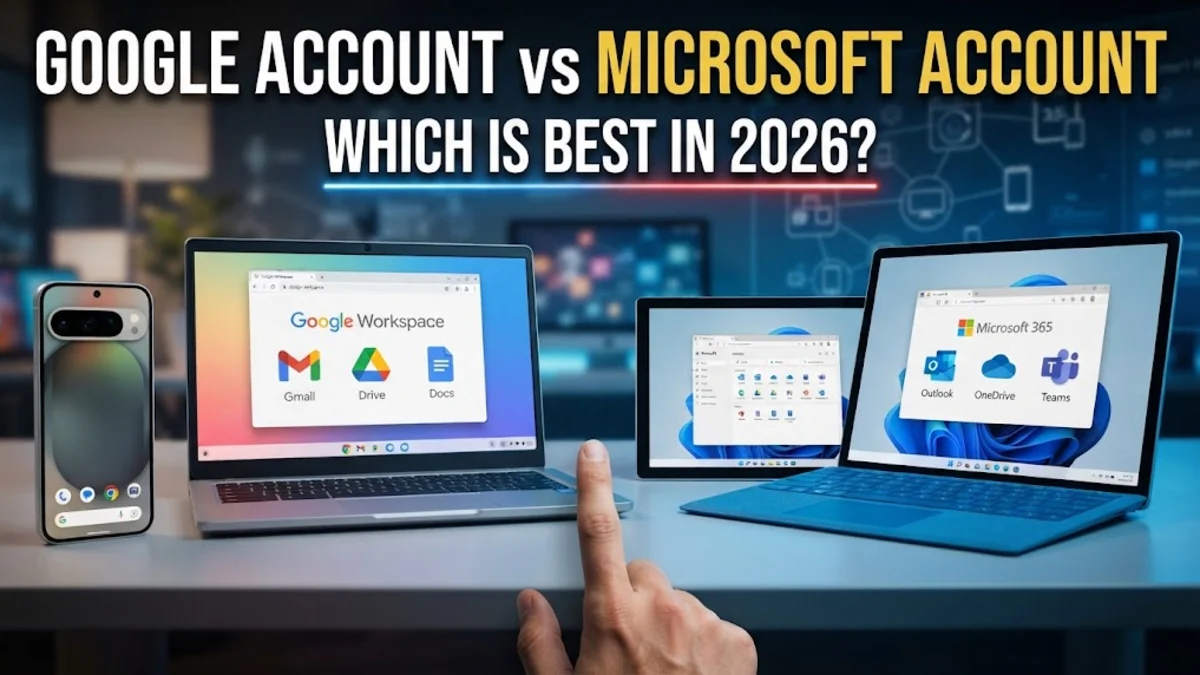
Choosing between a Google account and a Microsoft account in 2026 depends on whether you prefer a web-first, collaborative environment or a software-heavy, feature-rich productivity suite. Both ecosystems have evolved into comprehensive digital identities that manage your files, security, and smart home devices, making the decision more significant than just picking an email provider.
Core Ecosystem and Identity Management
A Google account serves as the master key for the world's most popular mobile operating system, Android, and the ubiquitous YouTube platform. When you create a Google account, you are essentially buying into a cloud-native lifestyle where your data is accessible from any browser. In 2026, Google has further integrated its Gemini AI into the core account experience, meaning your identity is now tied to a personalized AI assistant that understands your emails, calendar, and documents. For users who rely heavily on Google Chrome and Android devices, the synchronization is seamless, handling everything from saved passwords to browser history across all logged-in devices.
Microsoft, on the other hand, positions its account as the central hub for the Windows 11 and Windows 12 ecosystems. If you are a PC gamer or a professional who relies on local desktop applications, the Microsoft account is indispensable. It manages your Windows license, your Xbox Game Pass subscription, and your Microsoft 365 settings. While Google excels in the browser, Microsoft provides a more robust bridge between the cloud and local hardware. This is particularly evident in how Windows 11 uses your Microsoft account to back up system settings and desktop configurations, allowing you to move between different PCs without losing your personalized setup.
Security Features and Privacy Standards
Productivity Suites: Google Workspace vs Microsoft 365
The battle between Google Docs and Microsoft Word is no longer just about text editing; it is about AI-assisted creation. Google Workspace (formerly G Suite) is built for real-time collaboration. Its lightweight nature makes it the preferred choice for students and creative teams who need to jump into a document simultaneously without worrying about version control. In 2026, the 'Help me write' feature in Google Docs is remarkably fast, generating drafts and summaries with high accuracy based on your previous writing style.
Microsoft 365 remains the powerhouse for complex data and professional formatting. Excel still outperforms Google Sheets when handling massive datasets or advanced macros, and Word offers superior desktop publishing tools. Microsoft Copilot is deeply integrated into these apps, allowing you to generate PowerPoint decks from a Word outline in seconds. If your work involves long-form documents, complex spreadsheets, or offline editing, Microsoft’s suite is the clear winner. However, for quick, collaborative tasks, Google’s streamlined interface is often less overwhelming. Users often find that Google is better for 'getting things started,' while Microsoft is better for 'getting things finished' to a professional standard.
Cloud Storage Solutions: Drive vs OneDrive
Storage remains a major deciding factor for most users. Google offers 15GB of free storage, but this is shared across Gmail, Google Photos, and Google Drive. In 2026, this 15GB can fill up surprisingly fast if you are backing up high-resolution photos from a modern smartphone. Google One is the subscription service used to expand this, and it often includes perks like enhanced AI editing features in Photos and a VPN for mobile devices. The integration of Drive into the Android file manager is flawless, making it easy to attach files to any app.
Microsoft OneDrive offers a smaller free tier at 5GB, but its value proposition changes significantly once you pay for a subscription. Most Microsoft 365 plans come with 1TB of storage per person, which is integrated directly into the Windows File Explorer. This makes OneDrive feel less like a 'cloud' and more like a local drive that happens to sync to the internet. Features like 'Personal Vault' provide an extra layer of encrypted storage within OneDrive for sensitive documents like passports or tax returns. If you are already paying for Office apps, the 1TB of storage makes Microsoft the more cost-effective choice for heavy data users.
Comparison of Key Features
| Feature | Google Account | Microsoft Account |
|---|---|---|
| Free Storage | 15 GB (Shared) | 5 GB |
| Primary AI | Gemini | Copilot |
| Best For | Web/Mobile/Android | Desktop/Gaming/Windows |
| Passwordless | Passkeys & Security Keys | Microsoft Authenticator |
| Email Service | Gmail | Outlook.com |
| App Ecosystem | Play Store / Chrome | Microsoft Store / Xbox |
Cross-Platform Availability and Compatibility
In 2026, neither company locks you into their hardware as tightly as they once did. You can easily use a Google account on an iPhone or a Microsoft account on a Mac. Google’s apps for iOS are exceptionally well-maintained, often receiving new features simultaneously with their Android counterparts. For Mac users, Google Drive remains a popular choice for cloud syncing because of its simple interface. Google also wins in the 'Single Sign-On' (SSO) department, as more third-party websites and apps allow you to 'Sign in with Google' than any other provider.
Microsoft has made massive strides in cross-platform support, especially with the Edge browser and the Microsoft 365 mobile app. On Android, you can set Microsoft Launcher as your home screen, which brings your OneDrive files and Outlook calendar directly to your phone's main interface. For those who use a Mac for work but a Windows PC for gaming, a Microsoft account keeps your digital life synchronized across both. One common mistake is assuming that a Microsoft account only works on Windows; in reality, the Outlook and OneDrive apps on iOS are among the highest-rated productivity tools in the App Store.
The bottom line
Ultimately, the choice between Google and Microsoft comes down to your primary device and your workflow. If you live on your smartphone and value quick, collaborative web tools, a Google account is your best bet. If you spend your day on a PC, value deep integration with your operating system, and need powerful desktop software, a Microsoft account is the superior choice. Many users find that maintaining both is the most practical solution in 2026, using Google for personal communication and Microsoft for professional tasks.
Frequently asked questions
Can I use a Google account and a Microsoft account on the same device?
Yes, you can use both simultaneously. Most modern operating systems and browsers allow you to remain logged into both. For example, you can use the Microsoft Outlook app to manage your Gmail inbox, or use Google Chrome on a Windows PC logged into your Microsoft account.
Which account is more secure against hackers?
Both are extremely secure if you enable two-factor authentication (2FA). Google's Advanced Protection is slightly more robust for individuals at high risk of targeted attacks, while Microsoft's Entra-based security features offer better granularity for monitoring suspicious login attempts.
Does my Google storage include my emails?
Yes. In 2026, Google's 15GB of free storage is shared across Gmail, Google Drive, and Google Photos. Large attachments in your email will count against your total storage limit.
Can I switch from a Google account to a Microsoft account easily?
You can migrate most data, including contacts and emails, but it requires manual effort. Microsoft offers tools to import Gmail into Outlook, and Google Drive files can be moved to OneDrive, but app purchases and platform-specific metadata cannot be transferred.