What Is Multi-Factor Authentication (MFA) and How It Works
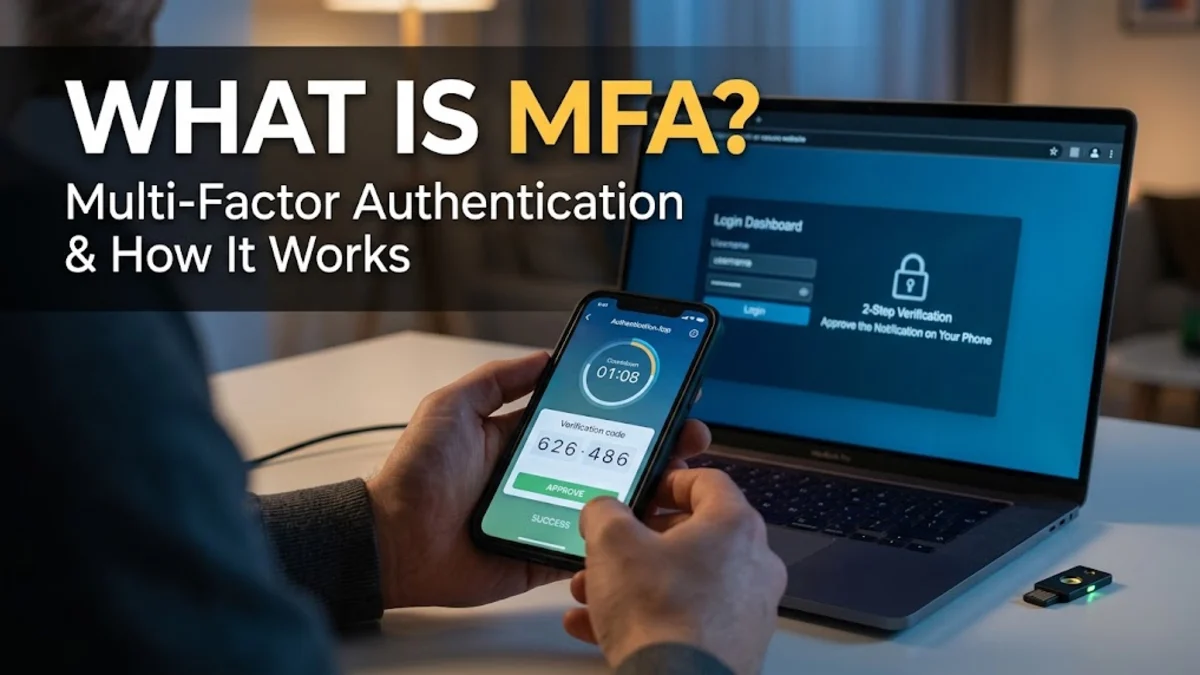
Multi-factor authentication, commonly referred to as MFA, is a security process where a user provides two or more verification factors to gain access to an online account or system. Instead of just entering a password, which can easily be stolen, guessed, or compromised in a data breach, MFA requires an extra layer of proof, such as a code from an authenticator app or a physical security key.
Understanding how MFA works and implementing it across your email, banking, and social media accounts is one of the most effective ways to prevent unauthorized access. This guide breaks down the core concepts behind multi-factor authentication, compares the different types of security factors, and shares best practices for keeping your private information safe.
What Is Multi-Factor Authentication and Why You Need It
Multi-factor authentication acts as a digital deadbolt for your personal and professional accounts. Traditional security relied entirely on a username and password combination. Unfortunately, cybercriminals have become skilled at exploiting weak passwords through brute-force attacks, phishing emails, and credential stuffing. When you enable MFA, even if a malicious actor manages to steal your password, they cannot access your account without successfully passing the second or third verification challenge.
Security data consistently shows that accounts protected by robust multi-factor authentication block the vast majority of automated bot attacks and targeted account takeovers. Whether you are logging into your primary email inbox, cloud storage, or financial portals, adding this extra defense layer significantly reduces the risk of unauthorized intrusion. Implementing MFA requires very little daily effort while offering exponential improvements to your overall digital safety posture.
How Multi-Factor Authentication Works Behind the Scenes
The core principle of multi-factor authentication is combining independent categories of credentials. When you attempt to sign in to a service, the server first verifies your primary credential, which is usually your password or passkey. Once the system validates this initial piece of information, it pauses the login sequence and triggers a request for your secondary factor.
This secondary factor is verified independently by a separate device, app, or physical token. For instance, a time-based one-time password algorithm generates a unique six-digit code that changes every thirty seconds on your smartphone. Because this code expires quickly and is tied to a specific device in your physical possession, an attacker monitoring network traffic cannot reuse it later. The authentication server cross-references the code with its own cryptographic calculation, and if they match, grants you entry.
The Three Primary Categories of Authentication Factors
To truly understand multi-factor security, it helps to examine the three distinct categories that authentication factors fall into. A secure MFA setup typically combines at least two of these categories to ensure maximum protection against varied threat vectors.
- Something you know: This is the traditional category encompassing passwords, PIN codes, and answers to security questions. It is the most vulnerable category because information can be guessed or shared.
- Something you have: This includes physical items or trusted devices in your direct possession, such as a smartphone running an authenticator app, an SMS-enabled mobile phone, or a physical USB security key.
- Something you are: Biometric markers unique to your body, including fingerprint scans, facial recognition data, and voice recognition patterns.
Comparing SMS Codes, Authenticator Apps, and Hardware Keys
Not all multi-factor authentication methods offer the same level of protection. Choosing the right factor depends on your convenience needs and your sensitivity to security risks.
| MFA Type | Security Level | Convenience | Vulnerability |
|---|---|---|---|
| SMS Text Codes | Low to Moderate | High | SIM swapping, interception |
| Authenticator Apps | High | Moderate | Device loss, malware |
| Hardware Security Keys | Very High | Low to Moderate | Physical loss, cost |
As shown in the comparison table, SMS text messages are the most common form of secondary verification, but they are vulnerable to sophisticated phone carrier scams known as SIM swapping. Authenticator apps strike an ideal balance by generating offline codes locally on your device. Hardware keys, such as YubiKeys, provide the ultimate level of security by utilizing cryptographic challenge-response protocols that resist phishing entirely.
Best Practices for Setting Up and Managing MFA
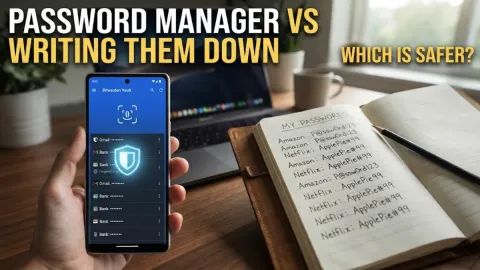
Deploying multi-factor authentication requires a strategic approach to avoid locking yourself out of your own accounts. Always start by securing your primary email address, as anyone who gains control of your email can easily reset the passwords for your other online services. Use a dedicated password manager with built-in authenticator features to store and organize your backup codes securely.
Another crucial habit is generating and saving backup recovery codes in an encrypted digital vault or printing them out and storing them in a secure physical location. If you lose your smartphone or buy a new one, these recovery codes will allow you to regain access without tedious customer support verification processes. Avoid relying on a single backup method, and periodically audit your account security settings to ensure unauthorized devices are removed.
Common Misconceptions About Multi-Factor Authentication
Despite its widespread adoption, several persistent myths surround multi-factor authentication. One common misconception is that enabling MFA makes an account completely unhackable. While it blocks the vast majority of remote attacks, sophisticated phishing campaigns can sometimes trick users into handing over real-time MFA codes through fake login portals. Staying vigilant about checking website URLs prevents falling victim to these real-time proxy attacks.
Another myth is that setting up MFA is too complicated for ordinary users. Modern authenticator apps and built-in operating system security tools have streamlined the pairing process down to scanning a simple QR code with your camera. By taking ten minutes to configure these settings across your digital footprint, you eliminate the easiest pathways that modern cybercriminals use to target personal data.
The bottom line
Multi-factor authentication is an indispensable tool for safeguarding your digital identity against modern security threats. By combining passwords with physical devices, authenticator applications, or biometrics, you make unauthorized account access exponentially harder for malicious actors. Take time today to audit your critical accounts, enable robust MFA methods, and secure your backup recovery codes.
Frequently asked questions
Is MFA the same thing as 2FA?
Yes and no. Two-factor authentication (2FA) is a specific subset of multi-factor authentication that strictly uses two different verification factors. Multi-factor authentication can encompass two or more factors.
What should I do if I lose my phone with my MFA app?
You should use the backup recovery codes you saved when setting up your account, or contact customer support to verify your identity and restore access.
Are SMS text message codes safe to use?
SMS codes are better than having no secondary verification at all, but they are less secure than authenticator apps because text messages can be intercepted through telecom vulnerabilities.
Which accounts should I protect with MFA first?
You should prioritize securing your primary email account, online banking portals, password managers, and cloud storage accounts where sensitive personal data is stored.