Best Spam Text Responses to Deal With Scammers

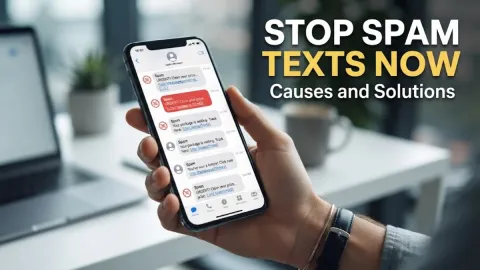
Dealing with relentless spam texts can be frustrating, but choosing the right approach helps protect your personal information and privacy. Whether you want to shut down scammers instantly or waste their time with clever replies, knowing how to handle these messages matters.
Understanding Why Scammers Text You
Spam texts usually arrive because your phone number was exposed in a data breach, scraped from a public social media profile, or randomly generated by automated robocalling software. Scammers cast a wide net, sending thousands of messages simultaneously to see who responds. When you reply, even if it is to tell them to stop, you often confirm that your number is active and monitored by a real person. This confirmation can land your number on more active lists, leading to an increase in future spam messages.
Understanding this mechanism is the first step in deciding how to handle incoming threats. Automated systems look for engagement metrics, such as click-through rates or quick replies, to prioritize targets. By recognizing that these messages are automated, you can detach emotionally and avoid impulsive interactions that compromise your security. Knowing the root cause empowers you to adopt proactive defenses rather than reacting blindly to every unknown sender.
Why Engaging With Spammers Can Be Risky
While sending funny or sarcastic replies to spammers might feel satisfying, it carries hidden risks that you should consider carefully. When you engage in a prolonged text exchange, you provide malicious actors with conversational data that advanced AI tools can analyze. Furthermore, some interactive scams involve sending malicious links disguised as memes, images, or tracking updates. Clicking these links out of curiosity or frustration can automatically download spyware or direct you to credential-harvesting phishing pages designed to steal your account passwords.
Another major risk of responding is signaling to the scam network that your line belongs to a reactive user. Scammers frequently categorize numbers based on engagement levels and sell responsive leads to other fraudulent rings. If you must reply, keep it strictly minimal or avoid manual engagement entirely in favor of blocking and reporting features built into your mobile operating system. Protecting your personal data always outweighs the temporary amusement of teasing an automated scammer.
Clever and Safe Spam Text Responses
If you prefer to send a quick message before blocking, using automated-sounding opt-out replies or deadpan humor can sometimes discourage future automated sends. One effective approach is sending a standard carrier-style stop command, even though scammers rarely honor them. Another approach involves neutral, robotic statements that confuse simple auto-responders, such as stating that the recipient has reached an automated archival service. These responses break the expected script that human-operated scam scripts rely on to transition into their financial pitch.
Alternatively, you can use absurd non-sequiturs that waste the scammer's time if they are operating manually from a call center. While amusing, always ensure these replies do not reveal any personal information, location details, or habits. Keep your tone completely detached, and transition immediately to blocking the number once the witty remark is sent so you do not get sucked into an endless back-and-forth conversation.
Setting Up Automatic Spam Filters on Your Phone
Relying on manual text replies is never enough to secure your device against persistent scammers. You should configure your phone's built-in filtering tools to catch unwanted messages before they ever notify you. On modern mobile operating systems, navigate to Settings > Messages and enable options like Filter Unknown Senders to automatically sort texts from people not in your contact list into a separate tab.
Additionally, mobile carriers offer dedicated network-level protection apps that analyze incoming traffic patterns and intercept known fraudulent numbers before they reach your device. Turning on these carrier filters significantly reduces the volume of spam texts you receive daily. Make sure to check your filtered messages folder periodically just in case an automated notification from a legitimate business or delivery service was accidentally caught in the safety net.
How to Block and Report Numbers Effectively
When a spam text slips past your filters, blocking the sender immediately is your best course of action. On your messaging app, open the conversation thread, tap the sender profile icon or phone number, and select the option to block caller or block contact. This prevents that specific number from sending future SMS or multimedia messages to your device. Never use links inside the text message to unsubscribe, as those unsubscribe pages are often traps.
After blocking the sender, forward the spam message to your carrier's reporting service by copying the text and sending it to 7726 (SPAM). This helps telecommunications providers track scam networks and update their network-level firewalls. You can also report fraudulent text messages to government consumer protection agencies, such as the Federal Trade Commission in the United States, to help authorities dismantle large-scale phishing operations.
Best Practices to Keep Your Number Off Scam Lists
Preventing spam texts starts with practicing good digital hygiene and safeguarding your phone number across online platforms. Avoid publishing your primary mobile number on public social media bios, online forums, or unverified classified listing websites where automated web scrapers can harvest it. When signing up for new online accounts, loyalty programs, or newsletters, use a secondary virtual phone number or email alias to keep your real contact details private.
You should also regularly review your privacy settings on major accounts and check data broker removal services to minimize your public digital footprint. If your phone number was part of a known corporate data breach, change your account passwords immediately and remain extra vigilant for targeted smishing attempts. Combining preventative privacy habits with robust phone filters ensures long-term peace of mind.
The bottom line
Handling spam texts requires a balanced mix of smart technical filters, immediate blocking, and cautious communication habits. By avoiding risky engagements and utilizing built-in device tools, you can keep your phone secure and your inbox clean.
Frequently asked questions
Do spam text responses actually work?
Most spam text responses do not stop scammers and often confirm that your number is active, which can result in receiving even more spam messages.
What happens if I reply STOP to a scam text?
Legitimate businesses will remove you from their lists, but cybercriminals ignore opt-out requests and simply use your reply to verify your active phone line.
How do I report a spam text message?
You can report spam texts by forwarding the message to 7726 or by blocking the number directly through your phone messaging app settings.
Why am I suddenly getting so many spam texts?
A sudden increase usually means your phone number was exposed in a recent third-party data breach or harvested by automated web scrapers.
Should I click links inside spam text messages?
Never click links inside spam texts because they often lead to dangerous phishing websites designed to steal your personal data or install malware.