Why Is My Number Getting Spam Texts? Causes and Solutions
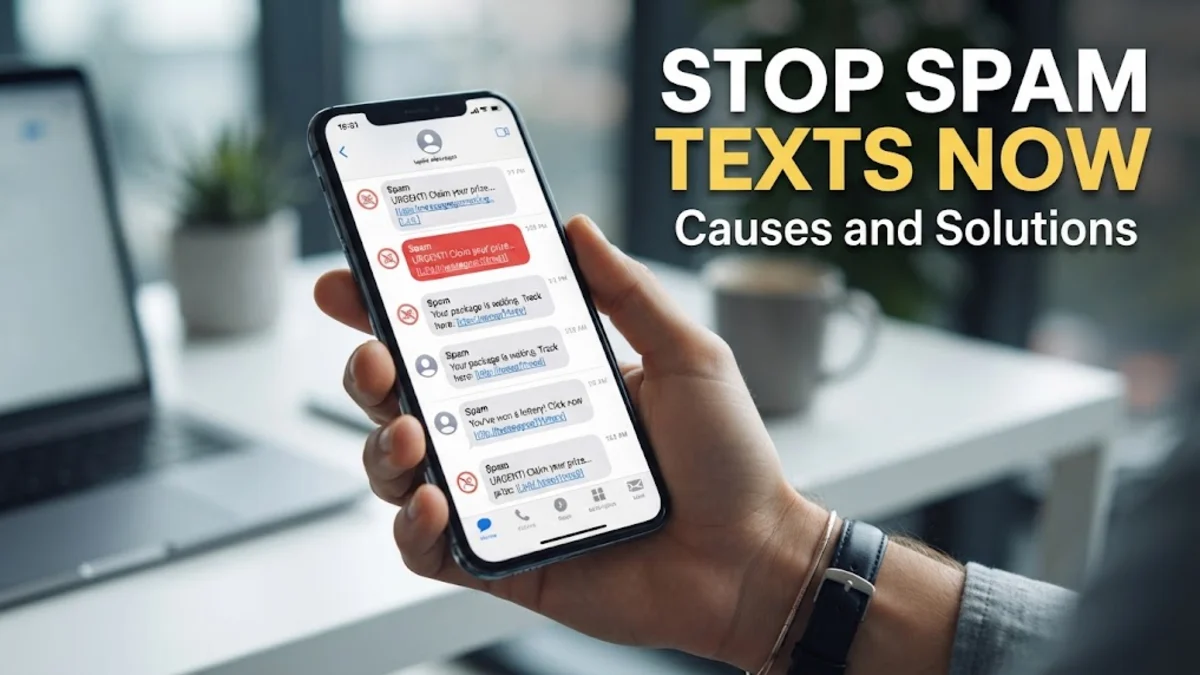
Receiving a sudden influx of spam texts is more than just a nuisance; it is a sign that your personal data has entered the ecosystem of digital marketers and scammers. You might be wondering why is my number getting spam texts all of a sudden, especially if you have been careful with your privacy. The reality is that in 2026, your phone number has become a primary digital identifier, making it a high-value target for automated bots and sophisticated fraud rings.
Spam text messages, or 'smishing' when they involve phishing attempts, happen because your number was likely exposed through a data breach, scraped from a public profile, or generated by an automated dialing system. Once a single spammer confirms your number is active, they often sell that 'verified' status to dozens of other groups, leading to a snowball effect of unwanted notifications. This article explains the technical reasons behind this surge and provides practical steps to reclaim your inbox.
Data Breaches and the Dark Web Ecosystem
One of the most common reasons you are receiving spam is that your phone number was part of a corporate data breach. Over the last few years, massive databases from social media platforms, retailers, and service providers have been compromised. When these companies suffer a security lapse, hackers package the stolen data—names, emails, and phone numbers—and sell it on dark web marketplaces. Scammers buy these lists to launch bulk SMS campaigns, knowing that the numbers are real and tied to specific individuals.
You can check if your information has been leaked by using reputable services like 'Have I Been Pwned,' which tracks historical data breaches. If your number was associated with an old account on a site that was hacked in late 2025 or early 2026, it is likely now in a permanent database used by spam bots. Even if you haven't used a specific service in years, your archived data remains a target. Once your number is leaked once, it effectively stays in the hands of bad actors forever, necessitating proactive filtering on your device.
Automated Number Generation and War Texting
Sometimes, your number wasn't stolen; it was simply guessed. Scammers use software known as 'war texting' or sequential dialers to send messages to every possible number combination within a specific area code. These programs can send thousands of texts per second. They do not need to know your name or identity; they only need the message to go through. This is why you might receive generic messages like 'Your package is waiting' or 'Hi, is this John?' even if your name isn't John.
When these automated systems send a blast, they look for a 'handshake' or confirmation. If your phone's carrier sends back a delivery receipt, or if you make the mistake of clicking a link or replying, the software flags your number as 'live.' A live number is worth significantly more on the secondary market than a random string of digits. Once you are flagged as an active user, the frequency of spam usually increases because your number is then prioritized for more targeted and frequent attacks.
The Role of Data Brokers and Marketing Consent
Have you ever signed up for a 'free' loyalty program at a grocery store or entered a sweepstakes online? Most of these services require a phone number, and buried deep within their Terms and Conditions is often a clause that allows them to share your data with 'trusted partners' or 'affiliates.' These partners are frequently data brokers who aggregate information from thousands of sources to build a comprehensive profile of you. They then sell these lists to telemarketers and SMS marketing firms.
In 2026, the data brokerage industry is more aggressive than ever. If you have provided your number to a real estate site, a car dealership, or an insurance quote tool, you have likely triggered a wave of shared data. Even if the original company is legitimate, their 'affiliate network' may include less scrupulous actors who use aggressive texting tactics. Always look for a checkbox that says 'I do not wish to receive marketing communications' or 'Do not sell my personal information' when filling out any digital or physical form.
Social Media Scraping and Public Directories
Your digital footprint on social media is a goldmine for spam operators. Many people leave their phone numbers visible on platforms like Facebook, LinkedIn, or public business directories. Sophisticated 'scraping' bots crawl these websites 24/7, harvesting any 10-digit string that looks like a phone number. If you have ever listed your number on a 'For Sale' ad on Craigslist or Facebook Marketplace, you can expect a surge in spam shortly after, as these platforms are primary targets for automated harvesters.
To mitigate this, you should audit your privacy settings across all social platforms. On Facebook, navigate to Settings & Privacy > Settings > Privacy and ensure that 'Who can look you up using the phone number you provided?' is set to Only Me. Similarly, avoid putting your direct mobile number in your professional bio on LinkedIn. Use a VoIP number or a 'burner' app for public listings to keep your primary personal line shielded from the bots that live on the open web.
The AI Evolution: Convincing Spam in 2026
As we move through 2026, the nature of spam has changed due to the integration of generative AI. Historically, spam was easy to spot because of poor grammar and obvious 'scammy' language. Today, scammers use Large Language Models (LLMs) to craft highly personalized and grammatically perfect messages. These AI bots can mimic the tone of a bank notification, a delivery service, or even a friendly acquaintance. They may use your name or mention a local landmark to build trust, making it much more likely that you will interact with the message.
These AI-driven texts are designed to bypass traditional keyword filters used by carriers. Because the messages vary slightly for every recipient, they don't trigger the 'bulk message' red flags as easily as they used to. This technical evolution means that you cannot rely solely on your own intuition to identify a scam. You must rely on technical blocks and a 'zero-trust' policy for any unsolicited text that asks you to click a link or provide information, regardless of how professional it looks.
How to Block and Filter Spam on iPhone and Android
The first line of defense is using the built-in filtering tools on your smartphone. On an iPhone running the latest iOS, go to Settings > Messages and toggle on Filter Unknown Senders. This will create a separate tab in your Messages app for people not in your contacts, and it will disable notifications for those messages. It is a highly effective way to keep your main inbox clean while still allowing you to check the 'Unknown' folder for legitimate messages you might have missed.
For Android users, the Messages by Google app has a robust built-in spam protection feature. Open the app, tap your Profile Icon > Message settings > Spam protection, and ensure Enable spam protection is turned on. Google uses a massive database of known spammer patterns to automatically divert these texts to a Spam & blocked folder. If a spam message does get through, do not just delete it; long-press the message and select Block or Report Spam. This helps the algorithm learn and protects other users from the same sender.
Carrier-Level Blocking and Third-Party Apps
If the built-in OS tools aren't enough, you should look toward your service provider. Most major carriers in the US, UK, and Canada offer free apps designed to stop spam at the network level before it even reaches your device. For example, T-Mobile has Scam Shield, AT&T offers ActiveArmor, and Verizon provides Call Filter. These apps are often more effective than phone settings because they analyze traffic patterns across the entire network to identify and kill 'shilling' campaigns in real-time.
In addition to carrier tools, third-party apps like Hiya or RoboKiller provide an extra layer of defense. These apps maintain 'allow-lists' and 'block-lists' that are updated every few minutes. They can also use 'AI Screeners' that answer suspicious calls or texts on your behalf to determine if the sender is a bot. However, be cautious when granting these apps permission to read your messages, as you are essentially trading one form of data access for another. Stick to well-reviewed, reputable security companies and avoid free apps that don't have a clear privacy policy.
The bottom line
Understanding why is my number getting spam texts is the first step toward securing your digital life. Whether your number was leaked in a breach or simply guessed by a bot, the key is to stop the cycle of validation. By using built-in filters on Android and iOS, leveraging carrier-grade security apps, and maintaining strict privacy on social media, you can significantly reduce the noise. Remember: never reply 'STOP' to a number you don't recognize, as it only proves you are a real person and increases your value to scammers.
Frequently asked questions
Should I reply 'STOP' to a spam text?
No, you should only reply 'STOP' to legitimate businesses you have previously interacted with. If the message is from an unknown or suspicious number, replying 'STOP' confirms to the spammer that your number is active and that a human is reading the messages. This will often lead to even more spam from different numbers.
Can I get a virus just by opening a spam text?
In 2026, simply opening a text message is unlikely to infect a modern, updated smartphone with a virus. However, the danger lies in the links within the text. Clicking a link can lead to 'drive-by downloads' or phishing sites designed to steal your credentials. Some advanced exploits exist, but keeping your OS updated is the best defense against them.
Why did I start getting spam texts after using a new app?
Many apps collect your phone number during registration and share it with marketing partners or data brokers. If the app's privacy policy allows for 'third-party sharing,' your number was likely sold to an aggregator. Always check an app's permissions and privacy settings before providing your mobile number.
Does blocking a number actually work?
Blocking a single number works for that specific sender, but scammers frequently use 'spoofing' to change their caller ID or use different numbers for every blast. This is why network-level filtering (through your carrier or Google/Apple's spam filters) is more effective than manually blocking individual numbers one by one.
Is it safe to report spam texts to 7726?
Yes, forwarding spam texts to 7726 (which spells 'SPAM' on a keypad) is a standard practice in many countries, including the US and UK. This sends the message to a global database used by carriers to identify and block fraudulent senders at the source. It is one of the most helpful things you can do to combat the problem.