Types of Text Scams: How to Spot and Avoid Them
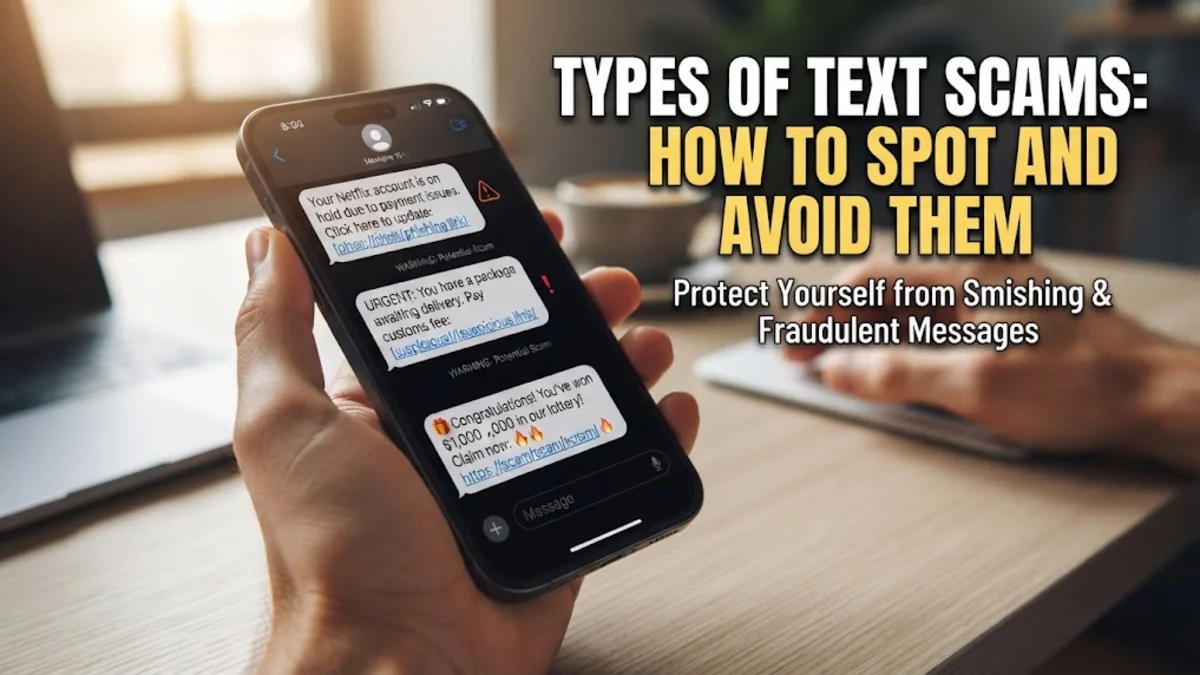
Text scams, commonly known as smishing, have evolved into one of the most prevalent methods cybercriminals use to steal personal information and financial details. Recognizing the various types of text scams is your first line of defense against mobile fraud.
Understanding Smishing and How Text Scams Operate
Smishing is a portmanteau of SMS and phishing, representing fraudulent text messages designed to trick you into clicking malicious links, downloading harmful software, or sharing sensitive credentials. Unlike traditional email phishing, text messages often carry a false sense of urgency because smartphones notify us instantly. Scammers exploit this by pretending to be trusted entities such as banks, delivery services, government agencies, or even people you know.
When you receive a suspicious text, the goal of the attacker is usually to bypass your rational judgment through fear, excitement, or curiosity. They might claim your account has been compromised, a package is waiting for delivery, or you have won a prize. Understanding these tactics helps you pause before tapping any link or replying with personal information, keeping your mobile device safe from intrusion.
Package Delivery and Shipping Notification Scams
Package delivery notifications are among the most frequent text scams because millions of people regularly shop online and track shipments. In this scam, you receive a text claiming that a courier service like FedEx, UPS, DHL, or the postal service could not deliver your package because of an incorrect address or unpaid customs fees. The message typically includes a shortened URL that directs you to a remarkably realistic replica of a shipping company website.
Once on the fake site, you are prompted to enter personal details, credit card numbers, or a small redelivery fee. Legitimate shipping carriers will never ask for payment via text message to release a standard parcel. If you are unsure about a delivery, always navigate directly to the official tracking app or website rather than clicking the link provided in the unexpected text message.
Bank Security Alerts and Account Lockup Fraud
Financial text scams rely on panic. You might receive an urgent alert stating that your bank account has been frozen, an unauthorized transaction has occurred, or your debit card is locked due to suspicious activity. The message instructs you to click a link to verify your identity, reset your password, or confirm recent transactions. The accompanying web page mimics your bank's genuine portal down to the logos and color schemes.
Banks do use automated fraud alert texts, but they rarely ask you to click a direct login link or provide your full account number and PIN via text. When you see a security alert, do not interact with the text. Instead, open your banking app directly or call the official customer service phone number printed on the back of your payment card to verify if your account actually needs attention.
Government and Tax Impersonation Scams
Government impersonation texts attempt to intimidate recipients by posing as tax authorities, law enforcement agencies, or immigration services. These messages often claim you owe back taxes, have an active warrant for your arrest, or face legal penalties unless you make an immediate payment via gift cards, cryptocurrency, or wire transfer. The language used is intentionally aggressive and threatening to force quick compliance.
Official government bodies like the IRS, HMRC, CRA, or the ATO do not conduct official business, demand immediate payment, or threaten arrest via text message. They communicate primarily through official mail letters sent through postal services. Any text claiming urgent legal action or demanding payment over a mobile phone should be treated as an immediate fraud attempt.
Job Offers and Easy Work-From-Home Schemes
Employment text scams target job seekers and individuals looking for extra income with promises of high-paying, flexible, work-from-home positions requiring little to no experience. You might receive an unsolicited message claiming a major company wants to hire you for reviewing products, optimizing search results, or data entry with daily payouts. Once you respond, the scammers ask for personal data such as your Social Security number, banking details for direct deposit, or an upfront fee for training materials.
Legitimate employers never hire candidates through random text messages or WhatsApp chats without a formal interview process. If a job offer sounds too good to be true and requires no effort while paying exceptionally high wages, it is a scam designed to harvest your identity or steal your money.
Wrong Number and Investment Cultivation Scams
Often referred to as pig butchering or wrong number scams, these text messages start out innocently. You might receive a text saying something like, 'Hey, are we still meeting for lunch tomorrow?' or 'I am at the airport, where are you?' When you reply that they have the wrong number, the sender politely strikes up a conversation, pretending it was fate and attempting to build a friendship over several weeks.
Eventually, the scammer pivots the conversation toward cryptocurrency investments, foreign exchange trading, or high-return platforms. They show you fake dashboards displaying massive profits to encourage you to invest larger sums of money. Once you attempt to withdraw your funds, the platform demands heavy fees or disappears entirely, leaving you with total financial loss.
How to Block and Report Fraudulent Text Messages
Dealing with text scams requires proactive steps to secure your phone and prevent future fraudulent outreach. If you receive a scam text, do not reply with words like STOP, as this confirms to scammers that your phone number is active. Instead, use your phone operating system's built-in blocking features to prevent further messages from that specific number or sender ID.
On Apple devices, open the message thread, tap the sender profile icon, and select Info > Block this Caller. On Android devices using Google Messages, open the conversation, tap the three-dot menu, and select Block > Report spam. You can also forward scam texts to 7726 (SPAM) in many regions to alert your mobile carrier and help security databases flag malicious numbers.
The bottom line
Recognizing the different types of text scams is essential for navigating mobile communication safely. By staying skeptical of urgent requests, avoiding unsolicited links, and verifying alerts directly through official channels, you can protect your personal information and finances from modern cybercriminals.
Frequently asked questions
What should I do if I clicked a link in a text scam?
If you clicked a suspicious link, do not enter any personal data or passwords. Immediately disconnect your phone from the internet, run a security scan using a reputable mobile security app, and change passwords for any accounts that may have been exposed.
Can scammers steal my money just by me opening a text?
Simply opening or reading a text message generally cannot compromise your phone or steal your money. The security risk arises only if you click malicious links, download unauthorized files, or voluntarily share personal information.
Why do I keep getting random spam texts?
Spam texts often originate from automated bots that dial random phone numbers or purchase data leaks from compromised online databases. Using your phone carrier's spam filtering tools helps reduce their frequency.
Are shortened URLs always a scam?
Not all shortened URLs are malicious, as legitimate marketing campaigns use them. However, scammers frequently use URL shorteners to mask dangerous destination links, so you should avoid tapping them in unexpected text messages.
How do mobile carriers help stop text scams?
Major mobile carriers utilize AI filtering and network-level security to intercept and block millions of fraudulent SMS messages before they ever reach your inbox, though some still manage to slip through.