Windows 11 vs Linux: Which Operating System is Best?
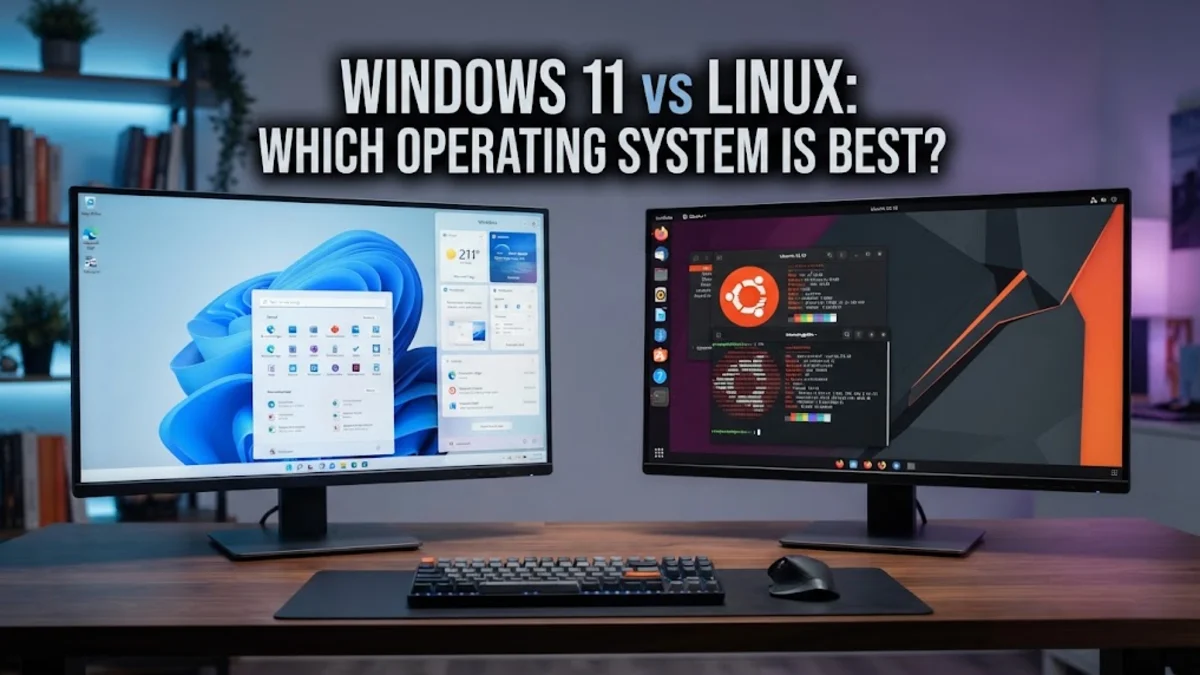
Choosing between Windows 11 and Linux comes down to your primary use cases, hardware preferences, and how much time you want to spend configuring your environment. While Windows 11 offers seamless out-of-the-box compatibility with commercial software and modern PC games, Linux provides unmatched speed, privacy, and deep system customization.
Understanding how these two major operating systems stack up against each other will help you decide which one deserves a spot on your machine.
Performance and System Resource Usage
When it comes to raw resource management, Linux generally outperforms Windows 11, particularly on older or modest hardware configurations. Windows 11 requires a hefty amount of RAM, a modern CPU, and dedicated background services like telemetry and Cortana integrations running constantly. These background tasks can consume significant system resources even when you are simply idling on the desktop.
In contrast, most Linux distributions are modular and lightweight. You can choose desktop environments like XFCE or LXQt that consume less than 1 GB of RAM upon boot, leaving maximum system memory available for heavy applications. If you want a snappy user experience that breathes new life into aging hardware, Linux has a distinct advantage in efficiency.
Software Compatibility and Ecosystems
Software availability is traditionally where Windows 11 shines brightest. Industry-standard software suites like Adobe Creative Cloud, Microsoft Office desktop apps, and specialized enterprise tools are natively built for Windows. If your professional workflow depends on these proprietary applications, running Windows 11 is practically mandatory, as running them through compatibility layers on Linux can lead to stability issues.
On the other hand, Linux offers powerful alternatives for almost every task. Open-source powerhouses like GIMP, LibreOffice, and Blender run natively and efficiently on Linux distributions. Furthermore, package managers and app stores on Linux make installing, updating, and removing software much faster and more centralized than downloading random installers from the web on Windows.
Gaming Capabilities and Compatibility
For years, Windows 11 was the undisputed king of PC gaming due to DirectX 12 integration and widespread anti-cheat support. However, major advancements in compatibility layers and tools like Proton have transformed Linux into a legitimate gaming powerhouse. Steam Deck and various desktop Linux distributions now run thousands of Windows games smoothly through Proton without noticeable performance loss.
Despite these massive improvements, competitive multiplayer games that rely on kernel-level anti-cheat systems—such as Valorant or certain modern AAA titles—frequently fail to run on Linux. If your gaming library consists heavily of titles with strict kernel-level security requirements, Windows 11 remains the safest choice to ensure your games launch without frustrating hurdles.
User Interface and Customization
Windows 11 provides a polished, standardized interface designed for broad consumer appeal. While it features a centered taskbar, rounded corners, and built-in widget panels, Microsoft limits deep visual and functional customization. Changing core UI elements often requires third-party tweaking utilities that can break after major operating system updates.
Linux, by contrast, is built around choice. You can completely alter how your desktop looks and behaves, from mimicking a traditional Windows layout to adopting a floating window manager workflow inspired by tiling systems. Whether you prefer a minimalist aesthetic or a feature-rich workspace with dynamic panels, Linux lets you tailor every pixel to match your exact workflow preferences.
Security, Privacy, and Updates
Security philosophies differ significantly between the two ecosystems. Windows 11 mandates strict hardware security requirements, including TPM 2.0 and Secure Boot, which significantly improve baseline hardware protection against malware. However, Windows also collects extensive telemetry data and pushes forced updates that can occasionally disrupt your daily workflow or alter your preferred settings.
Linux approaches security through strict permission controls, open-source auditing, and transparent package repositories. Because the source code is entirely open, vulnerabilities are often identified and patched rapidly by the global community. Furthermore, Linux respects user privacy by default, containing zero built-in advertising or invasive telemetry tracking, and giving you absolute control over when and how system updates are installed.
Feature Comparison Summary
To quickly evaluate which platform fits your daily routine, review the side-by-side comparison table below detailing how Windows 11 and Linux handle key operational aspects.
| Feature | Windows 11 | Linux |
|---|---|---|
| Best For | Gaming and commercial apps | Privacy, programming, and performance |
| Cost | Paid license (Free upgrade from Win 10) | Free and open-source |
| App Ecosystem | Massive native proprietary library | Vast open-source and repository-based library |
| Privacy | Includes telemetry and Microsoft services | High privacy with zero mandatory tracking |
| Customization | Moderate (Limited UI tweaks) | Limitless (Desktop environments and window managers) |
The bottom line
Ultimately, Windows 11 is ideal if you rely heavily on Microsoft Office, professional design software, or modern multiplayer games with strict anti-cheat requirements. Linux is the superior choice if you value system speed, total privacy, robust customizability, and efficient performance on any hardware configuration.
Frequently asked questions
Is Linux difficult to learn for Windows users?
Modern beginner-friendly Linux distributions like Ubuntu or Linux Mint feature graphical interfaces very similar to Windows, making the transition straightforward for everyday web browsing and office tasks.
Can I run Microsoft Office on Linux?
You cannot run the native desktop version of Microsoft Office on Linux, but you can use Office Online via a web browser or switch to robust alternatives like LibreOffice.
Is Linux completely free to use?
Yes, nearly all Linux distributions are 100 percent free and open-source, with no licensing fees or activation keys required.
Does PC gaming work well on Linux?
Yes, thanks to Valve's Proton compatibility layer and Steam, the vast majority of single-player PC games run exceptionally well on Linux today.
Which operating system is better for older laptops?
Linux is vastly superior for older laptops because its lightweight desktop environments consume significantly less RAM and CPU power than Windows 11.