What Is Facebook Account Center and How to Use It
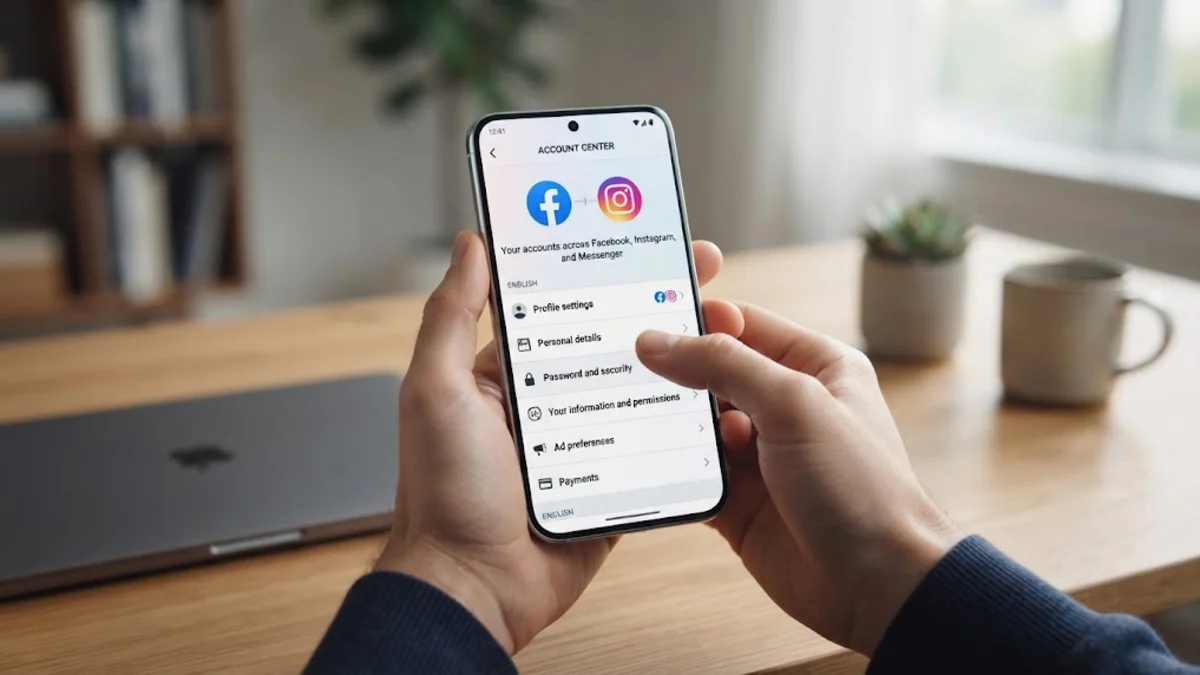
Introduced to streamline how users interact with Meta's ecosystem, this tool gives you complete visibility over connected experiences, ad preferences, and account security. Whether you want to check your active login sessions or disconnect an linked Instagram profile, Account Center serves as the single source of truth for your digital identity across Meta services.
Understanding Facebook Account Center and Its Core Purpose
Beyond mere convenience, the core purpose of Account Center is to bolster your overall account security and privacy management. When you receive a security alert about an unrecognized login, you can immediately inspect all linked profiles in one place rather than logging into each application individually. This centralized approach reduces the window of vulnerability during potential security incidents and gives you granular control over how your data flows between different services within the Meta ecosystem.
How Account Center Connects Facebook, Instagram, and Threads
However, linking your accounts does not mean your profiles are merged into a single public persona. Your friends lists, followers, and specific app-specific content remain distinct to their respective platforms. Account Center simply coordinates the backend administrative settings. If you ever decide you no longer want your accounts linked, you can easily remove a profile from Account Center at any time through the account settings menu without deleting the profile itself, restoring complete separation between your services.
Managing Your Personal Details and Contact Information
Additionally, this section manages your basic identity information, such as your profile name and date of birth. Meta places certain restrictions on how often you can change your name to prevent impersonation and maintain community integrity. When you attempt to update your name, Account Center will clearly display any waiting periods or naming guidelines you must follow. Managing these details centrally ensures that your digital footprint remains consistent and verifiable across the entire Meta network.
Controlling Security Settings and Two-Factor Authentication
Another critical security tool found within Account Center is the Where You're Logged In section. This feature provides a comprehensive list of every device, browser, and location currently active on your accounts. If you notice an unfamiliar device or a suspicious login session from a distant location, you can remotely log that device out with a single tap. Reviewing this list periodically is one of the best preventative habits you can adopt to maintain long-term account safety.
Managing Connected Experiences and Cross-Posting
The settings also govern how messaging and story sharing interact between apps. You can configure whether people from your Instagram audience can message you on Facebook Messenger and vice versa. Having these preferences gathered in one location allows you to tailor your online visibility and boundary settings precisely, ensuring you maintain the exact level of connectivity and privacy that suits your communication style.
How to Access and Navigate Account Center on Web and Mobile
If you are using a computer, log into Facebook in your web browser, click your profile picture in the top right corner, and select Settings & Privacy > Settings. From there, look for the Accounts Center link on the left-hand sidebar. Once inside, the dashboard is cleanly organized into categories such as Personal Details, Password and Security, and Sharing across profiles, allowing you to find the exact setting you need within seconds.
The bottom line
Facebook Account Center is an essential administrative dashboard that simplifies how you manage your online identity, security settings, and cross-platform connections across Meta services. By centralizing passwords, personal details, and connected experiences into one intuitive hub, it eliminates the frustration of managing multiple independent accounts. Taking a few minutes to explore your Account Center today will ensure your profiles remain secure, your contact details are accurate, and your privacy preferences are properly configured.
Frequently asked questions
What is Facebook Account Center?
Facebook Account Center is a unified hub created by Meta to manage your profile settings, security, and personal information across Facebook, Instagram, and Threads from one place.
Does linking accounts in Account Center merge my profiles?
No, linking your accounts only connects them for administrative and sharing purposes. Your friends, posts, and followers on each platform remain separate and distinct.
Can I remove an account from Account Center later?
Yes, you can remove any linked Instagram, Facebook, or Threads profile from Account Center at any time through your settings without deleting the actual account.
How do I access Account Center on my phone?
Open the Facebook app, go to your menu, tap Settings & Privacy > Settings, and select Accounts Center near the top.
Does changing my password in Account Center update all my apps?
Yes, if you update your password within the Account Center security settings, the change applies across the connected profiles in your Meta ecosystem.