What Is AirPods Adaptive Mode and How It Works
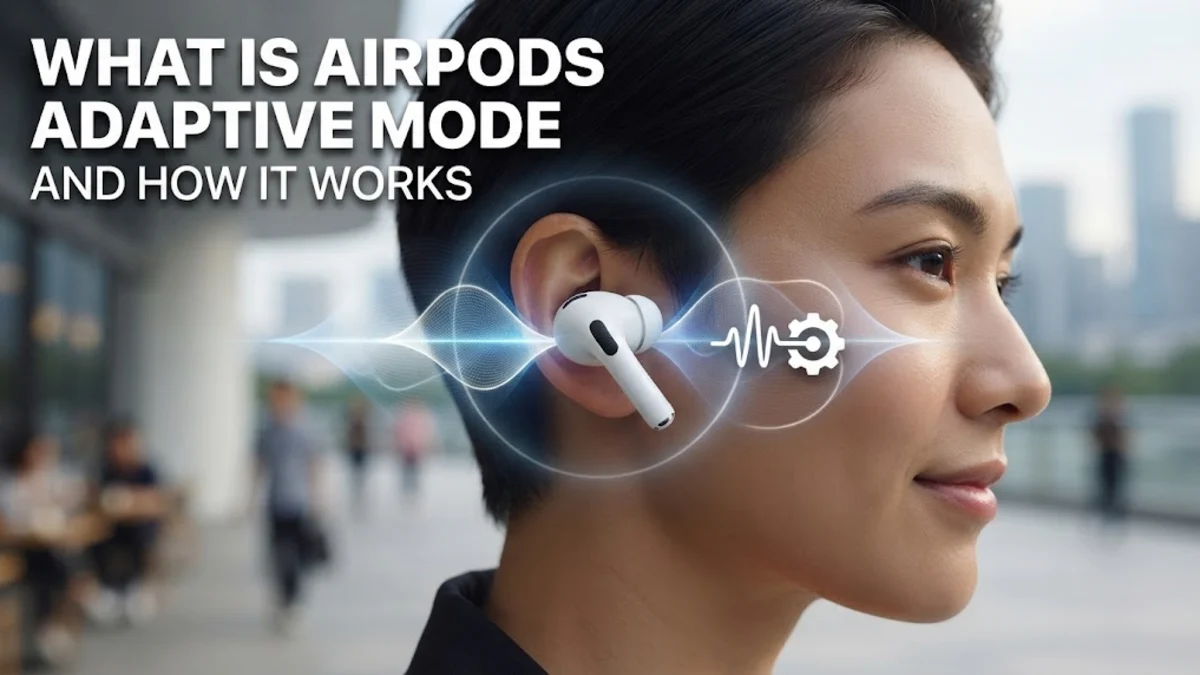
AirPods Adaptive Mode is an intelligent listening mode that automatically blends Active Noise Cancellation and Transparency mode in real time based on your changing environment. Designed to adapt seamlessly to your surroundings, it dynamically tunes out loud, distracting background sounds while keeping you aware of important ambient noises like approaching vehicles or someone calling your name.
Introduced to give you the best of both worlds without manual toggling, this feature relies on advanced processing chips and microphones to analyze acoustic conditions dozens of times per second. Whether you are walking down a busy city street or sitting in a quiet office, Adaptive Mode ensures your listening experience remains balanced, comfortable, and completely hands-free.
Understanding AirPods Adaptive Mode
Traditional wireless earbuds typically force you to choose between complete isolation through Active Noise Cancellation or full environmental awareness using Transparency mode. When you are on the move, constantly switching between these two settings can quickly become tedious. AirPods Adaptive Mode eliminates this friction by dynamically shifting the balance between noise reduction and external sound filtering as your surroundings change.
Instead of a static setting, Adaptive Mode evaluates the noise profile of your immediate vicinity on the fly. If a loud siren, construction work, or a rumbling engine suddenly appears, the system instantly ramps up noise cancellation to protect your ears and maintain focus. The moment the loud disturbance passes, it smoothly scales back the filtering so you can hear ambient sounds naturally again without touching your phone or ear stems.
How Adaptive Noise Control Works Behind the Scenes
The magic behind AirPods Adaptive Mode relies heavily on powerful onboard silicon, such as the H2 chip, working in tandem with inward- and outward-facing microphones. These microphones sample external audio environments thousands of times per second, while computational audio algorithms analyze the incoming sound waves to categorize them as either background drone or crucial speech and warning signals.
Once the processor identifies the type of noise present, it applies precise acoustic filters. Low-frequency continuous sounds like airplane cabins or subway tracks are aggressively suppressed, while mid-frequency frequencies like human voices or emergency sirens are allowed to pass through cleanly. This sophisticated hardware and software integration ensures that your audio remains crisp and protected regardless of how chaotic your physical environment happens to be.
Adaptive Mode vs. Active Noise Cancellation vs. Transparency
To truly appreciate how Adaptive Mode changes your daily listening routine, it helps to compare it directly with the two standard modes you are likely already familiar with. Active Noise Cancellation blocks out as much external sound as possible, which is great for flights or deep concentration, but can leave you feeling isolated on public streets. Transparency mode pipes in all surrounding sounds identically to how your bare ears would hear them, keeping you safe outdoors but letting in unwanted background hums.
Adaptive Mode acts as a smart bridge between the two extremes. It constantly monitors your acoustic environment to apply noise cancellation selectively. Rather than choosing full silence or full exposure, it filters out harsh, unwanted environmental distractions while preserving necessary safety cues. This makes it the ideal default setting for everyday commuting, walking through busy shopping centers, or moving between indoor and outdoor spaces.
Compatible AirPods Models That Support Adaptive Audio
Because Adaptive Mode requires advanced computational audio capabilities and specialized microchip architecture, it is not available across all generations of Apple wireless earbuds. You need specific hardware that features the necessary processing power to handle real-time acoustic analysis without introducing audio latency or draining your battery life prematurely.
Currently, support is centered around newer flagship models equipped with the H2 processor. This includes AirPods Pro 2nd generation models across both Lightning and USB-C charging case variants. To ensure you can access the feature, make sure your AirPods firmware is fully up to date and that they are paired with a compatible iPhone, iPad, or Mac running the latest available operating system software.
How to Enable and Configure Adaptive Mode on Your iPhone
Enabling Adaptive Mode on your compatible earbuds is a straightforward process once your devices are connected. You can toggle the setting directly from your iOS Control Center or dive into your Bluetooth settings for deeper customization options. To access the settings menu, unlock your iPhone and navigate to Settings > Bluetooth, then tap the small blue "i" icon next to your connected AirPods.
From the AirPods settings menu, look for the Noise Control section and select Adaptive. Alternatively, you can summon Control Center by swiping down from the top-right corner of your screen, press and hold the volume slider, and tap the Noise Control button to cycle through Off, Transparency, Noise Cancellation, and Adaptive. You can also customize how aggressive the adaptive filtering feels to match your personal listening preferences.
Best Everyday Scenarios for Using Adaptive Mode
Adaptive Mode shines brightest in environments where noise levels fluctuate unpredictably. Daily commuters walking from a quiet residential street onto a bustling train platform will notice an immediate benefit, as the earbuds automatically handle the transition in ambient sound volume without requiring manual adjustments on the user's part.
Another great use case is working in open office spaces or coffee shops. When office chatter or espresso machine noise spikes, the earbuds tamp it down just enough to preserve your podcast or playlist clarity, but still allow a colleague walking up to your desk to speak to you naturally. This versatility makes Adaptive Mode the ultimate set-and-forget option for all-day wear.
The bottom line
AirPods Adaptive Mode represents a significant leap forward in personal audio, removing the need to manually switch between listening modes as your environment changes. By intelligently blending noise cancellation and transparency, it keeps you immersed in your media while maintaining crucial awareness of the world around you. Setting it up on your compatible Apple device takes only a few seconds, letting you enjoy a truly seamless and responsive listening experience wherever your day takes you.
Frequently asked questions
Do standard AirPods support Adaptive Mode?
No, standard entry-level AirPods do not include the hardware required for Adaptive Mode. The feature requires advanced processing chips found exclusively in supported AirPods Pro models.
Does Adaptive Mode drain battery life faster?
While real-time acoustic analysis uses slightly more processing power, Apple has optimized the H2 chip to ensure that battery drain remains comparable to standard Active Noise Cancellation use.
Can I customize how Adaptive Mode reacts to sounds?
Yes, you can fine-tune your listening experience through your iOS device settings to adjust how heavily the feature filters out specific types of ambient noise.
Does Adaptive Mode work when taking phone calls?
Adaptive Mode primarily manages your media playback and listening environment, while your AirPods use directional beamforming microphones and noise suppression specifically tuned for voice clarity during calls.
How do I know which listening mode is currently active?
You can check your active listening mode by opening the iOS Control Center, long-pressing the volume control slider, and viewing the highlighted mode indicator.