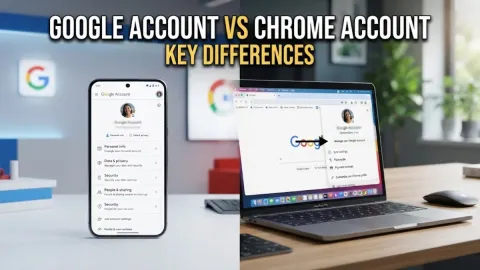
Facebook Profile vs Page: Key Differences Explained
A Facebook profile is designed for personal, non-commercial use to connect with friends and family, while a public page is built for businesses, brands, organizations, and public figures to broadcast content to an unlimited audience. Understanding the fundamental differences between these two account types ensures you use the right tools for your personal privacy or professional growth on the platform.
Core Purpose and Intended Audience
The primary distinction between a Facebook profile and a page lies in who they are built for and how they are meant to be used. A personal profile represents an individual human being. It is governed by Meta terms of service requiring your authentic real name and personal details. You use a profile to share personal updates, private photos, and daily life milestones with people you know in real life. Conversely, a Facebook page acts as a public persona for commercial entities, non-profits, musical acts, creators, and local businesses. Anyone representing an organization or public brand must use a page rather than a profile to comply with platform policies and avoid account suspension. Pages provide a structured environment where customers, fans, and clients can discover your services, read reviews, and engage with your official announcements without requiring reciprocal personal friendship.
Privacy and Security Differences
Privacy controls function completely differently depending on whether you operate a profile or a page. Personal profiles offer granular privacy settings allowing you to restrict who sees your posts, friends list, and personal information down to specific custom lists or just yourself. You can lock your profile to prevent strangers from viewing your profile pictures or timeline content. Pages, on the other hand, are entirely public by design. Every post, comment reply, review, and follower list on a standard Facebook page is visible to anyone on the internet, even individuals without a Facebook account. This public transparency is essential for marketing and community building, but it means you must carefully separate your private life by never using a personal profile for business operations where customers can see your personal friends or family photos.
Connections, Friends, and Follower Limits
The way people connect with you sets these two account types apart. Personal profiles utilize a mutual friendship model capped at a maximum of 5,000 friends. When you add someone or accept an incoming request, both parties gain access to each other's restricted profile content. If you want to broadcast content beyond 5,000 people without making them personal friends, profiles allow you to turn on followers so people can subscribe to your public updates. Pages eliminate the mutual friend concept entirely in favor of an unlimited follower model. Millions of users can like and follow a single page simultaneously without needing your approval for each individual connection. This makes pages infinitely scalable for growing brands, news outlets, and influencers who need to reach massive global audiences without manual connection management.
Feature Comparison Table
To quickly evaluate which option suits your current goals, reviewing a direct side-by-side comparison of features helps clarify the technical differences between a personal profile and a public page. The table below outlines key functional areas such as audience scale, advertising capabilities, and administrative access.
Analytics, Advertising, and Professional Tools
Running marketing campaigns or tracking audience growth requires specialized tools that only pages provide natively. Facebook pages connect directly to Meta Business Suite and Meta Ads Manager, enabling you to run targeted paid advertisements, boost posts, and access detailed demographic analytics about your audience. You can view graphs showing viewer retention, peak engagement times, and content reach. While personal profiles have introduced professional mode to offer basic insights and monetization options for independent creators, they still lack the advanced multi-user administrative permissions found on pages. With a page, you can assign different roles such as editor, moderator, or advertiser to team members without sharing your personal login credentials or compromising your personal account security.
How to Choose and Transition Between Them
Deciding which account type to use depends entirely on your immediate objectives. If you are promoting a local storefront, a freelance photography business, a podcast, or a community organization, you must create a dedicated Facebook page. If you are an individual simply interacting with friends and sharing personal memories, stick with a standard personal profile. If you started out using a personal profile for your creative work and hit the 5,000 friend limit, you can enable professional mode on your profile to gain follower analytics and monetization tools, or you can migrate your existing followers over to a newly created standalone page depending on your long-term branding strategy.
The bottom line
Choosing between a Facebook profile and a page comes down to separating your personal life from your public or professional identity. By respecting Meta platform guidelines and selecting the correct account format, you protect your personal privacy while unlocking the right audience tools for your goals.
Frequently asked questions
Can I convert my Facebook profile into a page?
You cannot directly convert an existing personal profile into a standard business page, but you can turn on professional mode on your profile to access follower tools, or create a brand-new page and invite your friends to follow it.
Are Facebook pages completely free to create?
Yes, creating and maintaining a standard Facebook page is completely free. You only incur costs if you choose to run paid advertising campaigns or sponsored posts.
Can people message a Facebook page?
Yes, pages feature built-in inbox tools through Meta Business Suite where customers and followers can send direct messages, and you can set up automated greeting or away responses.
Do I need a personal profile to manage a page?
Yes, every Facebook page requires at least one personal profile to act as its admin. Your personal profile details remain hidden from public view on the page.
What is the maximum number of friends on a profile?
Personal profiles are capped at 5,000 friends, whereas public pages support an unlimited number of followers.