How to Forward Scam Texts in the UK
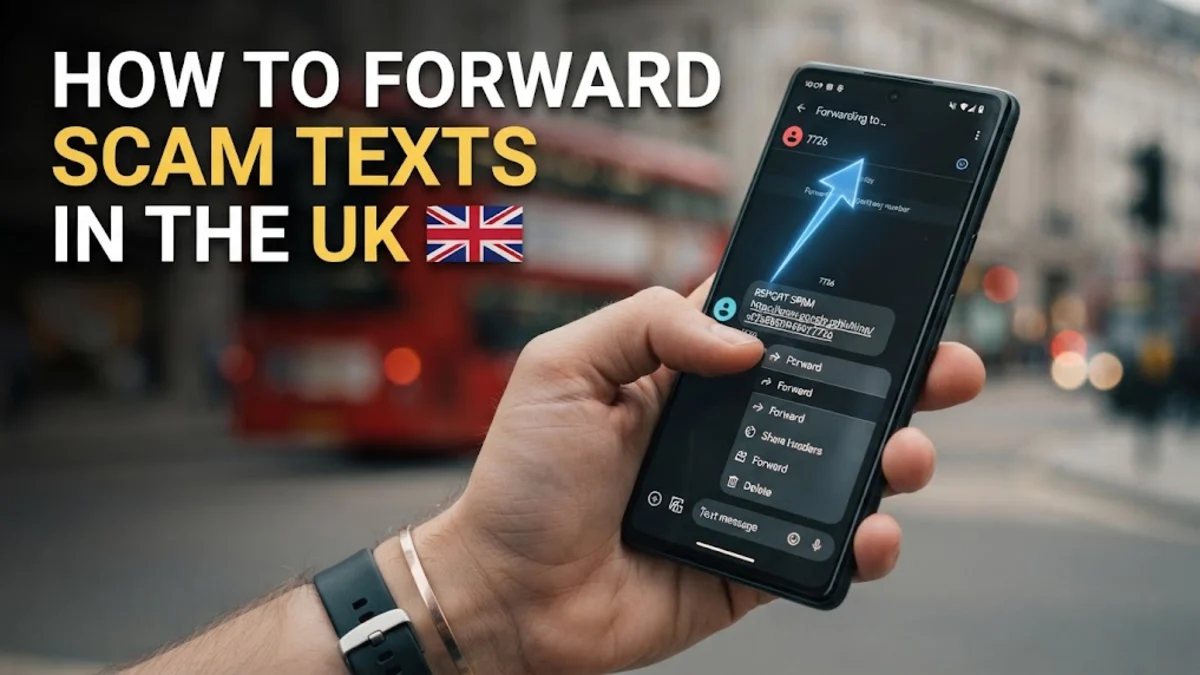
To forward scam texts in the UK, send the suspicious SMS message directly to the free reporting number 7726. This service works across all major UK mobile providers—including EE, Vodafone, O2, and Three—allowing network operators and security agencies to investigate fraudulent senders and block their delivery systems.
Scam text messages, commonly referred to as smishing, trick thousands of mobile users each week by impersonating banks, postal carriers, or government agencies. Taking ten seconds to forward these messages helps protect both your personal device and the wider mobile network.
How the 7726 Reporting Service Works
In the United Kingdom, mobile network operators coordinate with Ofcom and the National Cyber Security Centre (NCSC) using the shortcode 7726. If you look at an alphanumeric telephone keypad, the numbers 7-7-2-6 spell out the word SPAM. Forwarding suspicious messages to this dedicated number costs nothing, regardless of your plan or whether you use pay-as-you-go or a monthly contract.
When you send a message to 7726, your mobile provider receives the raw message payload, including hidden transmission metadata and routing headers. Network security teams analyze these reports to identify coordinated scam operations, take down rogue short message peer-to-peer (SMPP) routes, and blacklist fraudulent sender IDs. The service accepts SMS messages, MMS messages, and reported shortcodes originating from unknown senders.
How to Forward Scam Texts on an iPhone
Apple makes forwarding individual text messages straightforward within the native Messages app on iOS. Do not copy and paste the text manually into a new message, because copying strips the formatting and sender header data that security analysts need.
- Open the Messages app and select the scam conversation.
- Touch and hold your finger on the specific scam message bubble until the pop-up context menu appears.
- Tap More... at the bottom of the pop-up menu.
- A blue checkmark will appear next to the message you selected. Make sure only the fraudulent message is ticked.
- Tap the curved Forward arrow located in the bottom-right corner of the screen. A new outgoing message window opens with the scam content prefilled.
- Tap the To: field at the top, type
7726, and tap the green Send arrow.
If you see an inline prompt beneath the message that says Report Junk, you can also tap that directly. On modern iOS versions, tapping Report Junk alerts Apple and automatically notifies participating UK networks without requiring you to manually enter the shortcode.
How to Forward Scam Texts on Android
Android devices using Google Messages or Samsung Messages follow a similar forwarding procedure. The goal is to redirect the original SMS payload directly to the network provider without clicking any links or interacting with the sender.
- Open the Messages app on your Android handset and open the conversation containing the scam text.
- Press and hold the message text until it is highlighted and the action bar appears at the top of your screen.
- Tap the three vertical dots (More options) in the top-right corner. On some Samsung devices, a pop-up menu appears directly above the message bubble.
- Select Forward from the menu options.
- Select New message or tap the search bar, type
7726as the recipient, and press confirm. - Tap the Send button (the SMS paper airplane icon).
In Google Messages, you can also choose Report spam from the top conversation menu. When the dialog appears, leave Report spam checked and tap OK. This action blocks future messages from that sender on your phone and submits a threat report to Google and your carrier.
The Crucial Follow-Up Step: Replying With the Sender Number
A common mistake people make when reporting scam texts is closing their messaging app immediately after forwarding. Within a few seconds of sending your report to 7726, your mobile network will almost always reply with an automated follow-up SMS asking for the sender's origin details.
Depending on your carrier, this response will typically say: "Thank you for reporting. Please now reply to this message with the telephone number or name of the sender who sent you the spam."
To complete the report, simply reply directly to that 7726 message by typing the original sender's phone number or sender ID (such as an eleven-digit UK mobile number starting with 07 or a forged brand name like RoyalMail). Do not include any words, punctuation, or spaces—just send the exact number or name. Without this second step, network investigators cannot verify which account initiated the transmission, rendering your initial forward incomplete.
Common UK Scam Text Patterns to Watch Out For
Criminal syndicates operating smishing campaigns rely on urgency, panic, or unexpected windfalls. Recognizing these patterns helps you avoid falling victim before you even initiate the reporting process.
| Scam Category | Common Pretext | Typical Call to Action |
|---|---|---|
| Courier & Delivery | Missed parcel, unpaid customs fee, or rescheduled slot (often spoofing Royal Mail, Evri, or DPD). | Requests clicking an external link to pay a small fee (£1.50–£2.50) to capture bank card details. |
| Government & Tax | HMRC tax rebate, council tax energy grant, or unpaid road fine. | Directs you to a cloned government portal requesting National Insurance and banking details. |
| Family Impersonation | "Hi Mum" or "Hi Dad" claiming a lost phone, broken screen, or temporary number. | Asks you to transfer emergency funds via bank transfer or continue chatting on WhatsApp. |
| Banking Alerts | Unusual login attempt, new payee added, or blocked debit card. | Urges you to click a secure link or call a fraudulent fraud department number immediately. |
Remember that genuine UK banks, delivery services, and government departments will never ask you to resolve a security problem by clicking an unsolicited link in an SMS or making an immediate bank transfer to an unknown account.
What to Do If You Already Clicked a Link or Shared Details
If you realized a text was fraudulent only after opening the attachment, visiting the website, or submitting personal information, you must take immediate containment steps.
- Contact your bank immediately: Call the dedicated fraud number on the back of your debit card, or dial 159 from any UK mobile or landline. The 159 hotline securely connects you directly to the fraud department of participating UK high-street banks.
- Freeze your payment cards: Open your mobile banking app and toggle the freeze switch on any compromised debit or credit cards while waiting to speak with an agent.
- Change account credentials: If the scam site prompted you to log in to an existing service (such as PayPal, Amazon, or your email), immediately navigate to the authentic website from a clean browser and reset your password. Ensure you enable two-factor authentication (2FA) using an authenticator app.
- Report the incident to Action Fraud: Contact Action Fraud online or call
0300 123 2040(or Police Scotland by calling101if you live in Scotland) to register an official crime report. - Forward phishing emails and screenshots: You can also forward any malicious websites or phishing emails to the National Cyber Security Centre at
report@phishing.gov.uk.
The bottom line
Forwarding suspicious SMS messages to 7726 is a fast, free, and vital civic defense against organized digital fraud in the UK. By following through with the sender's phone number and blocking the contact on your device, you ensure mobile networks have the threat intelligence needed to shut down scam infrastructure before others get caught out.
Frequently asked questions
Does it cost anything to forward a text to 7726 in the UK?
No. Forwarding messages and sending the follow-up sender number to 7726 is completely free of charge across all UK mobile networks, including pay-monthly contracts and pay-as-you-go balances.
Can I forward scam WhatsApp messages to 7726?
No. The 7726 shortcode is only for SMS and MMS text messages handled by cellular networks. To report a scam on WhatsApp, open the chat, tap the contact's name at the top, scroll down, and tap Report Contact.
What happens if the scam text came from a name instead of a number?
If the sender appears as a brand name (such as 'EVRI' or 'UK_GOV') without a visible phone number, reply to the 7726 confirmation prompt with that exact name. Carriers investigate spoofed alphanumeric sender IDs as well as standard numbers.
Will replying to 7726 alert the scammer that my number is active?
No. The shortcode 7726 connects directly to your mobile provider's security department. The scammer receives no notification, and forwarding the message does not communicate with the original sender.