Best Android Phones With SD Card Slot in 2026
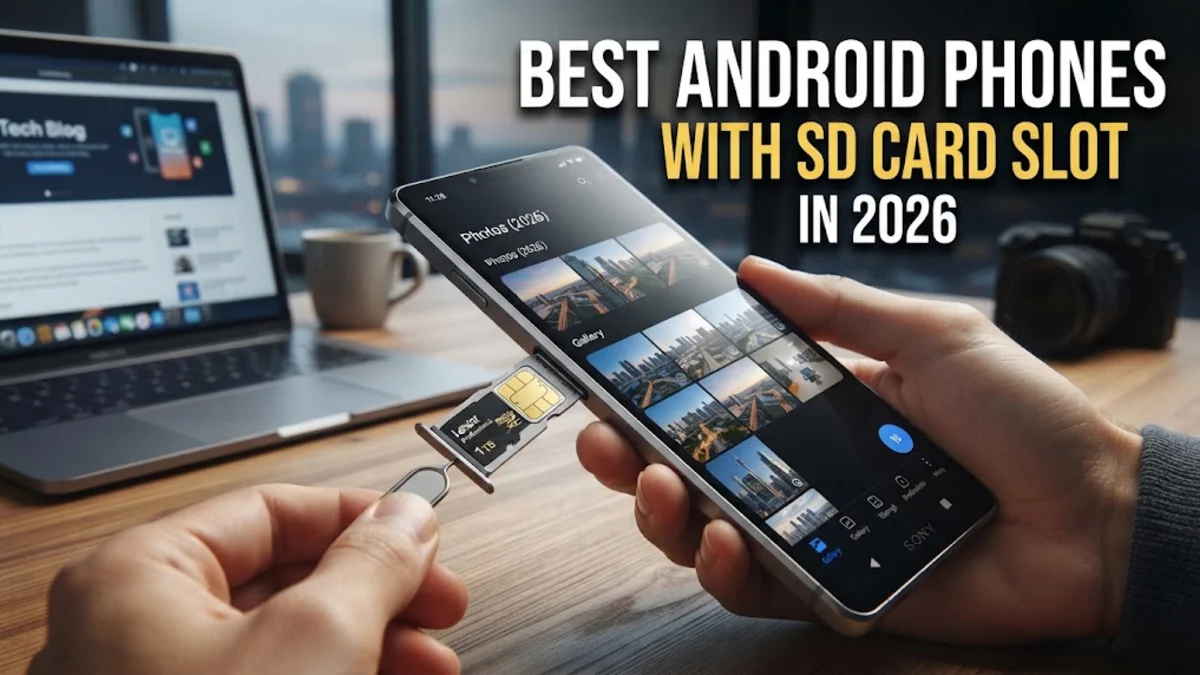
Finding an Android phone with a dedicated microSD card slot has become increasingly difficult as major manufacturers shift toward cloud storage and sealed designs. However, expandable storage remains essential for users who store massive media libraries, offline maps, and high-resolution video recordings directly on their devices without relying on recurring subscription fees.
In 2026, while flagship models from brands like Samsung and Google omit expandable storage entirely, several brilliant mid-range, budget, and rugged smartphone options still offer dedicated or hybrid card slots. This guide explores the top devices that let you expand your storage capacity effortlessly.
Why SD Card Slots Are Becoming Rare in Modern Smartphones
The gradual disappearance of the microSD card slot from modern smartphones is primarily driven by design choices, profit margins, and performance standards. As phones become thinner and more water-resistant, internal space is at an absolute premium. Manufacturers prioritize larger batteries, advanced camera modules, and complex cooling systems over expandable storage slots, which require physical cutouts in the chassis and dedicated internal controller circuitry.
Furthermore, internal flash storage speeds using UFS technology vastly outperform traditional microSD cards. When users load heavy applications or record 4K and 8K videos, slow memory cards can cause stuttering, dropped frames, and system lag. Companies also financially benefit from selling higher-tier internal storage configurations at significantly marked-up prices, discouraging the use of cheap, user-upgradable storage cards.
Top Mid-Range Android Phones With Expandable Storage
The mid-range smartphone market remains the last true safe haven for expandable storage enthusiasts. Manufacturers understand that budget-conscious buyers often prefer purchasing a lower base storage model and upgrading it later with an inexpensive memory card. Devices in this category balance performance, modern 5G connectivity, and practical hardware features that high-end flagships completely ignore.
When shopping for a mid-range contender, look for models that feature a dedicated triple-slot tray rather than a hybrid dual-SIM slot. A dedicated slot allows you to use two nano-SIM cards and a microSD card simultaneously, giving you the ultimate combination of dual-carrier flexibility and massive local media capacity without compromise.
Rugged Smartphones Built for Maximum Durability and Storage
If you need extreme durability alongside expandable storage, rugged Android smartphones are your best bet in 2026. Brands specializing in drop-proof, waterproof work phones almost universally retain the microSD card slot. These devices are engineered for outdoor professionals, field workers, and adventurers who operate far away from stable internet connections and reliable cloud storage access.
Rugged phones frequently support massive capacity cards, often up to 1TB or 2TB, allowing you to carry entire digital archives, topographic mapping data, and thousands of offline tracks wherever you go. While they tend to be thicker and heavier than standard consumer phones, their utility in harsh environments is unmatched.
How to Choose the Right MicroSD Card for Your Phone
Buying the correct microSD card is just as important as choosing the phone itself. Not all memory cards are built to handle modern smartphone demands, especially if you plan to run apps or record high-definition video directly onto the card. Always look for cards labeled with an App Performance Class rating, such as A1 or A2, which indicates the card is optimized for random read and write operations required by mobile applications.
Additionally, check the speed class ratings. Video Speed Class ratings like V30 ensure sustained write speeds fast enough for seamless 4K video recording. Pair your expandable phone with a reputable brand offering reliable write endurance and a strong warranty to protect your personal files against unexpected corruption.
Managing and Formatting Your SD Card for Optimal Performance
Once you insert a new microSD card into your Android phone, properly formatting it is crucial for long-term stability. Go to Settings > Storage to format the card directly through your operating system. You can typically choose between portable storage, which lets you easily move the card between computers and other devices, or internal storage formatting, which encrypts the card to act as a seamless extension of your phone's internal memory.
Keep in mind that if you format the card as internal storage, removing it or experiencing card failure can result in data loss for apps installed on it. Regularly back up important photos, documents, and media files to a computer or cloud backup service to prevent permanent loss if the physical card ever fails.
Alternatives When Your Phone Lacks an SD Card Slot
If you find your absolute dream smartphone lacks an SD card slot, several practical workarounds can compensate for the lack of expandable hardware. Portable USB-C flash drives and portable Solid State Drives connect directly to your charging port, letting you offload large video files and photo backups in seconds without needing an internet connection.
Wireless file transfer apps and home network storage servers also provide robust alternatives for media enthusiasts. While they require an initial setup process, these methods ensure your phone stays light and fast while keeping your entire media library accessible on demand.
The bottom line
While flagship Android manufacturers continue to phase out expandable storage, plenty of fantastic options remain for users who refuse to rely solely on the cloud. By exploring mid-range and rugged device categories, you can easily secure a capable phone with an SD card slot that meets your exact storage needs.
Frequently asked questions
Do high-end flagship phones still have SD card slots?
No, major flagship series from Samsung, Google, and OnePlus have entirely removed microSD card slots from their high-end lineups in favor of internal UFS storage configurations.
What is the maximum storage capacity supported by modern Android phones?
Many modern expandable Android smartphones support microSD cards up to 1TB or even 2TB, depending on the specific model and file system compatibility.
Can I install apps directly onto a microSD card?
Yes, if your phone supports formatting the microSD card as internal storage or if the Android version allows app migration to external storage in developer settings.
What does a hybrid SIM slot mean?
A hybrid slot means the tray can hold either two nano-SIM cards or one nano-SIM card and one microSD card, forcing you to choose between dual-SIM functionality and expandable storage.
Why do phones run slower when using cheap SD cards?
Cheap memory cards have low read and write speeds, causing bottlenecks when the operating system attempts to access files, cache data, or load applications.