Why Is My Facebook Account Disabled and How to Fix It

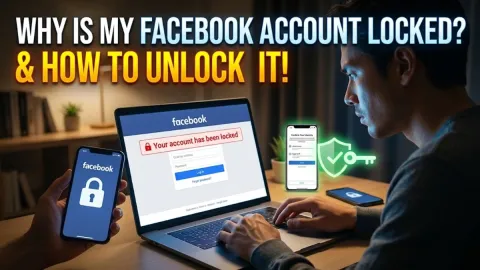
When you try to log in and see a message stating that your Facebook account has been disabled, it means Meta's automated moderation systems or security team have suspended your profile. This usually happens when an account triggers security filters for suspicious activity, gets compromised by an attacker who posts spam, or breaches Meta's Community Standards.
Primary Reasons Facebook Accounts Get Disabled
Meta disables accounts for two main categories of infractions: policy violations and security anomalies. In many instances, account holders have done nothing wrong directly; instead, a malicious third party gained access to their credentials and used the profile to run unauthorized advertisements or publish fraudulent links across groups and pages.
Understanding the exact trigger helps you determine whether an appeal will succeed. The most frequent causes include:
- Account Takeover and Unauthorized Activity: If a hacker breaches your password and posts scam promotions or phishing URLs, automated defense systems flag and disable the account instantly to stop harm.
- Violating Community Standards: Repeated posts containing hate speech, harassment, graphic violence, nudity, or dangerous content trigger automatic flags or human reviewer bans.
- Name and Identity Authenticity: Meta requires users to operate under their real names. Using business names, aliases, celebrity impersonations, or parody titles on a personal profile often leads to an immediate disablement.
- Intellectual Property Infringement: Repeatedly sharing copyrighted media, trademarked branding, or proprietary software without authorization will result in an intellectual property disablement.
- Suspicious Payment or Ad Activity: Linking a flagged payment card, issuing chargebacks, or attempting to run unapproved ad campaigns from your profile will trigger a commercial fraud shutdown.
Disabled vs. Locked Accounts: Understanding the Difference
It is important to distinguish between a disabled account and a locked account because they require entirely different remediation steps. When an account is locked, Facebook believes you are the rightful owner but suspects a login attempt was made by someone else or from an unfamiliar location. A locked screen typically asks you to confirm your identity via a two-factor code or by identifying recent comments.
A disabled account, by contrast, represents an administrative suspension. You are actively blocked from accessing your feed, messages, and associated business pages. The table below outlines how these two states differ in behavior and resolution path.
| Condition | Primary Cause | User Experience | Resolution Method |
|---|---|---|---|
| Account Locked | Suspicious login attempt, unfamiliar IP address, rapid password reset attempts. | You see a temporary checkpoint screen asking for verification. | Complete on-screen security challenges, such as receiving an SMS code or approving a prompt on a recognized device. |
| Account Disabled | Severe or repeated policy breaches, automated spam detection, unauthorized advertising. | You receive a definitive notice stating your account is disabled and no longer visible to friends. | Submit a formal appeal with government identification through Meta Help Centre. |
How to Submit an Official Appeal to Meta
If you believe your profile was disabled in error or as a result of an unauthorized hack, you can submit a formal review request directly to Meta. You must file this appeal promptly, as Meta typically purges disabled account data permanently after 180 days if no appeal is lodged or if an appeal fails.
- Open your web browser and navigate to the official Facebook appeal form at
facebook.comor access the My Personal Account Was Disabled review page in the Meta Help Centre. - Enter the login email address or mobile phone number associated with your disabled Facebook account.
- Type your full legal name exactly as it appeared on your profile before the suspension.
- Click Choose Files under the identity verification section and upload a clear, legible photo of a government-issued identification document, such as a passport or driver's license.
- Review the entered information carefully to ensure there are no typos, then click Send.
If you still have partial access to the mobile app, you may see a button that says Disagree with Decision when you attempt to log in. Always tap that button first, as it routes your profile into the automated re-review queue before requiring external forms.
Submitting Your Identity Verification Safely
Identity verification is the most critical hurdle in recovering a disabled account. Meta relies on automated image parsing to compare your uploaded credentials against the name and date of birth registered on your profile. If the document is blurry, poorly lit, or cropped, the automated system will reject the submission without providing a detailed explanation.
To maximize your chances of approval, follow these practical guidelines when photographing your ID:
- Use Natural Light: Avoid using camera flash, which creates glare on plastic cards and renders text unreadable to automated scanners.
- Capture All Four Corners: Place your ID on a plain, dark surface so the borders of the card are clearly defined within the camera frame.
- Protect Sensitive Numbers: You are permitted to conceal sensitive non-identifying data, such as your social security or tax identification number, but your name, photo, and birthdate must remain fully visible.
- Never Pay Third-Party Services: Beware of scammers on social networks claiming to be "Meta account recovery experts" who offer to restore disabled accounts for a fee. Only Meta's internal systems can reinstate a profile; third parties simply take your money and steal your identification documents.
What to Do If Your Appeal Fails or Receives No Response
Due to the sheer volume of automated moderation decisions handled by Meta, appeals can take anywhere from 48 hours to several weeks to receive attention. In some situations, users receive an automated notification stating the decision is final, while in other cases, the appeal seems stalled indefinitely.
If you manage an associated business page or Instagram account through Meta Accounts Centre, you may have access to Meta Verified support. Paying subscribers of Meta Verified on linked platforms can open a direct live chat with a human customer support agent. While these agents primarily handle subscription queries, they have the internal tools to escalate wrongful account suspensions to the specialized account integrity department.
Additionally, users in Australia, the United Kingdom, and Canada have specific rights under national privacy legislation to request access to their personal data. If an account is permanently shut down, navigate to the Data Access Request page within the Meta Privacy Centre to download an archive of your uploaded photos, messages, and contact lists before the profile is completely erased from servers.
Security Measures to Prevent Future Disablement
Once your account is restored, taking immediate proactive security measures will safeguard it from future policy flags and compromise. Most recurring disablements stem from lingering vulnerabilities that allow bots to regain access to your account.
Implement the following security checklist right away:
- Open Facebook, click your profile icon, and go to Settings & privacy > Settings > Accounts Centre.
- Select Password and security > Change password to generate a unique, complex passphrase consisting of at least 16 characters.
- Click Two-factor authentication, select your profile, and configure a dedicated authenticator app like Google Authenticator or Microsoft Authenticator rather than SMS codes, which are susceptible to SIM swapping.
- Navigate to Where you're logged in, review the active session list, and terminate any sessions from unrecognized devices or geographical locations.
- Check Apps and websites in your main settings and revoke permissions for any old games, quizzes, or utilities that you no longer actively use.
The bottom line
Having your Facebook account disabled is frustrating, but understanding whether the suspension was caused by a security breach or a policy flag is key to solving the issue. By submitting a clean appeal through official Meta channels, providing verified identification, and hardening your login credentials against unauthorized access, you stand the best chance of restoring your account and preserving your digital footprint.
Frequently asked questions
How long does Facebook take to review a disabled account appeal?
Meta typically processes account appeals within 48 to 72 hours, though complex cases or periods of heavy review backlogs can extend the waiting time to two weeks or more.
Can I recover my disabled Facebook account without providing an ID?
No. If Meta requests identity verification to resolve an administrative disablement, you must submit an accepted government ID or official document to prove account ownership.
What happens to my Facebook account after 180 days of disablement?
If an account remains disabled for 180 days without a successful appeal, Meta permanently deletes the profile, photos, messages, and associated metadata from its servers.
Can a hacked account cause Facebook to disable my profile?
Yes. When attackers compromise an account, they frequently run illicit ad campaigns or post spam, triggering automated systems to disable the profile to stop abuse.