Why Is My Facebook Account Locked and How to Unlock It
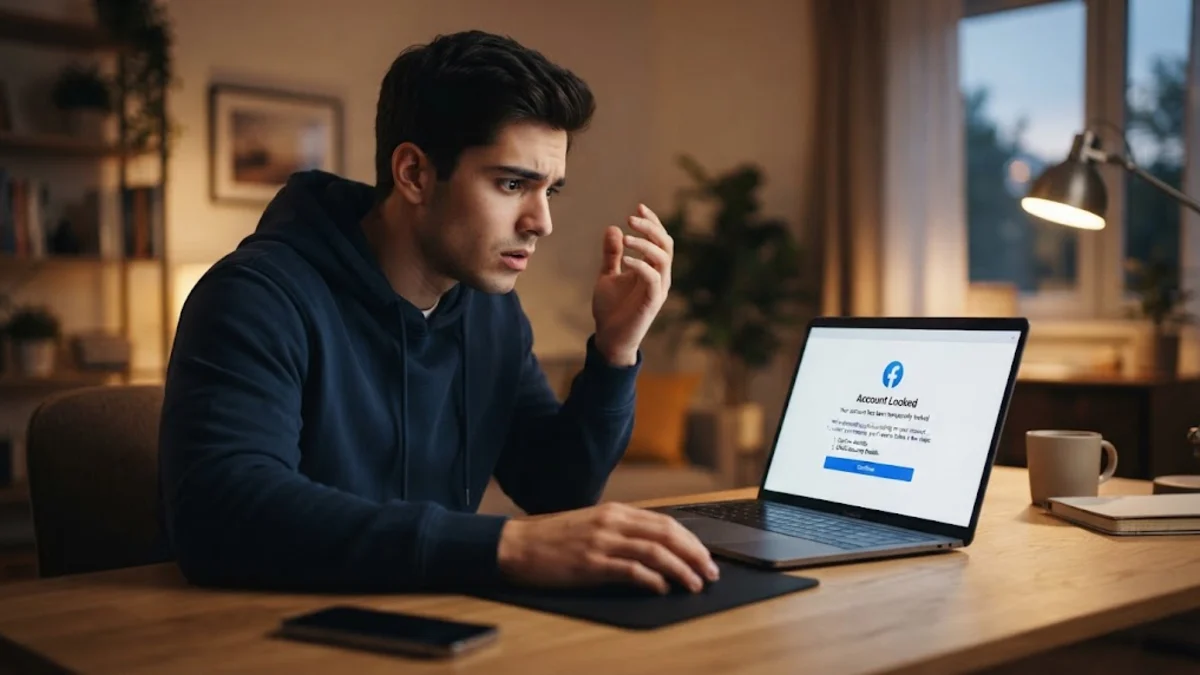
Seeing a sudden lock screen when trying to open Facebook is alarming, especially when your account connects you to family, work groups, and business pages. When Meta detects behavior that deviates from your regular browsing habits or suspects that an unauthorized third party has intercepted your credentials, its automated defense mechanisms trigger an immediate security lock to shield your data.
Understanding why is my facebook account locked is the essential first step toward recovering your profile. Whether the lock stems from an unrecognized login attempt, an active VPN, or suspicious automation tools, you can resolve the issue safely using official verification procedures. This guide breaks down the root causes of account locks and provides clear, practical steps to restore full access.
Understanding the Difference Between a Locked and a Disabled Account
Before attempting any recovery steps, it is critical to confirm whether your Facebook profile is locked or disabled, as the two statuses follow entirely different protocols. A locked account is primarily an automated protective measure initiated by Meta's security systems. It occurs when algorithms suspect unauthorized access, compromised passwords, or abnormal location changes. In this scenario, Meta preserves your account data and simply requests identity verification to prove that the rightful owner is attempting to sign in.
In contrast, a disabled account occurs when a user is flagged for violating Meta Community Standards or Terms of Service, such as using a fictitious name, posting prohibited material, or engaging in coordinated harassment. When an account is locked, the login screen displays a message stating We locked your account along with a Get Started button. If you see this screen, your profile is intact, and you can generally regain entry by verifying your identity through authorized security checkpoints.
Primary Causes Behind a Locked Facebook Account
Meta monitors thousands of data points on every login attempt. When incoming signals clash with your historical usage patterns, automated safeguards lock the account to prevent credential stuffing or unauthorized account takeovers. Pinpointing the exact trigger helps you prevent repeated interruptions in the future.
- Unrecognized Locations and IP Addresses: Connecting through a virtual private network (VPN), a public Wi-Fi hotspot in another state, or a proxy service makes it appear as though your account is being accessed from an unfamiliar geographical region.
- Credential Leaks and Brute-Force Attacks: If your email and password combination appeared in a public third-party data breach, automated botnets may attempt to sign in to your Facebook profile. Multiple failed password attempts trigger an immediate lock.
- Third-Party Apps and Scraping Tools: Giving login permissions to unauthorized analytics trackers, follower monitoring apps, or automated post-scheduling tools violates Meta integrity policies and triggers defensive account locks.
- Rapid Activity Spikes: Sending dozens of friend requests to strangers, joining numerous groups within minutes, or sending repetitive direct messages flags your profile as potential bot or spam activity.
- Concurrent Logins: Signing into your account from two distant locations at the exact same moment—such as your mobile device on a local cellular network and a desktop browser routed through a foreign VPN server—raises an instant critical alert.
How to Unlock Your Account Through the Security Checkpoint
When your account is locked for defensive security reasons, Meta provides an on-screen pathway designed to confirm your identity. To maximize your chances of smooth approval, always complete these steps from a computer, tablet, or phone that you have routinely used to access Facebook in the past, connected to your primary home or work Wi-Fi network.
- Open your web browser and navigate to the official Facebook login portal, then enter your registered email address or mobile number and password.
- When the screen announces that your account is locked, click or tap the blue Get Started button to begin the security review.
- Select the verification method offered on your screen. Depending on your security setup, this may include receiving a numeric confirmation code via SMS, retrieving a security link via your primary email, or approving the login on another recognized device.
- Enter the six-digit or eight-digit code sent to your device without adding spaces, then select Submit or Next.
- If prompted, update your password to a fresh, robust combination that you have never used elsewhere, ensuring it contains letters, numbers, and symbols.
- Review the recent activity log displayed on the final confirmation screen, approve any legitimate actions, and tap Back to Facebook to finish restoring your session.
Confirming Your Identity with Government-Issued ID
If automated phone or email verification is unavailable or fails due to mismatched information, Meta may prompt you to submit official identification. This manual verification ensures that hijacked accounts cannot be claimed by unauthorized actors using stolen two-factor tokens or compromised secondary mailboxes.
Meta accepts several standard documents, including a driver's license, passport, national identity card, or official state ID card. The name and birthdate listed on your credential must closely align with the details registered to your Facebook profile. Place your ID flat on an evenly lit, non-reflective surface, ensuring all four corners are visible and your name, photo, and birthdate are sharp and legible. Avoid using camera flashes that wash out key text.
Upload the document through the secure on-screen portal. Meta encrypts your uploaded credentials and typically completes identity verification within 24 to 48 hours. Once confirmed, you will receive an unlock link and an access code at your registered email address allowing you to regain control of your profile.
Troubleshooting Missing Security Codes and Verification Loops
A common roadblock during the unlock process involves missing verification codes or getting bounced back to the initial lock screen in an endless loop. These technical hiccups usually stem from aggressive browser extensions, outdated session cookies, or temporary telecommunications delivery delays.
If your SMS code fails to arrive, wait at least five minutes before requesting another. Rapidly clicking the resend button triggers automated rate limiting, which can suspend further code dispatch for up to 24 hours. Check whether your carrier filters short-code text messages, or check whether your carrier's spam blocking application intercepted the alert. If an option for email verification appears, choose that route instead, and thoroughly inspect your Spam, Junk, and Promotions folders.
If you find yourself trapped in a browser redirect loop, clear your browser history, cache, and cookies, or launch an incognito or private browsing window. Alternatively, switch from your cellular data connection to your home broadband connection, or switch between the Facebook mobile app and a desktop web browser. Sticking to a recognized hardware environment significantly reduces identity challenge friction.
Configuring Meta Accounts Center to Prevent Future Locks
Once you regain access to your profile, hardening your security settings is crucial to avoid triggering another lock. Meta's modern account architecture manages access across Facebook, Instagram, and Messenger through the unified Accounts Center.
Navigate to Settings & privacy > Settings > Accounts Center > Password and security. From this dashboard, configure reliable protection mechanisms that prevent unauthorized access while ensuring you always retain account recovery channels:
- Activate Two-Factor Authentication (2FA): Opt for an independent authenticator application—such as Google Authenticator, Microsoft Authenticator, or Bitwarden—instead of SMS. Authenticator apps generate time-based one-time codes locally, eliminating delivery failures and protecting against SIM-swapping attacks.
- Audit Recognized Devices: Review the list under Where you're logged in. Terminate any active sessions on devices or operating systems you do not recognize.
- Register Modern Passkeys: If your operating system and hardware support biometric authentication (such as Windows Hello, Touch ID, or Face ID), register a passkey in Accounts Center for phishing-resistant, instant logins.
- Remove Suspicious Connected Services: Select Your information and permissions > Apps and websites, then revoke access for any third-party tools or games you no longer actively utilize.
The bottom line
A locked Facebook account is an automated defense mechanism designed to keep malicious actors away from your personal data. By calmly verifying your identity through official channels, avoiding rapid repeated unlock attempts, and strengthening your login credentials in Accounts Center, you can restore your account safely and ensure it remains secure going forward.
Frequently asked questions
How long does a temporary Facebook account lock last?
A standard temporary lock triggered by minor security flags or repeated password errors typically lasts between 24 and 48 hours. If the lock requires identity verification or document review, access remains restricted until you complete the verification steps and Meta reviews your submission.
Can I unlock my Facebook account without a phone number or email?
If you have lost access to your registered phone number and email address, select the 'No longer have access to these?' option on the verification screen. Facebook will ask you to provide an alternate, accessible email address and submit an official government ID to verify ownership.
Does using a VPN cause Facebook to lock my account?
Yes, using a VPN can trigger a security lock. VPN services frequently rotate IP addresses and route connections through unexpected geographic locations. When Meta's automated systems detect a login from an IP address associated with suspicious traffic, they lock the profile to prevent presumed hijacking.
Will paying a third party help unlock my Facebook account faster?
No. Never pay any service, individual, or social media profile claiming they can unlock or recover your Facebook account. These are common recovery scams designed to steal money and credentials. Only Meta's official automated checkpoints and support forms can unlock your account.