What Is Windows 10 LTSC? Features, Support, and Uses
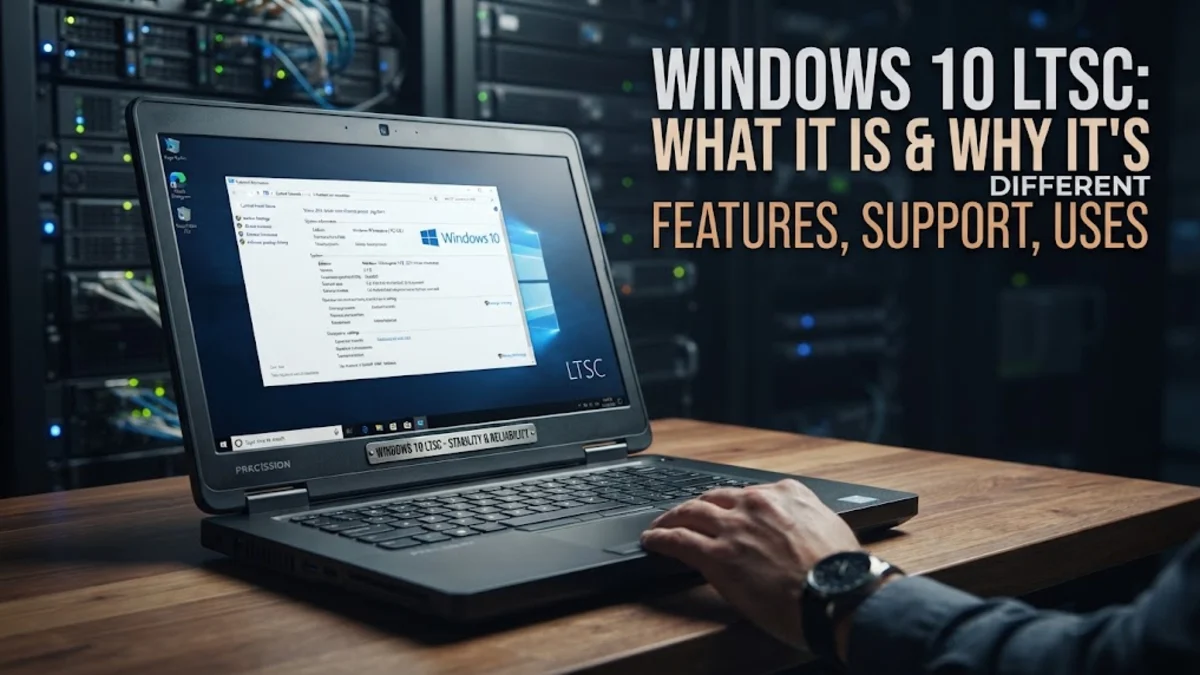
Windows 10 LTSC (Long-Term Servicing Channel) is a specialized, stripped-down edition of Windows 10 Enterprise engineered for mission-critical devices that demand absolute stability over frequent new features. Unlike mainstream consumer editions that receive regular feature updates and bundled consumer apps, an LTSC release stays on a fixed feature set for years, receiving only monthly security patches and critical bug fixes.
Microsoft created this channel specifically for environments where unexpected operating system changes could disrupt operations, such as medical workstations, manufacturing plants, air traffic control towers, and automated bank teller machines. Understanding how LTSC differs from Home and Pro editions helps you decide whether its minimal footprint and extended support model make sense for your hardware needs.
Understanding the Long-Term Servicing Channel Concept
In standard Windows development, Microsoft distributes operating system builds through the General Availability Channel. Devices running everyday editions receive continuous feature updates, interface redesigns, and new background services. While this rollout model delivers fresh consumer tools, it introduces variability, potential software driver regressions, and periodic system overhead that IT administrators must continuously monitor and test.
The Long-Term Servicing Channel takes the opposite approach by prioritizing consistency above all else. When an LTSC build is finalized, its core code and APIs remain locked in place for its entire supported lifespan. Microsoft issues security updates, performance hotfixes, and driver reliability patches every month through Settings > Update & Security > Windows Update, but the operating system does not receive feature overhauls. This predictable framework guarantees that proprietary business software, specialized diagnostic peripherals, and embedded system drivers run without unexpected breakage caused by operating system upgrades.
Key Differences Between Windows 10 LTSC and Standard Editions
The most immediate difference you notice when booting Windows 10 LTSC is the absence of consumer bloatware. Microsoft strips out almost every pre-installed modern app that typically populates the Start menu on consumer laptops and desktop systems. This clean baseline results in reduced background memory usage, fewer running services, and lower disk space consumption right after a fresh installation.
Standard builds of Windows 10 Home and Pro ship with a broad suite of integrated entertainment and communication tools. In contrast, an out-of-the-box LTSC installation includes only traditional desktop utilities like Notepad, Paint, and classic management consoles. Here is how core system features compare between the two architectures:
| Feature or Component | Windows 10 Home / Pro | Windows 10 LTSC |
|---|---|---|
| Feature Updates | Periodic annual updates | None (static code baseline) |
| Microsoft Store | Pre-installed and enabled | Removed by default |
| Pre-installed Bloatware | Included (games, media apps) | Completely excluded |
| Integrated Voice Assistants | Enabled in system shell | Omitted from installation |
| Support Lifecycle | Standard mainstream lifecycle | Up to 5 to 10 years |
| Licensing Model | Retail or OEM licenses | Volume Licensing or IoT OEM |
Why System Bloatware and Consumer Apps Are Omitted
Consumer apps like Xbox Game Bar, Weather, News, and promotional third-party shortcuts rely on the Universal Windows Platform (UWP) and continuous web sync routines. In an industrial or enterprise deployment, these background connections consume unnecessary local network bandwidth and introduce background CPU cycles that offer zero utility to a dedicated workstation. Removing them creates a clean, deterministic operating environment.
Even the Microsoft Store itself is excluded from LTSC by default. This design prevents unauthorized operators or staff from downloading unvetted utilities onto dedicated machinery. If your organization specifically requires certain modern packaged applications, administrators can manually provision specific packages using PowerShell commands like Add-AppxPackage or install enterprise-approved traditional Win32 software. However, the default posture remains strictly minimal to reduce potential attack surfaces and eliminate background interruptions.
Support Lifecycles and Release Versions
Microsoft releases an LTSC edition roughly every two to three years. Each build is based on a specific, mature milestone of Windows 10. The most widely referenced releases include Windows 10 Enterprise LTSC 2019 (built on version 1809) and Windows 10 Enterprise LTSC 2021 (built on version 21H2). These editions provide long-term service agreements that outlive standard consumer builds.
Support durations depend heavily on whether you license standard Enterprise LTSC or IoT Enterprise LTSC. With Windows 10 Enterprise LTSC 2021, Microsoft aligned the standard lifecycle to a 5-year support window. However, the specialized Windows 10 IoT Enterprise LTSC 2021 edition retains a full 10-year support lifecycle, delivering critical security updates through 2031. This distinct difference makes the IoT variant the preferred choice for hardware manufacturers who produce embedded kiosks, digital signage systems, and medical diagnostics equipment designed to remain untouched in the field for a decade.
Licensing Requirements and How to Obtain LTSC Legally
A common misconception among individual users is that Windows 10 LTSC can be purchased as a standard retail license key at an electronics store. In reality, Microsoft does not offer LTSC through retail channels or packaged consumer boxes. Legitimate access to standard Windows 10 Enterprise LTSC requires a commercial Microsoft Volume Licensing agreement, typically arranged through an enterprise distributor or an authorized Cloud Solution Provider (CSP).
For hardware builders and commercial device makers, Windows 10 IoT Enterprise LTSC is distributed through authorized embedded OEM partners. Under this OEM model, the operating system license is tied directly to the motherboard of the hardware unit being sold, priced according to processor performance tiers. While tech enthusiasts often seek out LTSC installation media for personal gaming rigs or lightweight laptops, attempting to activate LTSC using unofficial workarounds or dubious gray-market digital keys violates Microsoft licensing terms and can leave machines without genuine update validation.
Ideal Use Cases and When to Avoid LTSC
Windows 10 LTSC excels in single-purpose and fixed-function computer environments. It is the premier operating system choice for digital signboards, retail point-of-sale terminals, computer numerical control (CNC) factory machinery, server monitoring panels, and hospital patient monitors. In these settings, unexpected restarts or interface changes can cause physical damage, financial losses, or safety hazards.
Conversely, LTSC is generally not recommended for everyday home users, remote office workers, or enthusiast PC gamers. Because its underlying API baseline does not advance, you will eventually face software compatibility hurdles. Modern hardware often requires recent kernel-level display drivers, and newer software platforms—including certain creative editing suites, modern web browsers, and gaming storefronts—gradually drop support for legacy code baselines. Everyday productivity users benefit far more from standard editions where hardware acceleration, peripheral interoperability, and modern application ecosystems receive regular, active optimization.
The bottom line
Windows 10 LTSC remains Microsoft's premier solution for fixed-function hardware and specialized workstations that require a dependable, unvarying operating system. By eliminating consumer apps and freezing new feature updates, LTSC guarantees predictable performance and extended security maintenance. While its strict volume licensing and static feature set make it impractical for everyday home computing, it continues to serve as an indispensable backbone for enterprise infrastructure and industrial technology across the globe.
Frequently asked questions
Can I play modern PC games on Windows 10 LTSC?
Yes, traditional Win32 desktop games run on Windows 10 LTSC because standard DirectX runtimes and graphics drivers can be installed. However, games that strictly require the Microsoft Store, Xbox Game Bar integration, or the latest Windows gaming APIs might fail to install or launch without manual component sideloading.
Is Windows 10 LTSC faster than standard Windows 10?
Windows 10 LTSC often feels faster and uses fewer system resources on boot because it excludes consumer background services, telemetry routines, and pre-installed universal apps. However, raw CPU and GPU processing performance in demanding benchmarks remains fundamentally identical to a clean installation of standard Windows 10.
Can regular consumers buy a Windows 10 LTSC license?
No, Microsoft does not sell retail consumer licenses for Windows 10 LTSC. It is legally accessible only through commercial Microsoft Volume Licensing agreements or pre-installed on qualified OEM hardware via the Windows 10 IoT Enterprise distribution channel.
Can I install the Microsoft Store on Windows 10 LTSC if needed?
Yes, administrators can restore the Microsoft Store on LTSC by executing specialized deployment scripts in PowerShell using the Add-AppxPackage cmdlet. However, doing so reintroduces modern application background sync, which partially defeats the original purpose of running a minimal LTSC build.
What is the difference between Windows 10 LTSC and Windows 10 LTSB?
LTSB (Long-Term Servicing Branch) was the original terminology Microsoft used for long-term builds released in 2015 and 2016. Starting with the release based on Windows 10 version 1809, Microsoft renamed the servicing model to LTSC (Long-Term Servicing Channel).