What Is Wi-Fi Calling and How to Use It

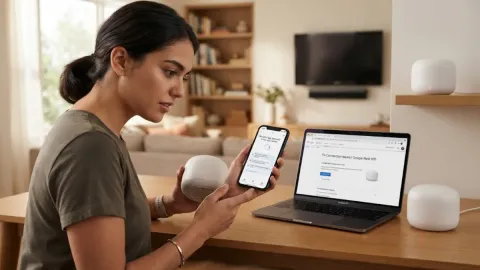
Wi-Fi calling is a revolutionary carrier feature that allows you to make and receive crystal-clear voice calls, as well as send text messages, over a wireless internet connection instead of a traditional cellular network. When cellular signals are weak or completely nonexistent in your home, office, or remote location, this technology seamlessly routes your voice traffic through your broadband router.
How Wi-Fi Calling Works
Wi-Fi calling utilizes your standard home, office, or public wireless network to transmit voice data packets directly to your mobile carrier's core network infrastructure. Instead of bouncing your voice signals across distant cellular towers that might be obstructed by terrain or buildings, your smartphone converts your speech into digital data packets. It then sends these packets over your local internet connection using an encrypted IPsec tunnel to ensure complete privacy and security. Your carrier's secure gateway processes this data and routes the call to the recipient just like a normal cellular phone call. To the person on the other end of the line, the audio sounds identical to a standard cellular conversation, and they do not need any special applications, software, or internet connections on their own receiving device. Furthermore, modern smartphones are engineered to manage handoffs intelligently, though transitioning between Wi-Fi and cellular mid-call depends heavily on signal strength and carrier support.
Benefits of Using Wi-Fi Calling
The primary and most celebrated advantage of Wi-Fi calling is drastically improved indoor coverage, especially in modern buildings constructed with thick concrete, energy-efficient glass, or steel reinforcement that typically blocks cellular waves. If your residence is located in a notorious dead zone, you no longer need to stand precariously near a window or step outside into bad weather just to complete an important personal or business phone call. Additionally, when you travel internationally, enabling Wi-Fi calling allows you to call domestic numbers over hotel or cafe wireless networks, often avoiding exorbitant international roaming fees depending on your specific mobile plan terms and carrier policies. This makes it an indispensable tool for frequent travelers and remote workers alike who rely on uninterrupted communication without incurring unexpected billing surprises at the end of the month.
Requirements to Use Wi-Fi Calling
To successfully take advantage of Wi-Fi calling, you need a combination of compatible hardware, active service, and a stable broadband internet connection. First, your smartphone must be a relatively modern model that includes built-in firmware support for Voice over Wi-Fi protocols. Second, your postpaid or prepaid mobile plan must explicitly include Wi-Fi calling support, as some ultra-budget discount carriers restrict the feature or charge extra for it. Third, you need a dependable broadband router with a high-speed internet connection, preferably offering low latency and stable bandwidth. Finally, you must verify that your specific mobile carrier officially supports Wi-Fi calling on your exact device model, as regional variations in firmware can sometimes prevent the feature from appearing in your device menus until a software update is installed.
How to Enable Wi-Fi Calling on iPhone
How to Enable Wi-Fi Calling on Android
Potential Drawbacks and Limitations
While Wi-Fi calling is exceptionally useful and solves numerous indoor reception problems, it does come with a few minor technical limitations and potential drawbacks that you should keep in mind during daily use. If your home or office internet connection suffers from high latency, packet loss, or heavy bandwidth congestion due to multiple household members streaming 4K video or downloading large files, your phone call may experience choppy audio, digital artifacts, or unexpected drops. Furthermore, physically walking out of range of your wireless router while an active call is in progress may cause the call to drop abruptly if your phone cannot instantly and seamlessly hand off the active data stream back to a nearby cellular tower. Understanding these limitations helps you troubleshoot audio quality issues before assuming your phone or carrier is malfunctioning.
The bottom line
Wi-Fi calling is an invaluable utility that effectively bridges the persistent gap between frustrating cellular dead zones and reliable daily communication. By intelligently leveraging your existing broadband internet connection, you can guarantee clear, uninterrupted phone calls anywhere inside your home or office without requiring extra hardware, specialized networking knowledge, or expensive third-party messaging applications.
Frequently asked questions
Does Wi-Fi calling cost extra money on my bill?
Most major mobile carriers do not charge any extra fees for Wi-Fi calling, and domestic calls are typically billed directly against your standard monthly minute allowance or unlimited talk plan.
Can I receive text messages using Wi-Fi calling?
Yes, standard SMS and MMS text messages route seamlessly over your Wi-Fi calling connection whenever your cellular signal is completely unavailable or suppressed.
Do I need to download a special app to use Wi-Fi calling?
No special third-party applications are required because the entire feature is built directly into your smartphone operating system and your carrier profile settings.
Why does my Wi-Fi calling keep turning off automatically?
This unexpected behavior usually happens due to unstable internet connections, recent carrier profile updates, or temporary software glitches that can be resolved by restarting your device.
Will emergency services track my location over Wi-Fi calling?
Yes, emergency services rely on the physical address you provided during the initial setup process of Wi-Fi calling, which is why accurate address entry is legally required.