What Is Spam Texting and How to Stop It
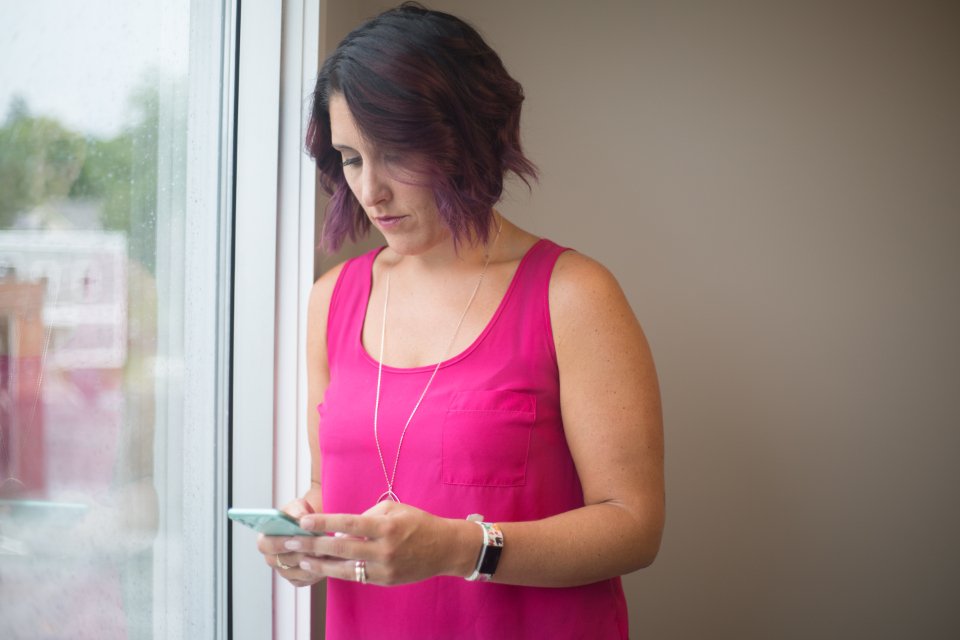
Spam texting, often referred to as smishing or SMS spam, involves receiving unsolicited commercial messages, phishing attempts, or malicious links directly on your mobile phone. These texts flood your device from automated systems, posing risks to your personal data and digital privacy.
Understanding how these scams operate and knowing how to block them effectively is essential for keeping your mobile device secure. This guide breaks down why spam texts happen and provides actionable steps to eliminate them on both iPhone and Android.
What Is Spam Texting and Why It Happens
Spam texting is the practice of sending unwanted text messages to mobile phone numbers in bulk. Just like email spam, these messages range from annoying marketing advertisements to dangerous phishing scams designed to steal your credentials or financial information. Scammers often use automated dialing software to generate random phone number combinations or purchase leaked contact lists from data breaches.
You might wonder how your specific phone number ended up on these lists. Common entry points include public online forms, social media profiles where your number is visible, malware-infected apps, or company data leaks. Once spammers acquire your number, it is frequently shared or sold among malicious networks, leading to a sudden surge in unwanted texts that disrupt your day and compromise your security.
Common Types of Text Scams to Watch Out For
Recognizing the distinct categories of text scams helps you identify threats before you click a dangerous link. Package delivery scams are exceptionally common, pretending to be major couriers claiming a package could not be delivered due to an incorrect address. These texts direct you to a convincing fake website designed to harvest your credit card details or login credentials.
Another prevalent category includes fake bank alerts, government grant notifications, and fraudulent prize wins. A text might claim suspicious activity was detected on your bank account, prompting you to call a fraudulent number or click a link to verify your identity. Legitimate financial institutions and government agencies will never ask you to verify sensitive personal information or passwords via a standard text message link.
How to Block Spam Texts on iPhone
If you use an iPhone running iOS, Apple provides built-in tools to filter and block unwanted senders permanently. When you receive a text from an unknown or suspicious number, open the Messages app and tap the sender's profile icon at the top of the conversation. Select info, tap Call or scroll down and tap Block this Caller to prevent future messages and calls from that specific number.
To automatically filter messages from people who are not in your contacts, go to Settings > Messages and toggle on Filter Unknown Senders. This action creates a separate tab in your Messages app for unknown senders, keeping your primary inbox clean and preventing accidental clicks on malicious links.
How to Block Spam Texts on Android
Android users have access to robust spam protection features, particularly when using the default Google Messages app. To block a spammer, open the conversation in Messages, tap the three-dot menu icon in the top right corner, and select Details or Block & report spam. Check the box to report the conversation as spam, then tap OK to block the number and stop further notifications.
To ensure automatic spam detection is active across your device, open the Messages app settings by tapping your profile icon, go to Message settings > Spam protection, and ensure the Enable spam protection toggle is turned on. This feature analyzes incoming messages for known scam patterns and warns you or blocks them automatically.
Using Carrier Tools and Apps to Stop Smishing
Beyond built-in operating system settings, major mobile network carriers offer dedicated services to detect and block spam texts at the network level. Providers like AT&T, Verizon, T-Mobile, and Canadian and UK carriers provide official apps such as AT&T ActiveArmor, Verizon Call Filter, or Scam Shield. Downloading your carrier's official security app adds an extra layer of automated filtering before messages even reach your device storage.
You can also report text scams directly to your carrier by forwarding the message to 7726 (SPAM), which is a universal reporting shortcode supported by most major networks in North America and the UK. Your carrier will analyze the forwarded text and use the data to block the sender across their entire network infrastructure, protecting other users from falling victim to the same scam.
Best Practices to Keep Your Phone Number Private
Preventing future spam texts requires proactive habits regarding where and how you share your mobile number online. Avoid entering your phone number into online sweepstakes, unverified web forms, or popup advertisements that promise free rewards. Many free services harvest contact details specifically to sell them to third-party marketers and affiliate networks.
When creating accounts on secondary websites or online marketplaces, consider using a secondary virtual phone number or privacy-focused communication service if available. Regularly review your privacy settings on social media platforms to ensure your phone number is not publicly searchable. Limiting your digital footprint significantly reduces the chances of your number falling into automated spam databases.
The bottom line
Spam texting is an ongoing nuisance, but combining built-in device filters, carrier reporting tools, and careful privacy habits can dramatically reduce unwanted messages. Staying vigilant and never clicking unverified links ensures your personal information remains secure.
Frequently asked questions
Will replying STOP to a spam text work?
For legitimate marketing texts from companies you previously subscribed to, replying STOP usually works. However, for fraudulent scam texts, replying lets the scammer know your number is active, which often results in receiving even more spam.
Can spam texts install malware on my phone?
Standard text messages generally cannot install malware simply by being received or opened. However, clicking malicious links within the text and downloading unauthorized apps or configuration profiles can compromise your device security.
Why am I suddenly getting so many spam texts?
A sudden increase usually means your phone number was exposed in a recent corporate data breach or added to a fresh list generated by automated number-generating software used by bad actors.
Does blocking a number stop all future texts from that sender?
Yes, blocking a number on iOS or Android prevents that specific number from ringing your phone or delivering text messages to your active inbox. Scammers often spoof new numbers, so utilizing carrier-level filters is also recommended.
How do I report spam texts to authorities?
In the US, you can forward scam texts to 7726 and report them to the FTC at reportfraud.ftc.gov. In Canada, report cybercrimes through the Canadian Anti-Fraud Centre, and in the UK, forward spam texts to 7726.