How to Fix Wet AirPods Safely and Prevent Damage
If your AirPods have taken an accidental dive in water or survived a trip through the washing machine, acting quickly is essential to prevent permanent electrical damage. You need to immediately remove them from moisture, wipe down the exterior surfaces, and resist the temptation to test or charge them right away.
Take Immediate Action and Stop Charging
The very first thing you must do when your AirPods get wet is remove them from any liquid source instantly. If they are currently inside their charging case, take them out immediately and remove the case from power if it is plugged into a cable or wireless pad. Leaving wet electronic devices powered on or connected to a power source is the primary cause of short circuits that permanently destroy internal logic boards and batteries.
Next, use a dry, lint-free microfiber cloth to thoroughly wipe down the outside of both earbuds. If you are using AirPods Pro, gently pull off the flexible silicone ear tips to expose the speaker mesh underneath where water tends to pool. Leave the ear tips off and let all components rest on a flat surface while you prepare for the drying process. Do not shake the AirPods vigorously, as this can force moisture deeper into the internal cavities rather than expelling it.
Position for Optimal Air Drying
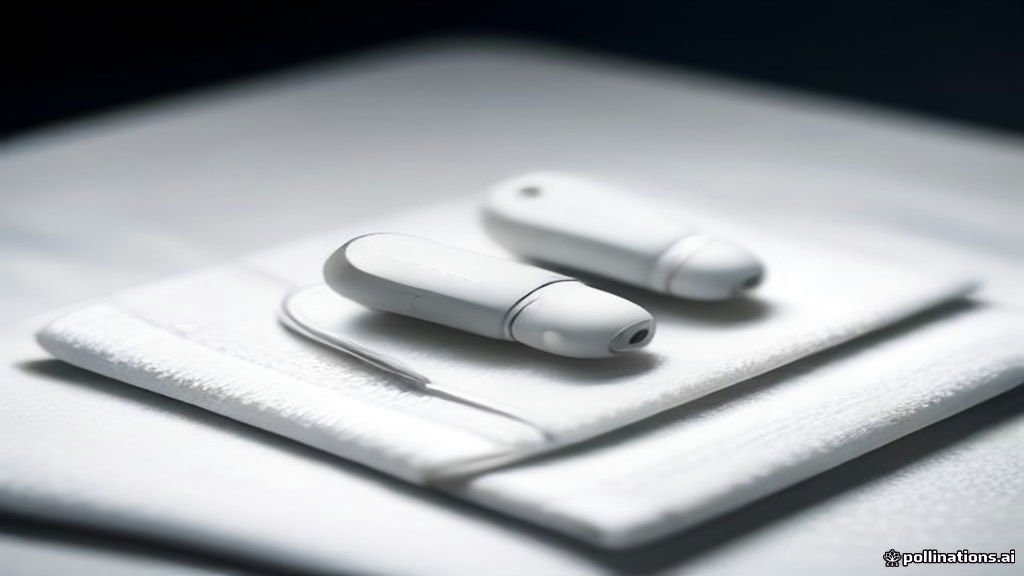
Proper airflow is your best ally when drying wet electronics. Place your AirPods upright with the microphone and speaker grilles facing downward on an absorbent towel or paper towel. This orientation allows gravity to pull residual moisture out through the openings rather than letting it seep further inside the housing. Choose a dry room with stable ambient temperature and good ventilation.
You can accelerate air circulation by placing a desk fan nearby set to its lowest cool speed. Position the fan several feet away so that it blows gentle air across the AirPods. Never position them directly in front of a high-velocity fan blast or a window with intense direct sunlight, as excessive air pressure or heat can warp the plastic casing and degrade the internal adhesive seals.
Avoid the Rice Myth and Use Silica Gel Instead
A common piece of old advice is to submerge wet electronics in a bowl of uncooked white rice. You should completely avoid this method for AirPods. Rice grains contain fine starch dust and small particles that easily enter the tiny mesh grilles and charging ports, mixing with moisture to form a concrete-like paste that is nearly impossible to clean out later.
Instead of rice, use food-safe silica gel packets if you have them on hand. Place your AirPods inside a small, sealed container alongside several silica gel packets to absorb ambient humidity efficiently. Silica packets are specifically designed to draw moisture out of enclosed spaces without introducing harmful dust or foreign debris into sensitive audio equipment.
Give Them Enough Time to Dry Completely
Patience is critical when recovering water-damaged electronics. Even if the exterior plastic feels completely dry after a couple of hours, moisture often remains trapped deep within the acoustic chambers and around the battery terminals. Turning on your AirPods too early while internal components are still damp can trigger a fatal electrical short.
Leave your AirPods undisturbed in a well-ventilated area or a silica container for a minimum of 24 to 48 hours. Resist all urges to place them back into the charging case or connect them to your iPhone to check if they still work during this waiting period. Giving them a full two days ensures that capillary action has fully evaporated or absorbed all internal liquid.
Test Audio and Microphone Functionality
Once the waiting period is over, it is time to test your AirPods. Place them back into their charging case for at least thirty minutes, then open the case near your iPhone to check the battery percentage and ensure the pairing connection is stable. If the case indicator light flashes amber or fails to respond, the charging case itself may still be wet or damaged.
Insert the earbuds into your ears and play a familiar audio track at a low volume. Listen carefully for crackling, muffled sound, or static interference, which indicate lingering moisture on the speaker driver. Next, open a voice recording app or make a brief test call to verify that the internal microphones are picking up your voice clearly without distortion.
Common Mistakes to Avoid During the Process
Many well-meaning attempts to fix wet AirPods actually end up causing more harm than good due to common technical oversights. Never use a hair dryer, heat gun, microwave, or oven to speed up the drying process. High heat melts the delicate plastic housing, deforms the internal components, and instantly ruins the lithium-ion batteries.
You should also avoid inserting cotton swabs, toothpicks, or pins into the mesh grilles to mop up moisture. Pushing objects into the speaker or microphone mesh can puncture the delicate protective membranes and push debris deeper inside. Stick exclusively to exterior wiping, gravity, and ambient air drying to give your device the safest chance of full recovery.
The bottom line
Recovering wet AirPods requires patience, proper positioning, and avoiding harmful shortcuts like heat or rice. By acting quickly, keeping them powered off, and allowing adequate drying time, you can often restore full functionality and avoid costly replacements.
Frequently asked questions
Can I put my wet AirPods in the charging case?
No. Putting wet AirPods into the charging case can transfer moisture to the charging contacts, potentially damaging both the earbuds and the case.
How long should I wait before using wet AirPods?
You should wait at least 24 to 48 hours in a dry, well-ventilated area before attempting to turn them on or charge them.
Do AirPods have water resistance?
Certain models like AirPods Pro and third-generation AirPods feature sweat and water resistance, but they are not waterproof and can still fail if exposed to excessive liquid.
What should I do if only one AirPod works after getting wet?
Let both dry for another 24 hours. If one still fails, try resetting them via your Bluetooth settings or contact Apple Support for repair options.