What Is iCloud Private Relay and How Does It Work
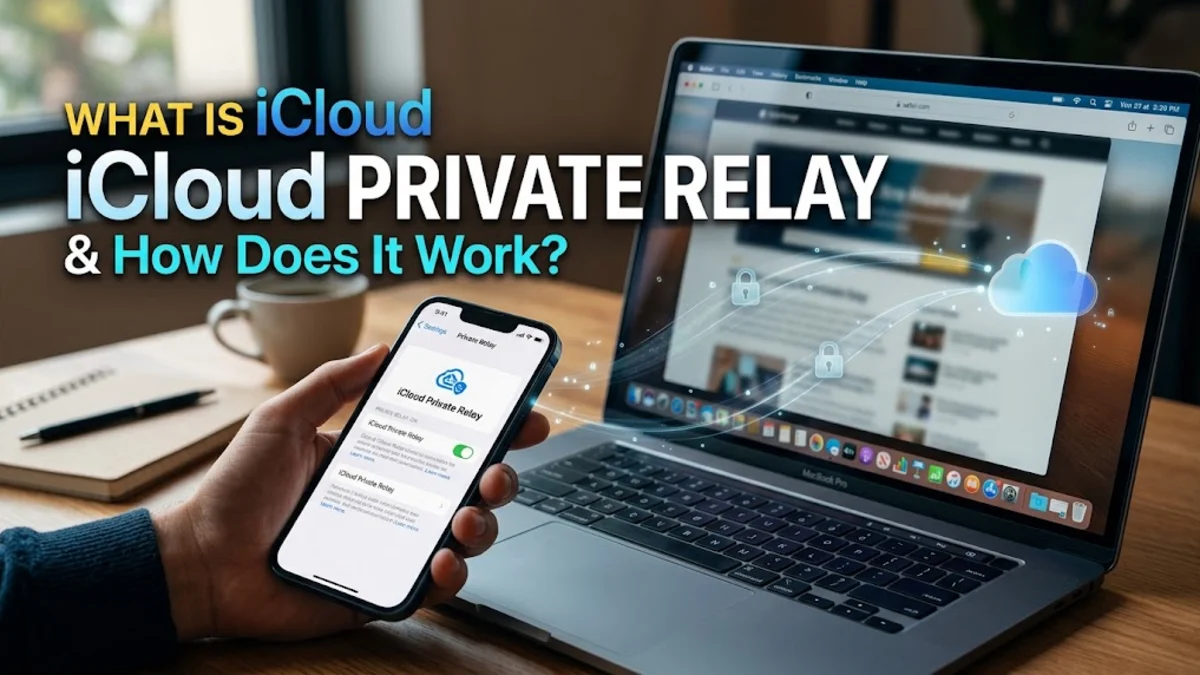
iCloud Private Relay is a built-in internet privacy service designed by Apple for iCloud+ subscribers that prevents websites and network providers from tracking your browsing activity in Safari. By routing your web traffic through two separate, secure internet relays, it masks your real IP address and location so your browsing habits remain entirely confidential.
Unlike a traditional virtual private network, Private Relay is integrated directly into iOS, iPadOS, and macOS, requiring no third-party apps or complex configuration to protect your data while you browse the web.
How iCloud Private Relay Works Behind the Scenes
When you browse the web using Safari with iCloud Private Relay active, your requests are split into two separate internet layers or "hops." This dual-architecture design ensures that no single entity—not even Apple—can see both who you are and what websites you are visiting. The system handles your connection data by dividing it between two distinct operators: one managed by Apple and the second managed by a trusted third-party content provider such as Cloudflare.
During the first hop, the originating entry node operated by Apple sees your real IP address but cannot see the website address you are attempting to visit. Apple encrypts this traffic request before passing it forward. During the second hop, the exit node managed by the third-party partner sees the website you want to visit, but it has no access to your real IP address or device identity. Instead, it assigns you a temporary, anonymous IP address that corresponds to a broader regional area. Because neither operator possesses both pieces of information, your complete browsing profile cannot be compiled or linked back to your personal identity.
The Difference Between iCloud Private Relay and a Traditional VPN
While both iCloud Private Relay and virtual private networks aim to enhance online privacy, they operate under fundamentally different models and serve distinct purposes. A traditional VPN routes all device traffic through a single remote server, encrypts your connection, and typically allows you to manually select a specific country or city to spoof your geographic location. This makes VPNs popular for bypassing regional streaming restrictions or securing unsecured public Wi-Fi networks across all installed applications.
In contrast, iCloud Private Relay is specifically optimized for Safari web traffic and DNS resolution, rather than routing every background app connection on your device. Furthermore, Private Relay does not let you manually select a specific country for location spoofing; instead, it offers two regional privacy settings: maintaining a general location or choosing a broader country and time zone. Because Apple partners with independent companies to handle the second relay hop, trust is decentralized, whereas a traditional VPN provider has full visibility over your traffic if they choose to log it.
What Data is Hidden and What Remains Visible
Understanding what information iCloud Private Relay protects helps clarify its exact function in your daily digital routine. When enabled, Private Relay hides your true IP address from the websites you visit, preventing advertisers and data brokers from building a precise location and tracking profile based on your network connection. It also encrypts your unencrypted DNS requests, meaning your local network provider or mobile carrier cannot see which domain names or websites you are attempting to load in Safari.
However, Private Relay does not provide total anonymity across every aspect of your device usage. Apps outside of Safari that connect directly to external servers will still transmit data and IP addresses normally unless they explicitly use Apple network APIs designed for privacy. Additionally, when you log into a website using your personal credentials or account username, the website operator will still know who you are regardless of whether Private Relay is masking your IP address. Location data may also still be shared if you explicitly grant permission to specific websites within your browser settings.
How to Enable and Configure iCloud Private Relay on Apple Devices
Enabling iCloud Private Relay requires an active iCloud+ subscription, which is included with all paid iCloud storage plans. To turn on the feature on an iPhone or iPad, open the Settings application and tap on [Your Name] at the top of the menu. From there, select iCloud, tap on Private Relay, and toggle the switch to the on position. You can follow a similar path on a Mac by opening System Settings, clicking your name, selecting iCloud, and enabling Private Relay from the list of features.
Once active, you can customize your IP address location settings to balance privacy and web compatibility. In the Private Relay menu, tap on IP Address Location. You can choose between maintaining a general location—which allows websites to provide localized content like local news or weather based on a broad regional area—or opting for a wider country and time zone setting that obscures your location entirely. If a specific website fails to load properly due to regional restrictions, you can also temporarily pause Private Relay for that specific site directly from the Safari page menu.
Limitations and Troubleshooting Common Connection Issues
Although iCloud Private Relay runs seamlessly in the background for most users, certain network environments can occasionally interfere with its operation. Public Wi-Fi networks in places like hotels, airports, or coffee shops that require you to sign in through a captive portal page may temporarily block Private Relay traffic until the initial network authentication is completed. Similarly, corporate or school networks that rely on custom network filters, firewalls, or proxy servers might intentionally block relay connections to inspect network traffic for security compliance.
If you notice that certain websites are loading slowly or specific enterprise applications fail to connect while on a restricted network, you can easily troubleshoot the issue by disabling Private Relay for that specific Wi-Fi connection. Navigate to Settings, select Wi-Fi, tap the information icon next to your network name, and toggle off Limit IP Address Tracking. This adjustment applies only to that specific network while leaving Private Relay active and fully functional whenever you switch back to your home network or cellular data connection.
The bottom line
iCloud Private Relay offers a powerful, frictionless way to protect your browsing privacy in Safari without sacrificing connection speed or requiring third-party software. By splitting your web traffic across two independent relays, Apple ensures that your browsing habits remain confidential and secure across all your Apple devices.
Frequently asked questions
Does iCloud Private Relay cost extra money?
No, iCloud Private Relay is included at no additional cost with any paid iCloud+ storage subscription plan.
Does Private Relay work with all web browsers?
No, iCloud Private Relay is specifically designed to protect web traffic and DNS requests originating from the Safari browser.
Can I choose a specific foreign country with Private Relay?
No, Private Relay does not let you select exact countries for manual location spoofing like a traditional VPN. It assigns you an IP address within your general region or broader country.
Does iCloud Private Relay slow down internet speed?
Most users notice little to no impact on browsing speed, as the dual-hop routing is optimized by Apple and its content delivery partners for high performance.
Can my mobile carrier see my browsing history when Private Relay is on?
No, your mobile carrier and local network provider cannot see which websites you visit in Safari because your DNS requests are fully encrypted.