Google Chrome vs Safari: Which Browser Wins in 2026?
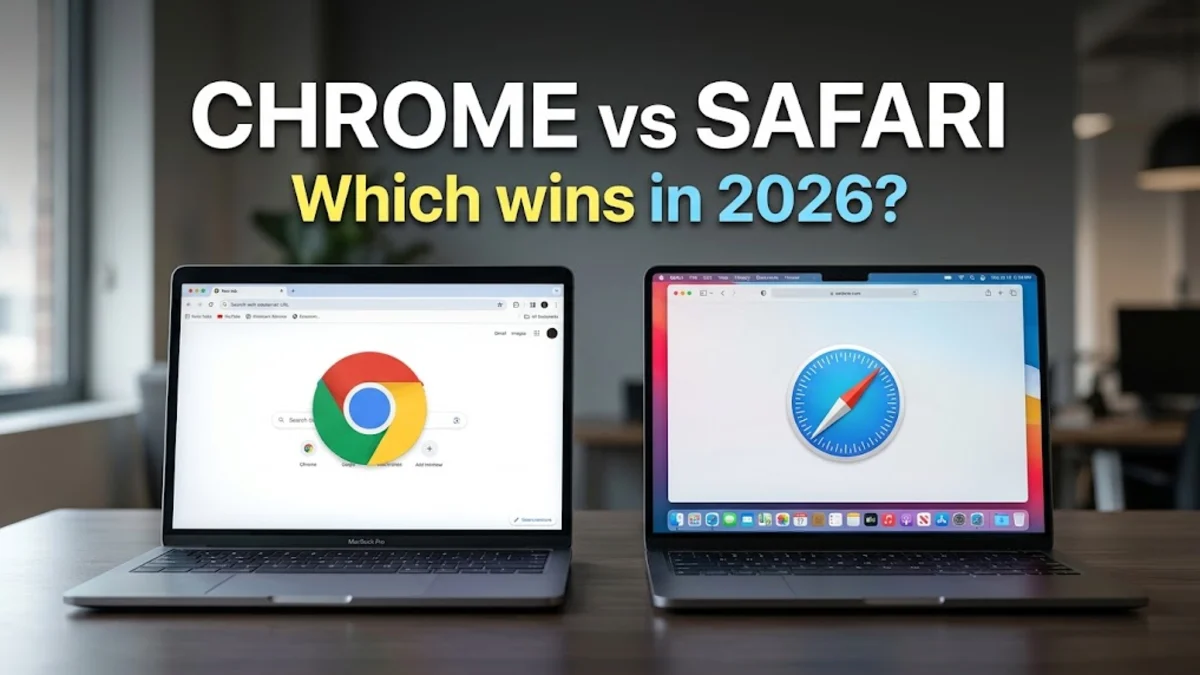
When comparing Google Chrome and Safari, choosing the right web browser depends heavily on your device ecosystem, performance preferences, and privacy needs. Both browsers offer fast browsing and modern web standards support, but they cater to different workflows.
In this guide, we break down how Google Chrome and Safari compare across performance, battery efficiency, ecosystem integration, privacy features, and extension availability to help you decide which one deserves a permanent spot on your screen.
Performance and Speed
Google Chrome relies on the powerful Blink rendering engine and the V8 JavaScript engine, making it exceptionally fast at executing complex web applications and heavy interactive pages. Chrome handles multiple resource-intensive tabs smoothly, though it has historically demanded significant system memory to maintain that speed. On modern hardware, Chrome delivers snappy load times across Windows, macOS, Linux, and mobile platforms alike.
Safari uses Apple's WebKit rendering engine and JavaScriptCore, which are deeply optimized specifically for macOS, iOS, and iPadOS hardware. Because Safari is built into Apple's operating systems, it often achieves superior benchmark scores in specific JavaScript execution tests while consuming fewer raw system resources. Pages render instantly, and scrolling remains buttery smooth even on base-model MacBooks and mobile devices.
Battery Life and Resource Management
Battery efficiency is one of Safari's strongest selling points for Apple users. Because Apple designs both the hardware and the browser, Safari benefits from native system optimizations that aggressively throttle background processes, suspend inactive tabs, and leverage hardware video decoding. This results in significantly lower power consumption, allowing Mac and iPhone users to squeeze extra hours of runtime out of a single charge compared to running third-party browsers.
Google Chrome has made major strides in memory and energy management with features like Memory Saver and Energy Saver modes. These built-in toggles automatically free up RAM from inactive tabs and limit background activity to preserve battery life on laptops. While Chrome remains heavier on system resources than Safari overall, these modern optimizations have closed the gap considerably for users who prefer Chrome's interface on portable devices.
Ecosystem and Cross-Device Sync
Google Chrome shines brightest for users who switch frequently between different operating systems. By signing into your Google account, you can instantly sync bookmarks, saved passwords, autofill data, open tabs, and browsing history across Windows computers, Android phones, Chromebooks, and even Apple devices. This cross-platform versatility makes Chrome an essential tool for anyone who does not want to be locked into a single tech ecosystem.
Safari is deeply integrated into the Apple ecosystem through iCloud. If you use an iPhone, iPad, and Mac, Safari offers seamless continuity features that let you pick up browsing exactly where you left off on another device. It also leverages iCloud Keychain for secure password management and autofill across all your Apple gear, providing a frictionless experience that third-party browsers struggle to match within macOS and iOS.
Privacy and Security Features
Safari places a heavy emphasis on user privacy out of the box. Features like Intelligent Tracking Prevention actively block cross-site trackers from profiling you across the web, and advanced privacy reports show you exactly which trackers have been intercepted. Furthermore, iCloud Private Relay offers built-in virtual private network-like protection for masking your browsing traffic from network providers and website operators when using supported subscription tiers.
Google Chrome approaches security through continuous background updates, Safe Browsing protection against malicious sites and phishing, and robust password leak detection. However, because Google's core business model relies on advertising, privacy advocates often scrutinize Chrome's data collection practices. While Chrome offers Incognito mode and third-party cookie phase-out controls, it does not provide the same default anti-tracking aggression found in Safari.
Extensions and Customization
Google Chrome boasts the largest extension ecosystem in the world through the Chrome Web Store. Whether you need productivity enhancers, ad blockers, developer tools, or custom themes, you will find thousands of community-built add-ons that fundamentally transform how the browser works. This massive library of extensions makes Chrome highly customizable for power users and professionals who rely on specialized browser workflows.
Safari features its own curated extension store housed within the Mac App Store. While the selection of extensions has grown significantly over recent years, it remains much smaller than Chrome's massive catalog. Apple reviews Safari extensions strictly for security and performance, which ensures that installed add-ons do not compromise your browser speed or drain your battery unnecessarily, though niche tools may be harder to find.
Feature Comparison Table
To help summarize the core differences between Google Chrome and Safari, review the comparison table below, which highlights key factors such as platforms, rendering engines, and standout features.
| Feature | Google Chrome | Safari |
|---|---|---|
| Developer | Apple | |
| Supported Platforms | Windows, macOS, Linux, Android, iOS | macOS, iOS, iPadOS |
| Rendering Engine | Blink | WebKit |
| Extension Library | Extensive (Chrome Web Store) | Curated (Mac App Store) |
| Battery Efficiency | Good (with Energy Saver) | Excellent (Native OS Optimization) |
| Cross-Platform Sync | Universal across all devices | Restricted to Apple Ecosystem |
The bottom line
Ultimately, Google Chrome is the clear winner for cross-platform users, developers, and anyone who wants an extensive library of extensions across Windows and mobile devices. Safari remains the undisputed champion for Apple users who prioritize maximum battery life, deep iCloud integration, and out-of-the-box privacy features.
Frequently asked questions
Can I install Google Chrome on a Mac?
Yes, Google Chrome is fully compatible with macOS and can be downloaded directly from the official Google website.
Is Safari available for Windows?
No, Apple discontinued Windows support for Safari years ago, so it is exclusive to macOS, iOS, and iPadOS.
Which browser uses less RAM?
Safari generally consumes significantly less RAM and system resources than Google Chrome, especially on macOS.
Can I sync Chrome bookmarks with Safari?
You can manually export bookmarks from Chrome and import them into Safari, but real-time automatic syncing between the two is not supported natively.