Best iPad for College Students in 2026
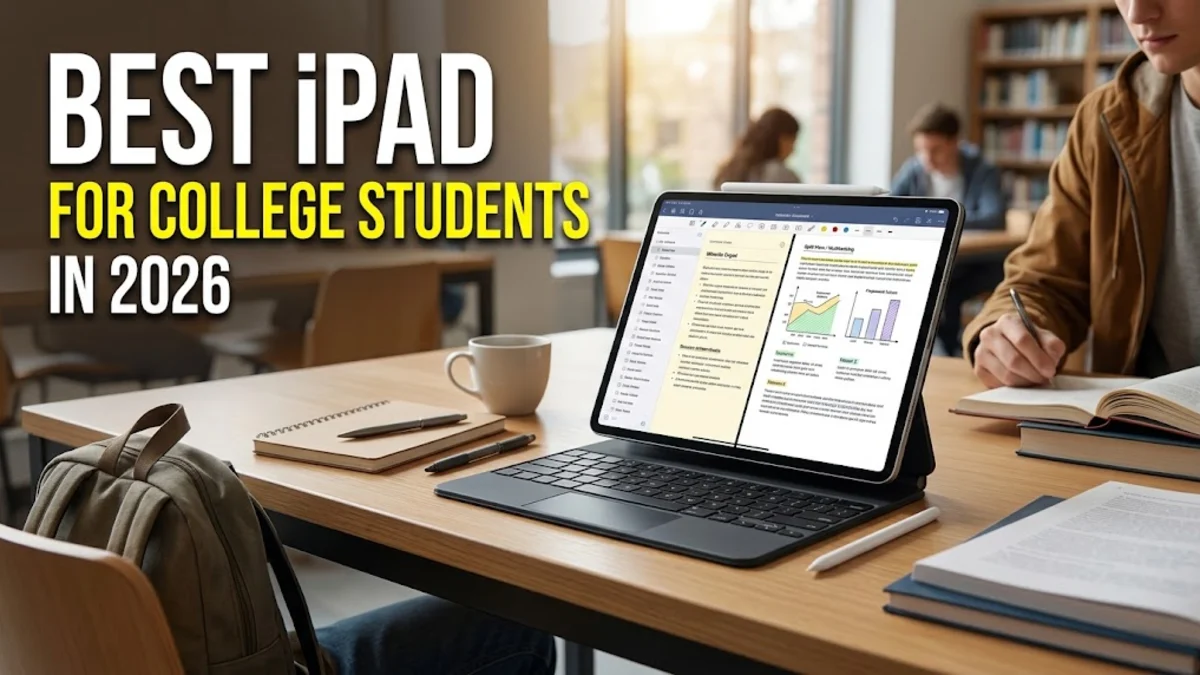
Finding the right tablet for your academic journey requires balancing performance, battery life, and budget to support your daily coursework. As course materials increasingly shift to digital formats, having a reliable device can streamline your note-taking, textbook reading, and essay writing across campus.
Whether you study engineering, humanities, or business, selecting the ideal model depends on your specific workflow and whether you plan to replace your laptop entirely. This guide breaks down the top iPad options available to help you make an informed choice for the upcoming academic term.
Key Factors to Consider When Choosing an iPad for College
Choosing the right iPad for college starts with understanding your academic requirements, daily routine, and budget constraints. Students often underestimate how much storage they will need for heavy PDF textbooks, lecture recordings, and downloaded media apps. A base storage capacity of 128GB is generally the minimum recommended entry point for modern academic workflows, while heavy multimedia users should consider 256GB or higher. Screen size is another critical consideration, as larger displays provide more split-screen real estate for multitasking between a research browser and a word processor. Processing power also dictates how long the device will remain snappy and responsive throughout your undergraduate or graduate studies. Apple Silicon chips provide exceptional performance across all current models, but high-end processors handle intensive tasks like 4K video editing, 3D modeling, and complex data analysis much more smoothly. Battery life is equally important for long days spent moving between lecture halls, libraries, and study groups where power outlets may be sparse. Most current iPads offer all-day battery life, but cellular connectivity options can be a valuable addition if you frequently study off-campus without reliable public Wi-Fi networks. Finally, accessory compatibility, such as support for the Apple Pencil and detachable keyboard cases, transforms a standard tablet into a versatile digital notebook and typing station. Evaluating these factors carefully ensures you invest in a device that enhances your productivity rather than creating new technical hurdles during crucial exam preparation periods.
Apple iPad Pro: The Ultimate Powerhouse for Advanced Majors
The Apple iPad Pro stands out as the ultimate choice for college students in demanding academic programs such as architecture, engineering, graphic design, and advanced computer science. Equipped with cutting-edge M-series processors, the iPad Pro delivers desktop-class performance that effortlessly handles resource-intensive design software, large datasets, and multi-layered illustration projects. The stunning Ultra Retina XDR display features incredible brightness, deep contrast ratios, and ProMotion technology with adaptive refresh rates up to 120Hz, making digital textbook reading and note-taking exceptionally crisp and fluid. For students who spend hours sketching diagrams or annotating intricate blueprints, the precision of the display combined with the Apple Pencil Pro offers an unmatched digital paper experience. Additionally, the iPad Pro supports advanced external displays, allowing you to connect a desktop monitor when working on massive research papers or complex programming environments in your dorm room. The thunderbolt connection enables lightning-fast data transfers for moving large media files or backing up important projects to external solid-state drives. While the iPad Pro commands a premium price tag, its immense processing capability and future-proof hardware ensure it will easily last through an entire multi-year degree program and beyond graduation. Students who view their tablet as a primary workstation replacement will find that the investment in an iPad Pro pays off through unmatched speed and multitasking versatility.
Apple iPad Air: The Best Value and Balance for Most Students
For the vast majority of college students, the Apple iPad Air strikes the ideal balance between high-end performance, modern design, and reasonable pricing. Powered by capable Apple Silicon processors, the iPad Air handles everyday academic tasks with ease, including heavy PDF annotation, split-screen multitasking with Safari and Microsoft Word, and casual gaming during study breaks. The Liquid Retina display delivers vibrant colors and sharp text rendering, which helps reduce eye strain during late-night reading sessions before upcoming exams. The iPad Air is fully compatible with the Apple Pencil Pro and Magic Keyboard, giving students the flexibility to switch between handwritten lecture notes and fast keyboard typing without missing a beat. Its lightweight aluminum chassis makes it effortless to slip into a backpack alongside notebooks and textbooks without adding noticeable bulk to your daily commute. Battery life easily spans a full day of classes, library study sessions, and evening club meetings, reducing the need to hunt for wall chargers across campus buildings. Available in multiple storage tiers starting at generous capacities, the iPad Air lets you store your entire digital library and essential coursework applications locally without worrying about running out of space. By offering many of the premium features found on the Pro lineup at a significantly more accessible price point, the iPad Air represents the smartest investment for typical undergraduate majors.
Apple iPad Standard: The Budget-Friendly Choice for Note-Taking
Students on a tighter budget who still want a reliable, modern tablet experience will find the standard Apple iPad to be an exceptional value. Despite its affordable entry price, the baseline iPad features a bright, spacious screen that provides plenty of room for digital textbooks, lecture slides, and video lectures. It handles standard student tasks smoothly, such as running productivity apps, browsing academic databases, attending virtual seminars on Zoom, and organizing your daily schedule in calendar apps. While it utilizes a slightly older processor generation compared to the Air and Pro lines, it remains fully capable of supporting daily coursework without frustrating lag or stuttering. The standard iPad supports compatible stylus models and basic keyboard folios, allowing you to digitize your handwritten notes and type essays with reasonable efficiency. Its durable construction withstands the rigors of being tossed into backpacks and carried across bustling campus quadrads day after day. Battery life remains consistently reliable, ensuring you can rely on your device from morning lectures straight through to late-night study sessions in the campus library. For freshman students looking for a straightforward, dependable tool to transition from high school to university workloads without breaking the bank, the standard iPad delivers reliable core functionality.
Apple iPad mini: Ultra-Portable Option for Quick Reading
The Apple iPad mini offers a uniquely compact alternative for students who prioritize extreme portability and effortless one-handed handling above all else. Its smaller screen size makes it remarkably easy to read digital articles, flashcards, and e-books while standing on crowded campus buses or waiting before class starts. Despite its diminutive footprint, the iPad mini packs surprisingly robust performance, running multitasking apps and productivity tools smoothly thanks to its efficient processor. Students in medical, nursing, or clinical fields often appreciate the mini form factor because it easily slips into lab coat pockets or small sling bags alongside clinical reference guides. It also supports compatible stylus accessories, making it convenient for jotting down quick reminders, sketching rough concepts, or highlighting PDF passages on the go. However, the smaller display does present limitations when working in multi-window split-screen mode or typing long essays on a virtual keyboard. Therefore, the iPad mini works best as a complementary study companion rather than a standalone device for primary typing and extensive essay composition. For students who already own a laptop or desktop computer and want a pocket-sized digital notebook for mobile studying, the iPad mini is a uniquely practical choice.
Essential Accessories: Apple Pencil and Keyboard Folios
Maximizing your iPad's potential for academic success requires pairing the tablet with the right productivity accessories tailored to your study habits. The Apple Pencil is an indispensable tool for students who prefer handwriting lecture notes, drawing diagrams, and annotating complex PDF research papers directly on screen. Modern stylus models feature pressure sensitivity, tilt recognition, and low latency, creating a natural writing feel that closely mimics pen and paper. A physical keyboard, whether in the form of a folio case or a detachable wireless keyboard, is equally crucial if you plan to write research papers, participate in discussion boards, and take rapid lecture notes. Look for keyboards with responsive key travel, stable viewing angles, and built-in trackpads to enable seamless cursor navigation across iPadOS windows. Protective cases are another vital investment to safeguard your device against accidental drops, spills in coffee shops, and daily wear and tear inside packed backpacks. Screen protectors, particularly matte or paper-like textures, can significantly improve the stylus writing experience while reducing glare under harsh fluorescent library lights. Budgeting for these essential add-ons alongside your chosen tablet ensures your mobile workstation is fully equipped for rigorous academic demands.
The bottom line
Choosing the best iPad for college depends heavily on your specific major, budget, and daily workflow requirements across campus. Whether you opt for the raw power of the iPad Pro, the balanced value of the iPad Air, the budget-friendly standard iPad, or the ultra-portable iPad mini, integrating tablet technology into your studies boosts overall productivity. By investing in the right model and pairing it with essential accessories like a stylus and keyboard, you can streamline your coursework and conquer every semester with confidence.
Frequently asked questions
Do I still need a laptop if I buy an iPad for college?
Many students can use an iPad as their primary device if paired with a keyboard, but certain majors requiring specialized desktop software may still need a traditional laptop.
How much storage do I need on a college iPad?
A minimum of 128GB is recommended for most students to store textbooks, lecture notes, and apps without running out of space quickly.
Can I use non-Apple styluses with an iPad?
Yes, third-party capacitive styluses work for basic navigation, but an official Apple Pencil is recommended for accurate note-taking and pressure sensitivity.
Is cellular connectivity necessary on a campus iPad?
Wi-Fi is sufficient for most students since campus buildings and dorms offer robust wireless networks, making cellular data optional unless you frequently study off-grid.
How long does an iPad battery typically last during classes?
Current iPad models generally provide around 10 hours of continuous web browsing or video playback, easily lasting a full day of classes and studying.