Two-Factor Authentication vs Passkey: Key Differences
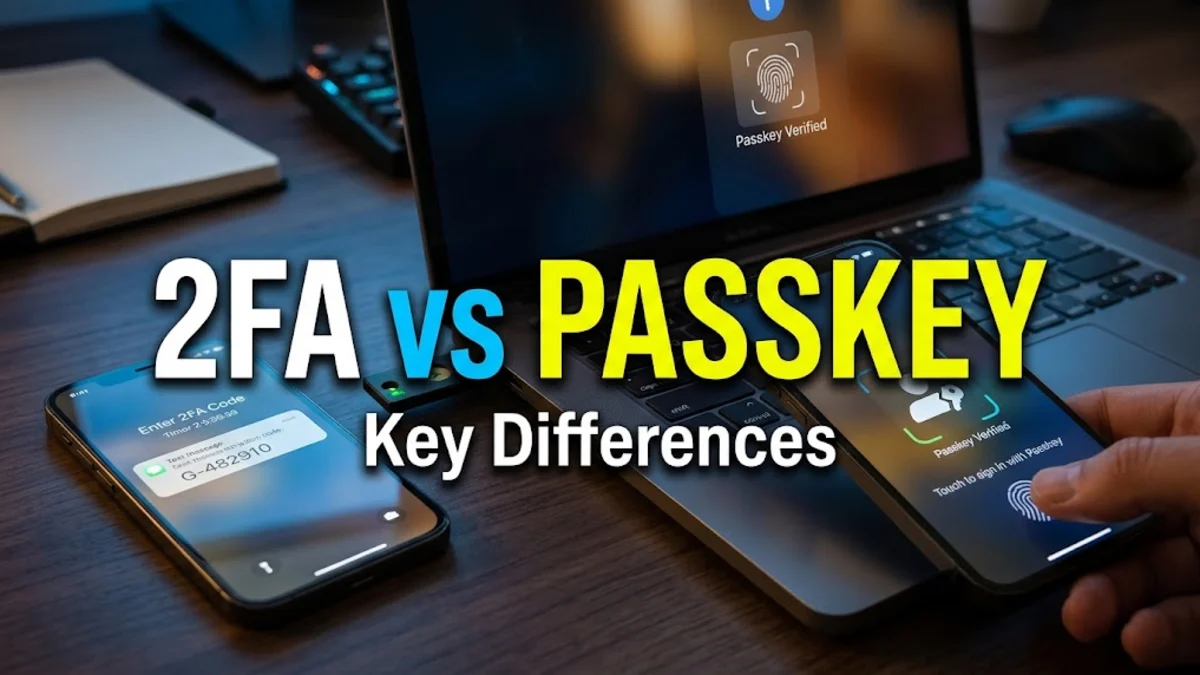
When comparing two-factor authentication vs passkey technology, the biggest difference comes down to how your credentials are verified. Two-factor authentication (2FA) adds a second verification step on top of your standard password, while a passkey replaces your password entirely using public-key cryptography tied to your biometric lock or security key.
Both methods dramatically improve account defense over passwords alone, but passkeys offer inherent protection against phishing attacks that traditional 2FA cannot match. Understanding how each technology handles authentication, device syncing, and account recovery will help you choose the best setup for your personal and work accounts.
How Traditional Two-Factor Authentication Works
Traditional two-factor authentication requires two distinct pieces of evidence before granting access: something you know (your password) and something you have (a physical phone, authenticator app, or hardware token). The most common 2FA implementation uses Time-Based One-Time Passwords (TOTP), where apps like Google Authenticator generate a rotating six-digit code that changes every thirty seconds based on a shared secret key.
SMS-based verification codes and email verification links also fall into the 2FA category, though they remain significantly less secure due to SIM swapping and intercepted email sessions. Even when using an authenticator app, standard 2FA requires you to type your password first. If an attacker tricks you into visiting a spoofed website, you might enter both your password and your active 2FA code, allowing the attacker to replay those credentials on the real service in real time.
How Passkeys Work Under the Hood
Passkeys are built on the FIDO2 and WebAuthn standards developed by the FIDO Alliance and the World Wide Web Consortium. Instead of sending a shared secret across the internet, a passkey relies on asymmetric public-key cryptography. When you create an account or register a passkey, your device generates a unique cryptographic key pair: a public key stored on the website's server and a private key stored securely inside your device's hardware chip, such as Apple's Secure Enclave or an Android phone's Titan/TrustZone chip.
When you log in, the website creates a random challenge string and sends it to your browser. Your operating system prompts you to verify your identity locally using biometric sensors like fingerprint recognition, facial scanning, or your system PIN. Once unlocked, the private key signs the server challenge and sends back a cryptographic proof. The website verifies the signature using the stored public key, all without any secret ever being transmitted or exposed.
Security Comparison: Phishing and Credential Theft
Phishing resistance represents the sharpest dividing line between these two security approaches. Traditional two-factor authentication codes can be intercepted. Reverse proxy phishing kits like Evilginx allow attackers to set up convincing proxy pages that capture your username, password, and the temporary 2FA token as you type them. Because TOTP codes remain valid for up to thirty to sixty seconds, automated phishing tools can log in immediately and steal the session cookie.
Passkeys are fundamentally immune to traditional phishing by design. During the WebAuthn handshake, the browser binds the cryptographic exchange directly to the exact domain shown in your address bar. If you land on a deceptive domain like paypa1-security.com instead of the legitimate site, your browser refuses to provide the private key signature because the origin domain does not match the registration record. Even if a user falls for a convincing phishing email, the passkey cannot be accidentally handed over.
Daily Convenience and User Experience
Day-to-day usability has always been a barrier for strong security practices. With standard 2FA, logging into a new service involves multiple friction points: entering a complex password, opening a separate authenticator app on your phone, locating the right account entry, and manually typing the six-digit code before the timer expires. This friction often leads users to disable 2FA or delay signing in on alternate devices.
Passkeys streamline this workflow into a single verification step. Logging in requires clicking Sign in with a passkey and confirming with Touch ID, Face ID, Windows Hello, or an Android fingerprint scan. Modern operating systems also sync passkeys end-to-end encrypted through platforms like Apple iCloud Keychain, Google Password Manager, and Microsoft Authenticator, making them immediately available across all your synced hardware without manually copying setup secrets.
Account Recovery and Device Loss
A critical consideration when adopting advanced authentication is what happens if you break or lose your primary phone. With standalone TOTP authenticator apps, losing an unsynced device could permanently lock you out of your accounts unless you stored your single-use backup recovery codes in a safe place. Modern authenticator apps now offer cloud backup, but recovery still requires setting up the app again on fresh hardware.
Synced passkeys handle device loss automatically through cloud account recovery. If you lose your iPhone or Android phone, signing into a replacement device with your primary cloud account restores all synced passkeys securely. However, this creates a critical dependency: your master cloud account (such as your Apple Account, Google Account, or password manager vault) becomes your single point of failure. Protecting that master account with a physical hardware security key remains the best defense.
Direct Comparison: 2FA vs Passkey
Evaluating two-factor authentication against passkeys reveals distinct architectural differences across security, speed, and cross-platform flexibility. The table below outlines how both standards compare across essential security criteria:
| Feature | Two-Factor Authentication (TOTP) | Passkeys (FIDO2/WebAuthn) |
|---|---|---|
| Password Required | Yes (used alongside 2FA) | No (passwordless login) |
| Phishing Resistance | Low to moderate (replayable) | High (cryptographically bound to domain) |
| Login Speed | Slow (manual copy and paste) | Instant (biometric prompt) |
| Protection from Data Breaches | Partial (leaked passwords expose step one) | Complete (servers hold only public keys) |
| Cross-Platform Transfer | Easy (QR code or cloud sync) | Supported via QR or password managers |
| Hardware Security Enclave | Optional | Standard requirement |
While passkeys outperform TOTP on technical merits, adoption varies across the web. Passkeys require service providers to update their backend authentication stacks, meaning you will continue relying on traditional 2FA on platforms that have not yet implemented the WebAuthn standard.
Should You Switch to Passkeys Today?
Whenever a service supports passkeys, switching to them is an immediate security upgrade. Major platforms including Google, Apple, Microsoft, Amazon, and GitHub allow users to register passkeys directly inside account security settings. To begin transitioning, head to your account preferences, look for Security > Passkeys, and add your current device.
Do not completely dismantle your authenticator app just yet. The best approach during this transitional period is a hybrid strategy: activate passkeys on every supporting service, and retain strong TOTP 2FA generated through a dedicated app or standalone password manager for legacy services. Avoid SMS verification entirely whenever app-based 2FA or passkeys are available, as SIM swapping attacks remain a widespread threat to account safety.
The bottom line
Choosing between two-factor authentication and passkeys does not have to be an all-or-nothing decision. Passkeys deliver unmatched protection against phishing and data breaches while cutting down login friction, making them the superior choice wherever supported. For services that still mandate traditional passwords, pairing a strong unique password with an authenticator app remains your safest fallback.
Frequently asked questions
Are passkeys safer than two-factor authentication?
Yes. Passkeys are significantly safer than traditional 2FA because they are cryptographically tied to the exact website domain, making them completely immune to credential phishing, rogue proxy attacks, and server-side password leaks.
Can I use passkeys on Windows and Android if I created them on an iPhone?
Yes. You can use cross-device authentication by scanning a QR code with your iPhone to approve the login on Windows or Android, or by using a cross-platform password manager such as 1Password or Bitwarden that syncs passkeys across operating systems.
What happens to my passkeys if I lose my phone?
If you use synced passkeys through Apple iCloud Keychain, Google Password Manager, or a certified password manager, your passkeys are automatically restored when you log into your account on a replacement device.
Do passkeys replace two-factor authentication completely?
Yes, passkeys act as multi-factor authentication in a single step. The passkey requires possession of your authenticated device combined with biometric verification (fingerprint or facial scan) or a device PIN, satisfying multiple factors at once.
Why do some websites still not support passkeys?
Implementing passkeys requires companies to overhaul their database schemas, authentication APIs, and customer recovery flows. While adoption among major tech services is high, smaller platforms are still gradually rolling out WebAuthn support.