Best Spam Text Apps in 2026
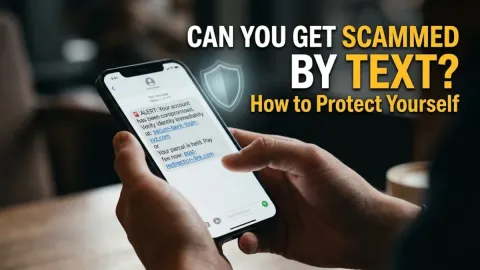
Dealing with a constant influx of unsolicited phishing messages and fraudulent texts can quickly become overwhelming, making the search for the best spam text app a top priority for mobile users. These specialized applications analyze incoming messages, filter out suspicious links, and automatically divert fraudulent texts away from your main inbox.
Whether you are using an iPhone or an Android device, modern security apps provide robust defenses against smishing attacks and unwanted promotional spam. This guide explores the top-rated filtering tools available this year, comparing their features, effectiveness, and platform compatibility to help you secure your device.
Why You Need a Dedicated Spam Text App
Standard carrier filters and default messaging application protections often fall short when dealing with sophisticated smishing campaigns. Scammers frequently rotate phone numbers, use email-to-SMS gateways, and disguise sender IDs to bypass basic carrier-level spam detection. Without a dedicated third-party filtering tool, these malicious messages land directly in your primary notification feed, increasing the risk of accidental clicks on dangerous phishing links.
A specialized application acts as an intelligent gatekeeper for your mobile inbox. By leveraging crowdsourced global databases, behavioral analysis, and machine learning models, these tools identify emerging scam patterns instantly. When a suspicious text arrives, the app intercepts it before your phone even sounds an alert, categorizing it securely as junk or blocking it entirely so you can maintain peace of mind throughout your day.
Key Features to Look For in a Spam Text Filter
When evaluating security applications designed to combat unwanted messages, several essential capabilities separate mediocre tools from top-tier solutions. Real-time database updates are crucial, as cybercriminals constantly modify their tactics and infrastructure. An effective filter must download threat intelligence updates frequently to recognize newly registered scam domains and known fraudulent sender numbers within minutes of their appearance.
Another vital feature is granular control over your notification and blocking preferences. The best applications allow you to review blocked messages manually to ensure legitimate texts from businesses or delivery services are never accidentally lost. Additionally, robust privacy protection policies are non-negotiable. Ensure the app you choose does not harvest, sell, or analyze your personal conversation contents for unauthorized commercial profiling or third-party data monetization schemes.
Truecaller: Comprehensive Caller ID and SMS Filtering
Truecaller remains one of the most widely recognized security applications available for mobile devices, offering powerful protection against both unwanted voice calls and malicious text messages. The app maintains a massive, globally updated community database that flags known spam numbers, automated marketing senders, and active phishing campaigns automatically. When a text arrives from an unknown sender, Truecaller instantly checks its reputation against millions of verified reports.
Beyond basic spam detection, Truecaller integrates smoothly with both iOS and Android native messaging frameworks. On Android devices, it can function as your primary SMS client, providing automated categorization that separates personal messages from promotional offers and financial alerts. While the application offers a feature-rich free tier supported by advertisements, a premium subscription unlocks advanced features such as automatic background spam updates and expanded lookup quotas for maximum protection.
Hiya: Advanced Protection Against Smishing and Scams
Hiya specializes in deep threat analysis and reputation scoring, making it an exceptional choice for users who prioritize privacy and quiet efficiency. Rather than relying solely on user complaints, Hiya uses advanced algorithmic analysis to detect anomalous messaging behavior, such as bulk transmission patterns originating from unauthorized VoIP services. This proactive approach helps catch brand-impersonation scams and fake delivery notifications before they reach your device.
The application interface is clean, lightweight, and entirely free of intrusive advertisements. It integrates seamlessly into your phone settings, allowing the operating system to handle text filtering natively without draining your battery or slowing down system performance. Hiya is particularly effective for enterprise users and families looking for a reliable, set-it-and-forget-it security shield that operates quietly in the background.
RoboKiller: Advanced Spam Text and Call Blocking
RoboKiller is widely praised for its aggressive stance against unwanted communications, utilizing sophisticated machine learning algorithms to intercept both robocalls and spam text messages. The app maintains a continuously evolving blacklist compiled from millions of active threat reports across North America and Europe. When dangerous smishing links are detected, RoboKiller blocks the message instantly and adds the sending pattern to its defense network.
While RoboKiller is a paid subscription service with no permanent free tier, its high level of accuracy justifies the cost for users who receive dozens of junk texts daily. The application also includes custom keyword filtering, enabling you to block specific phrases, cryptocurrency investment terms, or fraudulent banking alerts that frequently appear in modern phishing attacks. Its robust reporting tools also make it easy to submit new spam numbers back to the global security community.
How to Set Up and Configure Your Text Filter
Once you select and download a reputable security application from an official app store, proper configuration is essential to ensure seamless operation. Begin by opening your phone settings and granting the necessary permissions. For iPhone users, navigate to Settings > Messages > Unknown & Spam and enable your chosen security app as the primary text filter. For Android users, open your system settings or the app itself to set it as a trusted notification listener and default messaging handler.
After completing the initial setup, take a few minutes to customize your filtering sensitivity and notification thresholds. If the app supports custom blacklists, consider adding common regional scam area codes or specific phishing phrases common in your area. Periodically check the spam quarantine folder during the first week of use to verify that automated systems are not intercepting important messages from legitimate service providers.
Comparing the Top Spam Text Apps
To help you choose the ideal protection tool for your smartphone, the table below compares the leading filtering applications across key performance and accessibility metrics.
| App Name | Platforms | Pricing Model | Key Strength |
|---|---|---|---|
| Truecaller | iOS, Android | Free / Premium tier | Massive global community database and automated SMS categorization. |
| Hiya | iOS, Android | Free / Subscription | Lightweight background security with zero advertisements. |
| RoboKiller | iOS, Android | Subscription required | Aggressive machine learning defense and custom keyword blocking. |
Reviewing these options side by side highlights that your choice depends largely on whether you prefer a community-driven database or an ad-free standalone security utility. Evaluate your daily message volume and security requirements before committing to a specific ecosystem.
The bottom line
Protecting your mobile device from fraudulent phishing campaigns and annoying promotional spam requires the right security tools. By installing a reliable spam text app and configuring your device settings correctly, you can dramatically reduce your exposure to digital scams.
Frequently asked questions
Can spam text apps read my personal messages?
Reputable security apps process message metadata and sender reputation locally or through encrypted channels without storing or reading the private content of your personal conversations.
Do spam text filters block messages from real businesses?
Occasionally, aggressive filters may misclassify automated alerts from banks or delivery services. You can easily review quarantined texts in the app and whitelist legitimate senders.
Are there free spam text apps available?
Yes, apps like Truecaller and Hiya offer robust free tiers supported by ads or basic feature sets, while advanced apps like RoboKiller operate on a subscription model.
How do scammers get my phone number for spam texts?
Scammers often obtain phone numbers through automated data scraping, public directory leaks, or data breaches involving third-party websites and services.
Should I reply to spam texts to make them stop?
Never reply to spam texts, even with the word STOP. Replying confirms to scammers that your number is active, which usually results in receiving even more junk messages.