Password Manager vs Notebook: Which Is Safer?
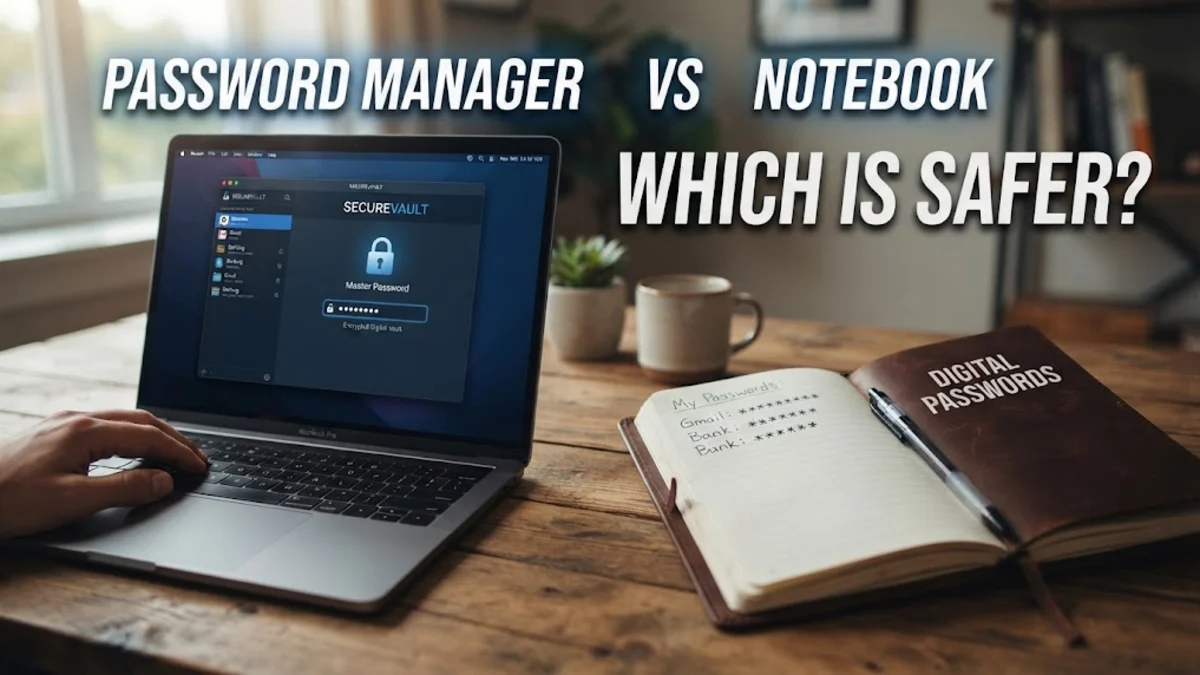
When deciding how to store your login credentials, choosing between a digital password manager and a physical paper notebook comes down to balancing modern encryption against tangible control. While jotting down passwords on paper might seem immune to online hacking, digital password managers offer vastly superior security and convenience for everyday online life. Understanding how these two methods compare will help you protect your accounts against modern cyber threats without sacrificing ease of use. Cybersecurity standards demand robust, unique passwords for every service you use, making manual tracking increasingly difficult and risky.
Security and Encryption
When comparing security features, digital password managers utilize advanced encryption standards such as AES-256 to lock your vault. This means even if a server is compromised, your actual data remains unreadable without your unique master password. A physical notebook, on the other hand, relies entirely on physical security. If someone gains access to your desk, home, or bag, your entire digital life is exposed in plain text. There is no two-factor authentication, no biometric lock, and no encryption protecting a paper notebook from prying eyes.
Furthermore, digital tools protect you against automated credential stuffing attacks by generating complex, randomized strings that no human could easily invent or remember. Writing passwords in a notebook often tempts people to reuse weak, memorable variations or simple patterns to save time and handwriting effort. This creates a massive vulnerability, as a single compromised notebook exposes every single account you own to potential attackers.
Convenience and Autofill
Convenience is a major factor when evaluating a password manager against a notebook. A password manager integrates directly into your web browsers and mobile operating systems, allowing you to autofill login credentials instantly with a single click or biometric scan. This eliminates the tedious process of looking up a physical notebook, squinting at your handwriting, and manually typing out a twenty-character random password every time you sign into a service.
In contrast, using a notebook severely slows down your workflow, especially on mobile devices where switching between apps to read passwords and type them out is frustrating. Modern workflows require speed, and password managers deliver this by syncing credentials seamlessly across all your devices. Whether you switch from your office laptop to your smartphone, your passwords are instantly available without you needing to carry a physical book everywhere you go.
Backup and Data Recovery
Data loss is another critical area where password managers outperform notebooks. If you lose your notebook, accidentally throw it away, or experience a household disaster like a fire or flood, your credentials are gone forever, leaving you locked out of every account you own. Recovering those accounts requires going through dozens of individual password reset procedures, which can be an exhausting and stressful ordeal.
Password managers store your encrypted vault in the cloud with automated backups, or allow local backups that you can store securely on encrypted drives. If your phone breaks or your laptop dies, you simply sign into your password manager account on a new device using your master password and recovery key, and your entire database is restored instantly. This built-in redundancy ensures you never permanently lose access to your digital identity.
Side-by-Side Comparison
To better understand the practical differences, examining a structured comparison highlights how password managers and notebooks stack up across key categories. This comparison shows why digital solutions have become the standard recommendation for modern digital hygiene.
| Feature | Password Manager | Paper Notebook |
|---|---|---|
| Encryption | Strong (AES-256) | None (Plain text) |
| Portability | Cross-device sync | Physical transport required |
| Autofill | Instant | Manual entry |
| Backup | Cloud and local options | None (Risk of physical loss) |
| Cost | Free tiers available | Cost of paper and pen |
As the table demonstrates, password managers provide clear advantages in almost every technical category, while notebooks only win in terms of zero digital footprint and immunity to malware.
Common Pitfalls of Paper Notebooks
Relying on a physical notebook introduces unique human errors that compromise security over time. Many people cross out old passwords and write new ones next to them, creating a messy trail that is easy to misread or decode. Additionally, notebooks are frequently left unattended on office desks, kitchen counters, or carried carelessly in bags where they can be stolen or photographed.
Another common mistake is storing the notebook right next to the computer, acting as an open invitation to anyone who gains physical access to your workspace. While some users believe physical storage keeps them safe from internet hackers, it completely ignores the reality that physical theft and unauthorized guest access are common threats in homes, coffee shops, and workplaces.
Managing Password Manager Risks
While password managers are vastly superior, they are not entirely without risks if configured poorly. The single point of failure in a password manager is your master password. If you choose a weak master password or write it down on a sticky note attached to your monitor, you undermine the entire system. You must create a strong, memorable master password and enable multi-factor authentication on your vault.
Another risk involves phishing attacks targeting your password manager account. Always ensure you are downloading official client applications and logging in through legitimate domains. By practicing good digital hygiene with your master credentials, you eliminate the primary vulnerabilities associated with cloud-based vault systems.
Making Your Final Choice
When weighing a password manager against a notebook, the choice ultimately depends on your threat model and technological comfort, but digital tools are the clear winner for safety. If you manage dozens of online accounts, use multiple devices, and care about strong encryption, a password manager is indispensable. Notebooks are relics of an analog era that cannot keep pace with modern security requirements.
Transitioning from a notebook to a digital vault takes only a few minutes, and the long-term benefits in security and convenience pay off immediately. Choose a reputable provider, migrate your credentials carefully, and enjoy a safer, more streamlined digital experience.
The bottom line
Choosing between a password manager and a notebook comes down to recognizing modern security realities. While paper notebooks offer a nostalgic sense of physical control, they leave your accounts vulnerable to theft, loss, and weak password habits. Embracing a digital password manager protects your data with robust encryption and makes daily browsing effortless.
Frequently asked questions
Are password managers safer than paper notebooks?
Yes. Password managers use high-level encryption to protect your data, whereas paper notebooks store passwords in plain text where anyone with physical access can read them.
What happens if I forget my password manager master password?
Most password managers provide recovery options such as emergency contacts, recovery keys, or hint reminders, provided you set them up beforehand. If you lose a paper notebook, however, you have no recovery mechanism.
Can a password manager be hacked in the cloud?
Reputable password managers use zero-knowledge architecture, meaning your vault is encrypted on your device before it ever reaches the cloud server, making unauthorized access extremely difficult.
Is it safe to write even one backup password on paper?
It is generally discouraged because paper lacks physical security controls, but if you must keep a physical backup of your master recovery key, store it in a secure safe rather than an open notebook.