Microsoft Word vs LibreOffice: Which Should You Use?
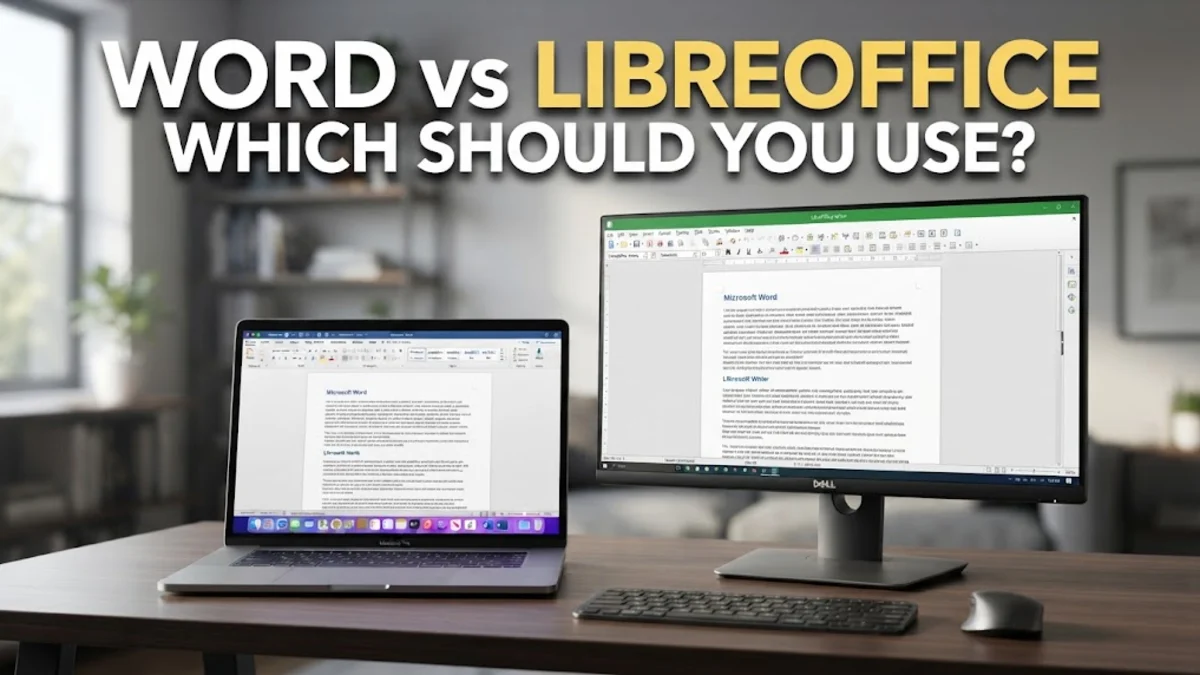
Choosing between Microsoft Word and LibreOffice Writer comes down to your priorities regarding budget, collaboration needs, and platform preferences. Microsoft Word remains the industry standard for document editing, offering smooth cloud integration, advanced AI tools, and seamless real-time co-authoring. LibreOffice Writer, on the other hand, provides a completely free, open-source alternative that runs offline without subscriptions, ads, or intrusive telemetry.
Whether you are a student writing research papers, a business professional handling official contracts, or a casual user creating occasional documents, both applications offer robust word processing tools. This detailed comparison breaks down the key differences between Microsoft Word and LibreOffice Writer across interface design, file format compatibility, cloud features, performance, and long-term costs.
Core Differences and Feature Comparison
The fundamental distinction between Microsoft Word and LibreOffice Writer lies in their software development models and licensing. Microsoft Word is developed by Microsoft as part of the commercial Microsoft 365 productivity suite. It operates primarily on a cloud-connected subscription framework, offering regular rolling updates, cross-device synchronization, and integrated cloud storage via Microsoft OneDrive. While standalone one-time purchase licenses exist for desktop versions, the suite is optimized around seamless connectivity and modern web services.
LibreOffice Writer is developed by The Document Foundation as an open-source, community-driven project. It is released under the Mozilla Public License v2.0, meaning it is entirely free to download, use, and modify for both personal and commercial purposes. LibreOffice operates completely offline, placing complete control of your files and privacy in your hands without requiring account registration or software activation.
| Feature / Aspect | Microsoft Word | LibreOffice Writer |
|---|---|---|
| License & Cost | Paid subscription or one-time license | 100% Free and Open Source |
| Native File Format | DOCX (.docx) | OpenDocument Text (.odt) |
| Cloud Integration | Native Microsoft OneDrive & SharePoint | Manual cloud sync required |
| Real-Time Collaboration | Built-in co-authoring in desktop & web apps | Not supported natively |
| AI Writing Tools | Microsoft Copilot integration | Third-party plugins only |
| Supported Platforms | Windows, macOS, iOS, Android, Web | Windows, macOS, Linux |
| Interface Style | Modern Ribbon UI with Dark Mode | Classic Menus/Toolbars or optional NotebookBar |
User Interface and Ease of Use
Microsoft Word utilizes the modern Ribbon interface, which organizes commands into tabbed toolbars such as Home, Insert, Layout, and References. This layout makes discovering complex formatting controls straightforward for modern users. Word also offers a sleek Dark Mode that darkens both the application frame and the document canvas, reducing eye strain during late-night writing sessions. The contextual search box, labeled Search at the top of the window, allows you to execute commands immediately without memorizing menu paths.
LibreOffice Writer defaults to a traditional interface featuring classic pull-down menus (File, Edit, View, Insert) and icon toolbars. Users migrating from older word processors or those who prefer classic software layouts will feel right at home. However, LibreOffice gives you complete freedom to customize your layout. By navigating to View > User Interface, you can switch from the standard view to a tabbed NotebookBar interface that closely mirrors Microsoft Word's Ribbon design. While LibreOffice's visual typography rendering and dialog windows feel slightly more utility-focused, its clean workspace offers minimal distractions.
Document Compatibility and Formatting Fidelity
Document compatibility is often the deciding factor when choosing a word processor. Microsoft Word uses the Office Open XML file format (.docx) as its default, which has become the de facto global standard across businesses, academic institutions, and government bodies. When you share a .docx file generated in Word with another Word user, typography, layout margins, table alignment, and line breaks remain perfectly preserved.
LibreOffice Writer uses the OpenDocument Text format (.odt) natively, but it offers extensive support for opening, editing, and saving Microsoft formats including .docx, .doc, and .rtf. In simple documents with standard text paragraphs and basic headings, cross-compatibility is near seamless. However, complex documents containing custom fonts, nested tables, precise column breaks, or advanced vector graphics may experience minor visual shifting when opened in LibreOffice. If your workflow requires exchanging documents daily with corporate teams using Word, maintaining client contracts, or submitting formatted academic manuscripts, Microsoft Word guarantees 100% formatting accuracy.
Collaboration, Cloud Sync, and Mobile Ecosystem
In modern collaborative environments, Microsoft Word holds a significant operational advantage. Through native integration with Microsoft OneDrive and SharePoint, multiple users can edit the same document simultaneously in real time. Word tracks changes dynamically, displays cursor positions for co-authors, and provides threaded comments with user tagging (@mentions). Furthermore, Microsoft provides full-featured native mobile apps for Android and iOS, alongside lightweight web versions accessible from any browser.
LibreOffice Writer was engineered as a standalone desktop application and does not include built-in cloud hosting or native real-time online co-authoring. If you need to sync LibreOffice documents across multiple devices, you must rely on third-party cloud services like Google Drive, Dropbox, or Nextcloud by saving files directly into local sync folders. Mobile editing is available through Collabora Office—an enterprise ecosystem derived from LibreOffice—available on mobile app stores. For individual writers, researchers, and offline-focused creators, LibreOffice provides a stable, private editing environment without unexpected cloud sync conflicts or auto-save hiccups.
Advanced Features, Automation, and Extensions
When it comes to power-user tools, both word processors offer deep capabilities tailored to different workflows. Microsoft Word features cutting-edge artificial intelligence through Microsoft Copilot, enabling users to draft content, summarize lengthy documents, and rewrite paragraphs automatically. Word also includes a highly capable automated grammar and tone checker through Microsoft Editor, extensive mail merge capabilities for targeted communications, and legacy support for Visual Basic for Applications (VBA) macros.
LibreOffice Writer counters with an impressive array of advanced publishing tools without hiding features behind paywalls. It includes a remarkably robust native PDF editor capable of modifying text and layout within existing PDF files directly, without converting them first. LibreOffice supports powerful macro scripting across multiple languages, including Python, JavaScript, and LibreOffice Basic. Additionally, LibreOffice offers built-in formula editors for technical manuscripts, flexible style controls via the Styles panel, and an active ecosystem of open-source extensions for bibliography management (such as Zotero and JabRef).
Pricing, Licensing, and Long-Term Value
Cost structure represents the clearest divide between these two word processors. Microsoft Word is primarily distributed as part of Microsoft 365, which requires a recurring annual or monthly subscription fee. While personal plans start at manageable price points, the ongoing cost accumulates over time. Microsoft also offers a standalone version (Office Home & Student) as a single one-time purchase, but it lacks ongoing feature upgrades, cloud storage, and multi-device installation permissions.
LibreOffice Writer is completely free and open-source software under the MPv2 license. There are no upfront purchase costs, no monthly subscription tier, no user tracking, and no feature locks. You can install LibreOffice on an unlimited number of personal, educational, or commercial computers without purchasing licenses or managing seat activations. For non-profit organizations, small businesses, budget-conscious students, or home users looking to reduce software expenses, LibreOffice delivers exceptional long-term value.
Which Word Processor Is Right for You?
Choose Microsoft Word if you work in a corporate, legal, or academic environment where docx document fidelity is strictly mandatory. Word is also the superior choice if you rely on live co-authoring with colleagues, require seamless mobile editing on tablets and smartphones, or want integrated AI assistance to streamline document creation.
Choose LibreOffice Writer if you want a reliable, powerful word processor without paying recurring subscription fees. LibreOffice is ideal for privacy-focused users, Linux desktop enthusiasts, independent writers, and anyone who prefers keeping their documents stored securely on local hard drives rather than in the cloud.
The bottom line
Both Microsoft Word and LibreOffice Writer are top-tier word processing tools capable of handling everything from simple letters to complex manuscripts. Microsoft Word leads in cloud collaboration, mobile support, and seamless cross-platform formatting consistency. LibreOffice Writer remains the gold standard for free, open-source productivity, offering complete privacy and offline flexibility without cost barriers. By matching your document workflow, sharing needs, and budget against these core features, you can easily choose the right tool for your computing environment.
Frequently asked questions
Can LibreOffice open and save Microsoft Word .docx files?
Yes, LibreOffice Writer natively opens, edits, and saves files in the .docx format. While simple and moderately complex documents translate cleanly, complex layouts with specialized graphics or unique typography may occasionally require minor formatting adjustments.
Is LibreOffice completely free for commercial and business use?
Yes. LibreOffice is licensed under the Mozilla Public License v2.0, allowing free deployment across personal, educational, non-profit, and corporate environments without license fees or subscription costs.
Does LibreOffice work on Windows, macOS, and Linux?
Yes. LibreOffice is cross-platform and provides identical features and document support across Microsoft Windows, Apple macOS, and various Linux distributions.
Can I use Microsoft Word for free without a subscription?
You can use Microsoft Word for free through your web browser via Microsoft 365 Online. While the free web version lacks some advanced offline tools, it provides full essential formatting and real-time document sharing.
Which word processor performs better on older computers?
LibreOffice Writer typically consumes fewer system resources and runs noticeably faster on older desktop and laptop hardware compared to full desktop installations of Microsoft Word.