Gmail vs iCloud Mail: Which Is Better in 2026?
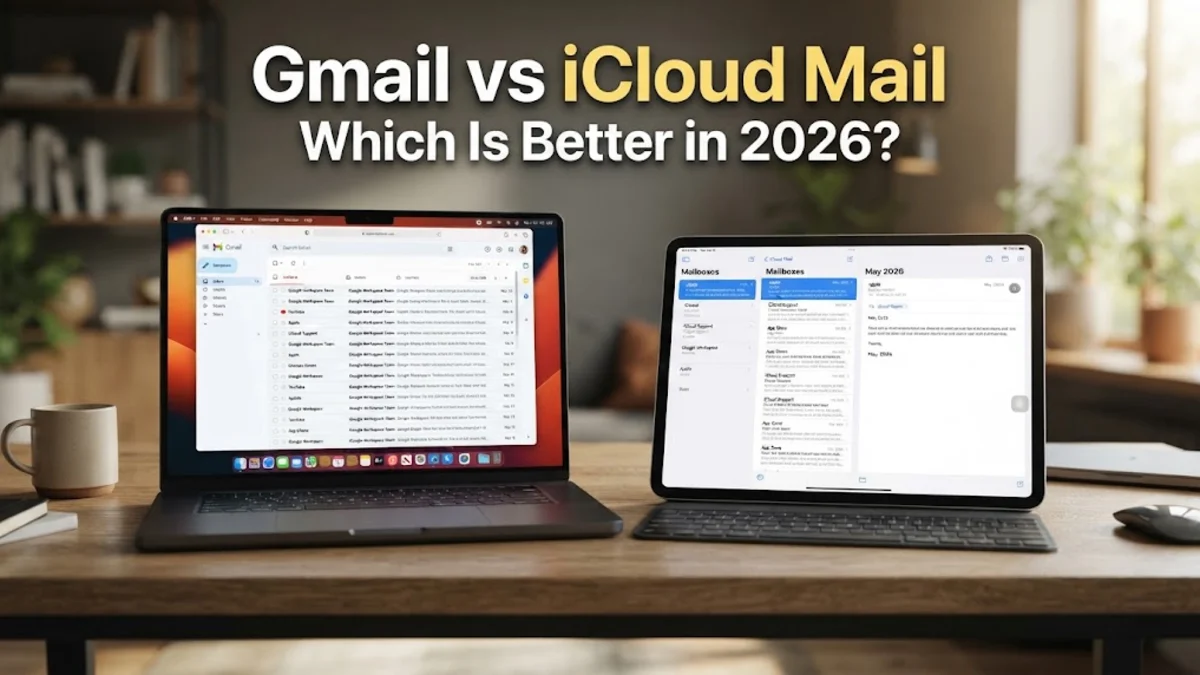
Choosing between Gmail and iCloud Mail depends on your daily workflow, the devices you use, and how much you value built-in privacy tools. While Gmail dominates the market with robust web features and deep Google Workspace integration, iCloud Mail offers a streamlined, privacy-focused experience designed specifically for Apple ecosystem users.
Core Interface and Usability
When comparing the user interfaces of Gmail and iCloud Mail, you will notice two distinct design philosophies. Gmail focuses on heavy customization, feature density, and a web-first approach. The Gmail web interface allows you to manage multiple accounts, customize density, integrate chat tools, and utilize advanced snooze and scheduling features directly from your browser. It can feel slightly cluttered to new users, but power users appreciate the sheer amount of control available right on the screen.
On the other hand, iCloud Mail prioritizes minimalism and simplicity. The web interface at iCloud.com is clean, fast, and uncluttered, matching Apple's classic design language. However, it lacks some of the granular organizational tools found in Gmail. If you prefer a distraction-free environment where you can quickly read, reply, and archive messages without extra sidebar widgets or integrated chat applications, iCloud Mail provides a more streamlined daily experience.
Storage Limits and Free Tiers
Storage allocation is a critical factor when choosing an email provider, as your inbox shares space with photos, documents, and backups. Gmail offers 15 GB of free storage shared across Gmail, Google Drive, and Google Photos. This generous free tier gives most casual users plenty of breathing room before they ever need to consider a paid subscription plan. If you exceed this limit, Google One plans scale predictably from 100 GB up to several terabytes.
Apple provides a much smaller free tier, offering only 5 GB of free iCloud storage shared across iCloud Mail, device backups, notes, and photos. Because device backups consume a large portion of this 5 GB very quickly, most active iPhone or iPad users will find themselves hitting storage limits sooner than they would with Google. To get adequate space on iCloud, you will almost certainly need to subscribe to an iCloud+ plan, which starts at competitive monthly rates and includes extra features like private relay and custom email domains.
Security and Privacy Protocols
Privacy is one of the most significant differentiators between Google and Apple. Google relies heavily on automated scanning of incoming and outgoing emails to power features like smart replies, priority inbox sorting, and targeted advertising. While Google employs robust end-to-end encryption in transit and at rest, its business model fundamentally involves processing user data to refine its ecosystem services and ad networks.
Apple positions privacy as a core product feature. iCloud Mail utilizes end-to-end encryption and includes advanced privacy protections such as Hide My Email, which lets you generate unique, random email addresses for sign-ups so your personal address is never exposed. Apple does not scan your email content to serve targeted advertisements. If data privacy and anti-tracking measures are your top priorities, iCloud Mail holds a distinct advantage over Google's ad-supported infrastructure.
Cross-Platform Compatibility and Apps
Cross-platform flexibility heavily favors Gmail. Google provides native, feature-rich apps for Android, iOS, iPadOS, and an industry-leading web app that works identically across Windows, macOS, and Linux browsers. No matter what combination of hardware you use, your Gmail experience remains uniform, responsive, and fully featured.
iCloud Mail is optimized strictly for Apple's native software ecosystem. While you can access iCloud Mail via web browsers on Windows or Android, the experience is noticeably less polished than using the native Apple Mail app on macOS, iOS, or iPadOS. If you frequently switch between a Windows desktop and an Android phone, using iCloud Mail can feel cumbersome because third-party email clients often struggle with seamless push notifications and folder synchronization for iCloud accounts.
Search and Organization Tools
Finding specific messages buried deep inside your inbox is where Google's search algorithms truly shine. Gmail inherits Google's world-class search technology, allowing you to use complex operators, search within specific attachments, and locate multi-year-old threads instantly. Its automatic categorization tabs—Primary, Social, and Promotions—do an exceptional job of keeping newsletters and automated alerts out of your way without requiring manual filter setup.
iCloud Mail offers standard folder management, rules, and VIP sender flagging, but its search functionality is far more basic. Finding an older email often requires exact keyword matching or manual browsing through folders. If you rely on powerful search queries and automated sorting to manage a high-volume inbox, Gmail handles heavy email loads with significantly less manual intervention.
Ecosystem Integration
Both services tie deeply into their respective parent ecosystems. Gmail integrates seamlessly with Google Calendar, Google Meet, Google Docs, and Google Tasks, creating a unified productivity hub where you can turn an email into a calendar event or chat with a colleague instantly. This makes Gmail an exceptional choice for remote workers, students, and businesses relying on cloud-based collaboration tools.
iCloud Mail integrates natively with Apple's built-in productivity suite, including Calendar, Reminders, Notes, and Contacts. When you receive a flight confirmation or appointment notice on an Apple device, Siri automatically suggests adding it to your calendar. Furthermore, iCloud+ allows you to use a custom domain name directly with your personal email address, a feature that appeals strongly to freelancers and families looking for a unified branded address.
The bottom line
Ultimately, your choice between Gmail and iCloud Mail comes down to your hardware preferences and privacy expectations. Choose Gmail if you want generous free storage, superior search tools, and seamless cross-platform performance across Windows, Android, and web browsers. Choose iCloud Mail if you live inside the Apple ecosystem and prioritize built-in privacy tools like Hide My Email and a clean, minimalist interface.
Frequently asked questions
Can I use iCloud Mail on an Android phone?
Yes, you can access iCloud Mail on Android by logging into iCloud.com through a mobile web browser or by setting up your iCloud account in a third-party email app using an app-specific password.
Does Gmail sell my personal data to advertisers?
Google states that it does not sell your personal data. However, it does analyze email content to personalize advertisements and improve machine learning features across its services.
How much free storage do Gmail and iCloud Mail give you?
Gmail provides 15 GB of free storage shared across Google Drive, Gmail, and Google Photos. iCloud Mail provides 5 GB of free storage shared across all iCloud services and device backups.
Can I use a custom domain with iCloud Mail?
Yes, subscribers to iCloud+ can set up a custom domain name to use with their personal iCloud Mail addresses and share it with family members.
Which email service has better spam filtering?
Gmail generally offers industry-leading spam detection and automated inbox categorization, filtering out unwanted promotional and phishing emails much more aggressively than iCloud Mail.