How to Fix Google Pixel Not Working in China
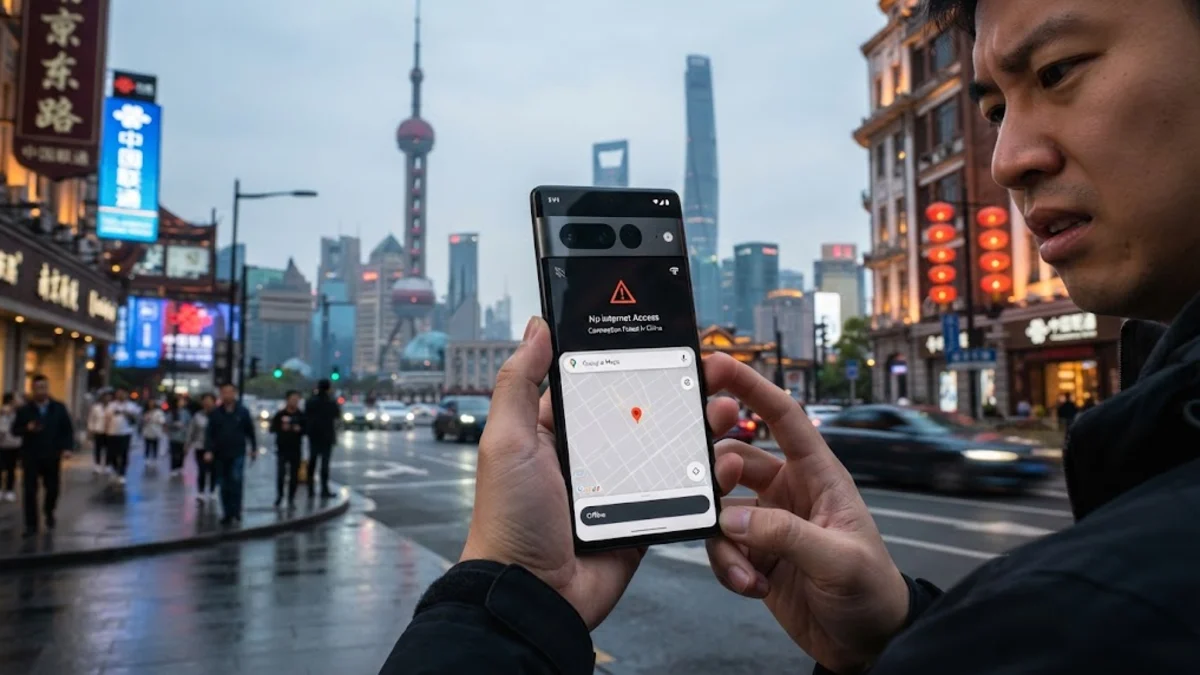
Traveling to China with a Google Pixel often leads to unexpected connectivity issues because the country's national firewall blocks all Google services, Play Store access, and core APIs required by stock Android. Without proper preparation, your device may struggle to load maps, check email, or receive push notifications.
This step-by-step guide explains why your Pixel experiences network restrictions abroad and provides actionable solutions to restore functionality, configure roaming settings, and set up reliable workarounds before and during your trip.
Understanding Why Google Services Fail in China
The primary reason your Google Pixel fails to function normally in China is the Great Firewall, which blocks domain names and IP addresses associated with Google, YouTube, Gmail, Google Maps, and the Google Play Store. Because stock Android relies heavily on Google Mobile Services for background synchronization, location verification, and app updates, blocking these servers can cause connectivity loops, delayed notifications, and broken app functionalities across your entire device.
Furthermore, standard international roaming SIM cards from Western carriers may route your data traffic back through home country servers, which often triggers severe latency or complete connection drops due to deep packet inspection. Recognizing that the hardware of your Pixel is fully functional helps you focus software troubleshooting efforts on bypassing network censorship rather than altering device hardware settings.
Installing and Testing a Reliable VPN Before Arrival
Because access to app download stores is restricted inside mainland China, you must install and configure a trusted Virtual Private Network application before you board your flight. Open the Google Play Store on your Pixel while still at home, search for verified privacy tools, and download them to ensure you have encrypted tunneling protocols ready upon landing.
Once you arrive at your destination, open your VPN app and select a server located in a nearby region such as Hong Kong, Japan, or Singapore to minimize ping times. If your primary connection protocol fails, dive into the app settings to switch manually to obfuscated protocols or WireGuard, which are specifically designed to bypass deep packet inspection and restore full access to your Google accounts and browser searches.
Configuring APN and Cellular Roaming Settings
If you are using an international roaming plan or a specialized global travel SIM card, incorrect Access Point Name settings can prevent your Pixel from connecting to local cellular partners like China Mobile or China Unicom. Navigate to Settings > Network & internet > SIMs > Access Point Names to verify that your carrier profile matches the required APN parameters provided in your welcome documentation.
Additionally, make sure data roaming is toggled to active under your primary SIM profile. If data connectivity remains sluggish, toggle airplane mode on for ten seconds and back off to force your Pixel to perform a fresh handshakes with local cellular towers. Avoid selecting manual network operator locks unless your carrier explicitly instructs you to do so, as automated network selection provides better fallback options across different provinces.
Preparing Offline Navigation and Essential Tools
Relying solely on real-time cloud services while navigating restrictive networks is risky, so downloading offline packages is essential for a smooth travel experience. Before leaving your hotel Wi-Fi, open Google Maps, tap your profile icon, select Offline maps, and download detailed regional maps covering every city you plan to visit during your stay.
For translation and communication, download offline language packs within Google Translate or install approved local alternatives such as WeChat and Baidu Maps, which operate natively without triggering firewall blocks. Keeping local copies of important documents, boarding passes, and booking confirmations in your Pixel storage ensures you remain productive even during temporary network outages or VPN disconnection events.
Using Local eSIMs and Alternative Data Providers
Many modern Google Pixel models support electronic SIM cards, which offer a convenient way to purchase regional data packages that route traffic differently than standard carrier roaming. Research and install a reputable international eSIM profile before your trip, ensuring the provider explicitly states compatibility with mainland routing or provides specialized partner networks that bypass standard restrictions.
When activating your eSIM on your Pixel, go to Settings > Network & internet > SIMs > Add eSIM and scan the QR code provided by your vendor. Ensure that mobile data is assigned specifically to your travel eSIM while keeping your home SIM active only for essential voice calls or emergency verification codes if supported by your home carrier.
Troubleshooting Persistent Connection Drops and Sync Issues
If your Pixel connects to Wi-Fi networks in hotels or cafes but fails to load web pages, captive portal login pages might be failing to load properly. Open your default web browser and type a non-https web address to force the captive portal authentication page to appear, allowing you to accept terms of service and establish active internet access.
To fix persistent background sync failures with your Google accounts, navigate to Settings > Passwords & accounts, select your primary Google account, and tap Account sync to manually trigger a synchronization cycle while your VPN is actively running in the background. Regularly clear cached app data for browser applications to prevent corrupted cookies from blocking secure connections.
The bottom line
Using a Google Pixel in China requires advance preparation, reliable VPN software, and smart offline workarounds to overcome strict firewall limitations. By setting up your privacy tools before departure, configuring APN settings correctly, and utilizing offline maps, you can maintain seamless device performance throughout your journey.
Frequently asked questions
Can I use Google Play Store in China without a VPN?
No, the Google Play Store and all associated Google services are blocked by China's firewall, meaning you cannot access them or download apps without an active, reliable VPN connection.
Will my Google Pixel hardware work with Chinese mobile networks?
Yes, Google Pixel hardware supports global cellular bands and will connect to local Chinese carriers, provided your device is unlocked and your SIM or roaming plan supports international data.
Should I install my VPN before arriving in China?
Yes, you must download, install, and test your VPN applications before arriving in China, as app stores and download links for circumvention tools are blocked within mainland networks.
How do I fix Google Maps not loading locations in China?
Google Maps requires an active VPN connection to load tile data in China. Alternatively, you can download offline map areas ahead of time or use localized mapping apps.
Why are my push notifications delayed on my Pixel in China?
Background push notifications rely on Google Cloud Messaging servers, which are frequently blocked or throttled by local firewalls unless an active VPN tunnel maintains persistent connectivity.