Best Spam Text Blockers for Android in 2026
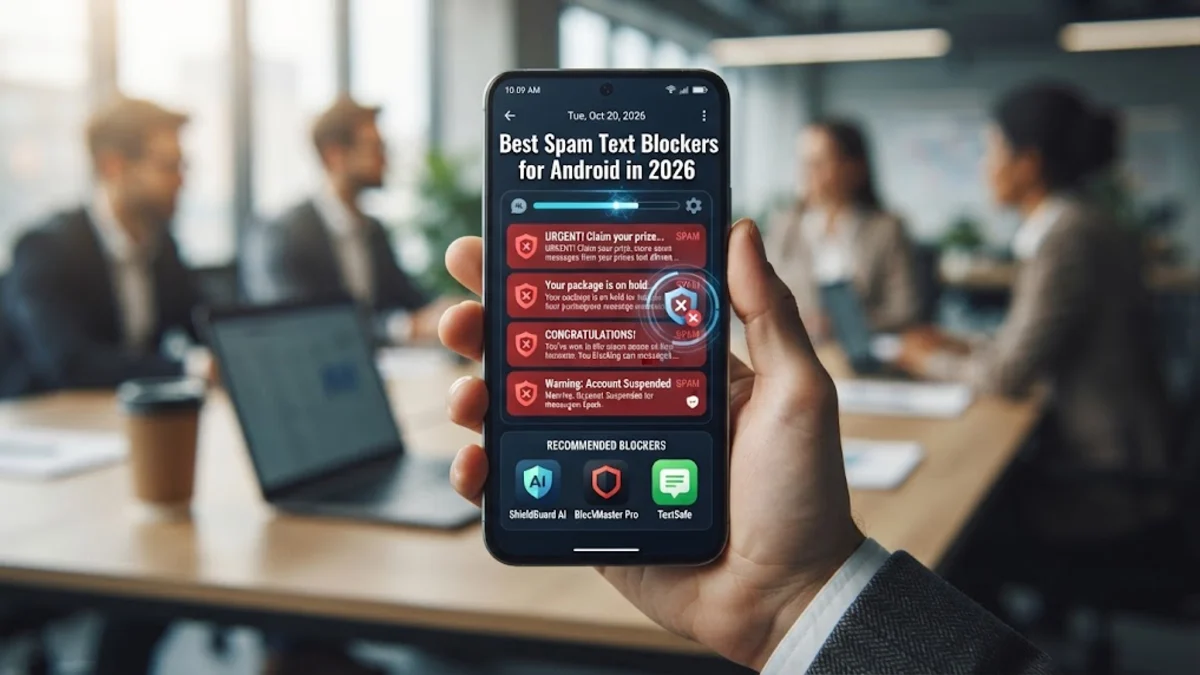
Protecting your phone from unwanted junk and dangerous phishing attacks requires using the best spam text blocker for android available in 2026. With smishing scams becoming increasingly sophisticated, relying on your carrier is often not enough to keep your inbox safe.
This guide reviews the top applications designed to filter out fraudulent messages automatically, secure your privacy, and give you peace of mind while using your smartphone daily.
Why Android Users Need a Dedicated Spam Text Blocker
Receiving constant promotional text messages and malicious phishing links is more than just an annoyance; it poses a direct security risk to your personal data. Standard messaging apps often fail to catch modern spoofed numbers that mimic legitimate financial institutions or delivery services. By installing a dedicated spam text blocker, you add an intelligent layer of defense that analyzes message content, sender reputation, and behavioral patterns in real time.
Furthermore, these specialized applications maintain updated global databases of known scam numbers. When a new threat emerges anywhere in the world, the application updates its blocklists instantly, preventing you from clicking dangerous links. Protecting your device with a specialized filtering tool ensures that your personal information remains secure from aggressive text-based attacks.
Google Messages: The Best Built-In Option
For most users, the most seamless solution is already installed on their device. Google Messages features robust, built-in spam protection powered by advanced machine learning models developed by Google. To ensure this feature is active, open the app, tap your profile icon, go to Messages settings > Spam protection, and toggle the switch on.
The primary advantage of Google Messages is its seamless integration with the Android operating system. It operates quietly in the background without draining your battery or requiring third-party permissions. It automatically flags suspicious conversations, hides them in a separate folder, and warns you before you click any external links contained within unknown messages.
Hiya: Advanced Caller ID and SMS Protection
If you need more advanced filtering capabilities beyond what the default app provides, Hiya stands out as an exceptional third-party choice. Hiya uses sophisticated algorithms to analyze millions of calls and texts daily, identifying fraudulent patterns and spam vectors before they reach your main inbox. The app allows you to customize your filtering rules, blocking specific area codes or keywords easily.
Configuring Hiya is straightforward once downloaded from the official app store. You simply need to grant it the necessary permissions to manage your default SMS handling. Once enabled, Hiya provides detailed reporting on blocked messages, giving you full visibility into what was intercepted and why, ensuring you never miss an important text due to an aggressive false positive.
Truecaller: Comprehensive Spam and Phishing Defense
Truecaller is widely recognized for its massive community-driven database, making it one of the most effective tools against emerging SMS scams. When a scammer sends a text to multiple users, Truecaller community members quickly report the number, updating the global database within seconds. This crowd-sourced intelligence catches unique phishing variants that automated algorithms might initially miss.
Beyond text filtering, Truecaller includes comprehensive caller ID and reverse lookup features. To maximize your privacy while using Truecaller, navigate to the app settings and adjust your profile visibility and privacy preferences. This ensures you benefit from its powerful spam-blocking engine while maintaining control over your personal contact data.
Key Features to Look for in an Android Spam Blocker
Choosing the right application depends on understanding which features matter most for your daily security needs. Look for applications that offer real-time database updates, offline filtering capabilities, and customizable keyword blocking. An effective blocker should also provide a secure quarantine folder where flagged messages are stored safely without automatically executing any embedded scripts or links.
Privacy compliance is another critical factor to consider before downloading any third-party security tool. Ensure the developer has a transparent privacy policy that explains how your message metadata is handled. The best applications process data securely and never sell your personal contact lists to third-party advertisers or data brokers.
Comparing the Top Spam Text Blockers for Android
To help you decide which tool best fits your workflow, the comparison table below outlines the key attributes of the leading Android spam blocking options available today. Reviewing these differences will help you choose between a lightweight built-in tool or a comprehensive third-party security suite.
| App Name | Primary Strength | Database Type | Platform |
|---|---|---|---|
| Google Messages | Seamless OS Integration | Google AI & Cloud | Android |
| Hiya | Customizable Keyword Filters | Proprietary Algorithm | Android & iOS |
| Truecaller | Crowd-Sourced Community Reports | Global Community | Android & iOS |
Evaluating these options side by side allows you to pick the tool that matches your preference for built-in simplicity versus heavy-duty crowd-sourced protection.
The bottom line
Securing your Android device against unwanted junk and dangerous phishing links is essential for maintaining your digital privacy. Whether you choose the built-in protection of Google Messages or a dedicated third-party app like Hiya or Truecaller, taking proactive steps will keep your inbox clean and secure throughout 2026.
Frequently asked questions
Do spam text blockers drain Android battery life?
Modern spam blockers are optimized for efficiency and consume very minimal battery power while running background checks on incoming messages.
Can a spam blocker catch all scam texts?
While they block the vast majority of known scams and phishing attempts, new numbers can occasionally slip through until community reports or AI models update the database.
Is it safe to use third-party spam blockers?
Yes, provided you download reputable applications from official stores like the Google Play Store and review their privacy policies regarding data handling.
How do I report a missed spam text?
Most apps feature a direct report button within the conversation thread, allowing you to submit the number to the global database instantly.
Will blocking a number notify the sender?
No, blocked senders are typically sent straight to a restricted folder or rejected silently without receiving any notification that they were blocked.