Microsoft Excel vs Apple Numbers in 2026
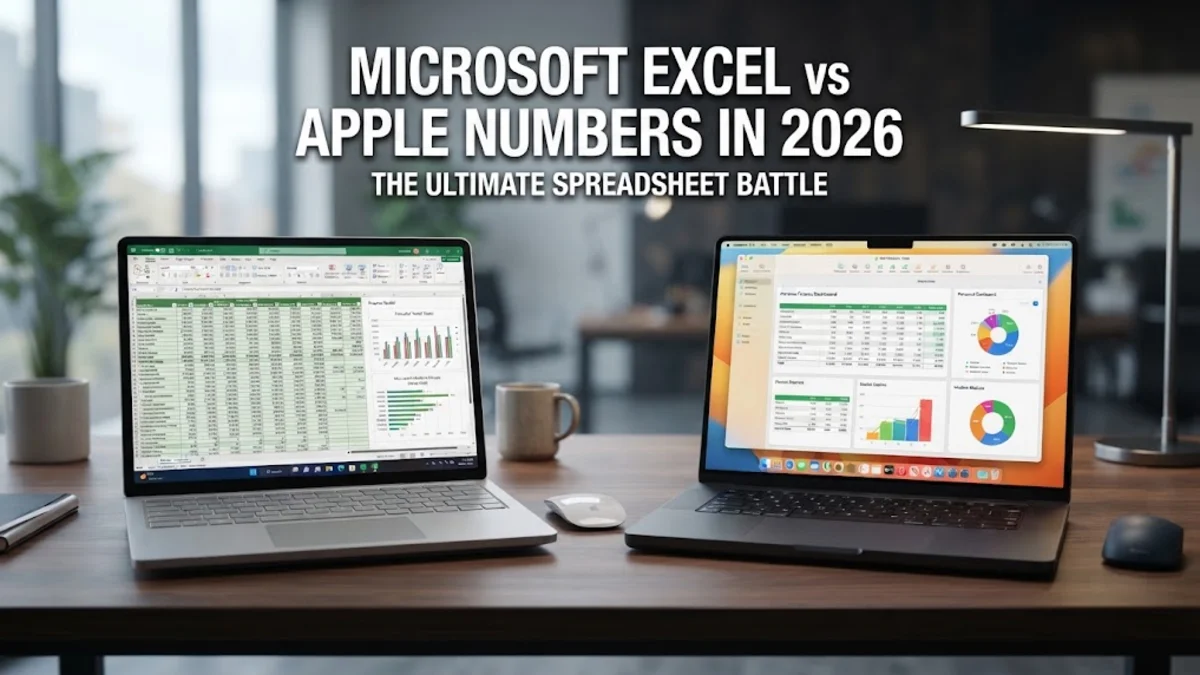
Choosing between Microsoft Excel and Apple Numbers comes down to whether you need absolute data crunching power or a clean, design-focused workspace. While Excel remains the undisputed industry standard for massive enterprise datasets and advanced financial modeling, Apple Numbers offers a uniquely flexible canvas approach that shines on macOS and iOS devices.
Understanding how these two productivity suites compare helps you decide which tool fits your daily reporting, personal budgeting, or collaborative team projects without wasting time on the wrong software.
Interface Design and Workspace Philosophy
Microsoft Excel is built around a traditional, continuous grid structure designed to handle millions of rows and columns seamlessly. The ribbon interface organizes hundreds of formatting tools, conditional rules, and data management options logically, though it can feel overwhelming for casual users who just need to track simple expenses. Every worksheet opens as an infinite expanse ready for dense numerical data storage.
Apple Numbers takes a completely different visual approach by treating the spreadsheet as a flexible canvas. Instead of being locked into a single massive grid, your workspace can contain multiple independent tables, charts, and text boxes alongside images on a single page. This makes Numbers significantly easier to format for professional reports, invoices, and presentations where visual layout matters just as much as the underlying numbers.
Data Analysis and Advanced Functionality
When it comes to heavy-duty data analysis, Microsoft Excel holds a massive advantage with features like Power Query, advanced Pivot Tables, dynamic arrays, and deep VBA macro support. Financial analysts, data scientists, and corporate accountants rely on Excel to process complex datasets containing hundreds of thousands of rows without breaking a sweat. Its vast library of statistical, engineering, and lookup functions handles virtually any mathematical requirement you throw at it.
Apple Numbers includes a robust selection of over 250 functions that cover standard financial, mathematical, and logical needs, but it lacks the enterprise-level depth of Excel. You will not find native Power Query equivalents or advanced data modeling tools inside Numbers. However, for everyday business calculations, budgeting, and standard project tracking, Numbers provides all the calculation power most individuals and small teams actually use.
Collaboration and Cross-Platform Compatibility
Microsoft Excel is universally supported across Windows, macOS, iOS, Android, and web browsers, making it the ultimate choice for cross-platform environments. Real-time co-authoring works smoothly across all devices, and sharing files via OneDrive or SharePoint ensures that team members regardless of operating system can collaborate instantly without formatting loss or compatibility errors.
Apple Numbers is deeply integrated into the Apple ecosystem, running natively on macOS, iPadOS, iOS, and through iCloud on the web. While you can export Numbers files into Excel format, complex formulas, custom formatting, and canvas elements occasionally break or shift during conversion. For teams fully entrenched in Apple hardware, Numbers offers seamless iCloud synchronization and easy sharing, but mixed-platform workplaces will inevitably hit friction.
Performance and Handling Large Datasets
Performance benchmarks heavily favor Microsoft Excel when dealing with massive datasets. Excel can comfortably manage workbooks containing over one million rows per sheet, utilizing multithreading and hardware acceleration to process heavy formulas efficiently. Even when handling large external database connections, Excel maintains stability and responsiveness.
Apple Numbers is optimized for cleaner, smaller sheets. If you attempt to load a massive CSV file with hundreds of thousands of rows into Numbers, the application will frequently lag, stutter, or refuse to open the file entirely. Numbers is purposely designed for modular sheets where data is broken down into manageable, visually distinct tables rather than endless monolithic data dumps.
Feature Comparison Overview
To quickly evaluate how Microsoft Excel and Apple Numbers stack up against each other, reviewing their core architectural and functional differences side by side highlights which application matches your specific daily requirements.
| Feature | Microsoft Excel | Apple Numbers |
|---|---|---|
| Primary Platform | Windows, macOS, Web, Mobile | macOS, iOS, Web (Apple Ecosystem) |
| Grid Structure | Continuous infinite grid | Canvas with independent tables |
| Max Row Limit | 1,048,576 rows | 65,535 rows per table |
| Advanced Analytics | Power Query, Pivot Tables, VBA | Standard formulas, Category views |
| Pricing Model | Microsoft 365 Subscription / Standalone | Free with macOS and iOS devices |
Pricing, Licensing, and Value
Microsoft Excel requires a paid subscription through Microsoft 365 or a one-time purchase of Office, which can represent a recurring cost for individual users. However, the subscription grants access to industry-standard tools, cloud storage through OneDrive, and frequent feature updates that ensure compatibility with enterprise standards worldwide.
Apple Numbers is completely free for anyone who owns a Mac, iPhone, or iPad, and can also be used for free by anyone with an Apple ID via iCloud on web browsers. For budget-conscious individuals, students, and small business owners operating within the Apple ecosystem, Numbers delivers exceptional value without requiring any software licensing fees.
The bottom line
Choosing between Microsoft Excel and Apple Numbers depends entirely on your ecosystem and workload. If you work with massive datasets, require advanced data modeling, or collaborate across mixed operating systems, Microsoft Excel remains the essential industry standard. If you prefer a gorgeous, presentation-ready layout, work exclusively within the Apple ecosystem, and manage straightforward budgets or project trackers, Apple Numbers provides an efficient, frustration-free experience.
Frequently asked questions
Can I open Microsoft Excel files in Apple Numbers?
Yes, Apple Numbers can open and edit Microsoft Excel files (.xlsx). However, very complex formulas, macros, and specific pivot tables may not convert perfectly.
Is Apple Numbers completely free?
Yes, Apple Numbers is 100% free for all Mac, iPad, and iPhone users, and is accessible for free via iCloud web browsers on any computer.
Does Apple Numbers support macros?
No, Apple Numbers does not support VBA macros. It uses AppleScript and JavaScript for automation tasks instead.
Which app is better for financial modeling?
Microsoft Excel is vastly superior for professional financial modeling due to its advanced calculation engine, massive row limits, and robust auditing tools.
Can I collaborate on Excel and Numbers in real time?
Yes, both applications support real-time co-authoring when files are stored in OneDrive (for Excel) or iCloud (for Numbers).