How to ChatGPT a Resume Step by Step
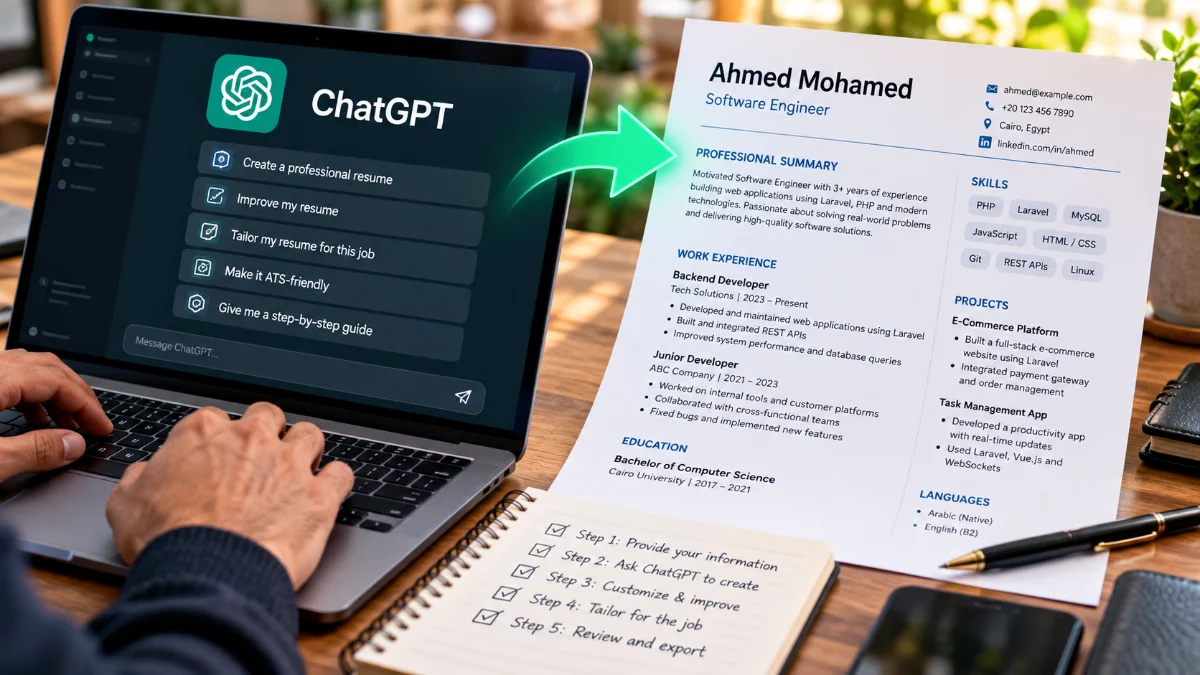
To ChatGPT a resume effectively, you feed the AI your actual career history alongside a specific job description, then instruct it to rephrase your bullet points into quantifiable accomplishments. Rather than asking the model to write a resume from scratch—which leads to generic, repetitive phrasing—you treat ChatGPT as an editorial partner that aligns your real skills with target role requirements.
Using artificial intelligence to build your resume saves hours of drafting while significantly boosting your visibility through Applicant Tracking Systems (ATS). Here is how to gather your source materials, feed targeted prompts, format high-impact accomplishments, and verify the final document.
Step 1: Gather Your Source Materials and Role Details
The biggest mistake job seekers make is prompting ChatGPT with a vague instruction like "write me a resume for a marketing job." When you do not provide source facts, language models invent credentials, exaggerate timelines, and produce generic buzzwords that recruiters immediately discard. Before opening the chat window, collect two essential pieces of information: your unvarnished employment history and the full job description you want to apply for.
Open a plain text editor like Notepad or TextEdit. Paste your past job titles, company names, dates of employment, and rough notes about your day-to-day responsibilities. Do not worry about professional phrasing at this stage; rough bullet points, rough metrics, and tools you used daily (such as Python, Figma, or Salesforce) are plenty. Next, copy the target posting directly from the employer's career page, including required skills, qualifications, and core duties. Having these two references ready gives ChatGPT the precise boundaries it needs to draft accurate content.
Step 2: Set the Persona and Core Prompt Context
Large language models perform significantly better when given a defined role, a clear goal, and strict constraints. Starting with a system prompt instructs ChatGPT to evaluate your text through the eyes of an executive recruiter or hiring manager rather than a casual chatbot.
Start a clean chat thread and send an initial context-setting prompt before pasting any text. Use a prompt structured like this:
Prompt: "Act as an executive resume writer and ATS specialist. I will provide my current work history and a target job description. Do not fabricate job titles, companies, dates, or certifications. Instead, rewrite my bullet points to highlight measurable results, relevant keywords, and strong action verbs that align with the role. Acknowledge this and wait for my next input."
Waiting for ChatGPT to confirm prevents it from prematurely generating a fake resume. Once it acknowledges your instructions, paste the target job description and label it clearly with TARGET JOB:, then paste your raw work history under MY EXPERIENCE: in the following message.
Step 3: Transform Duties into Impact-Driven Bullet Points
Standard resumes often read like task lists—phrases like "responsible for managing inventory" or "handled client emails" tell a recruiter what you were assigned, not how well you performed. ChatGPT excels at restructuring passive duty statements into impact-focused accomplishments using the formula: Action Verb + Task + Context + Result.
To generate these points, prompt ChatGPT to analyze your rough work notes section by section rather than rewriting the whole document at once. For instance, input: "Rewrite the bullet points for my last role as an Operations Lead. Use strong active verbs, integrate relevant industry keywords from the job description, and leave placeholder brackets like [X%] where I need to fill in real numbers."
Review the output carefully. If ChatGPT suggests: "Automated customer onboarding workflows using Zapier, reducing manual processing time by [X%] across 4 departments," replace the bracket with your verified numbers. If you do not have exact percentages, prompt the model to frame the impact through volume, frequency, or consistency (for example, "delivering 15 weekly sprints on schedule").
Step 4: Optimize for Applicant Tracking Systems (ATS)
Most mid-to-large companies filter applications through Applicant Tracking Systems (ATS) before a human ever views them. These systems parse your resume file for hard skills, certifications, and technical tools explicitly listed in the job requisition. If your resume uses different terminology—such as calling "Search Engine Optimization" merely "web growth"—the parser may score your match percentage poorly.
Use ChatGPT to run a comparative gap analysis between your drafted resume and the employer's job posting. Run the following prompt:
Prompt: "Compare my drafted resume against the target job description. Create a table with three columns: Missing Keywords, Matched Keywords, and Suggested Placement in My Resume. Focus on hard technical skills, methodologies, and certifications."
Review the results to see which legitimate skills you possess but forgot to list. Integrate those exact phrases into your skills matrix and work bullet points. Avoid "keyword stuffing"—every phrase must logically connect to an actual project or responsibility you handled.
Step 5: Draft a Tailored Professional Summary
A resume summary occupies the most valuable real estate at the top of your page. A weak summary relies on empty adjectives like "hardworking, detail-oriented professional seeking an entry-level opportunity." A compelling summary quickly defines your years of experience, core technical domains, and the primary value proposition you offer the company.
Ask ChatGPT to generate three distinct summary variations based on your refined work experience and target job title. Specify the tone and structure to prevent rambling paragraphs. For example, enter: "Write 3 professional summary options (maximum 3 to 4 sentences each) for the top of my resume. Option 1 should focus on technical proficiencies, Option 2 on team leadership and scaling, and Option 3 on operational cost savings. Ensure each option references the target title."
Choose the version that fits your primary career narrative, then blend sentences if necessary. Ensure the summary reads naturally and matches your personal voice rather than sounding like an automated template.
Step 6: Proofread, Fact-Check, and Clean the Output
Never submit a resume straight from an AI output window. Language models have well-documented linguistic habits: they overuse words like "spearheaded," "orchestrated," "pivotal," "tapestry," and "fostered." Recruiters and hiring software quickly recognize these clichés. Furthermore, ChatGPT may occasionally conflate tools or add skills you never claimed to have.
Copy the generated text into your word processor and perform a thorough line-by-line audit:
- Verify accuracy: Ensure all dates, company names, degree titles, and numeric metrics represent your actual background.
- Replace AI clichés: Swap repetitive verbs like "spearheaded" with straightforward verbs like "built," "led," "launched," or "managed."
- Formatting hygiene: Ensure bullet points follow parallel grammatical structure—every bullet point under a past job should start with a past-tense verb.
- File compatibility: Export your completed resume as a clean, single-column PDF or
.docxfile without text boxes or complex graphic tables that confuse ATS parsers.
The bottom line
Using ChatGPT to build a resume is not about letting software make up your career; it is about clarifying your real achievements and presenting them in the language recruiters expect. By breaking the process into research, structured prompts, ATS keyword checks, and rigorous personal editing, you create a sharp, competitive resume that stands out to human hiring managers and applicant tracking software alike.
Frequently asked questions
Can recruiters tell if I used ChatGPT on my resume?
Recruiters generally cannot tell if you used AI as an editor, but they instantly recognize unedited ChatGPT drafts filled with buzzwords like 'spearheaded,' 'testament,' and exaggerated accomplishments. Always edit the text yourself into plain, conversational, professional English.
Will ATS reject a resume made with ChatGPT?
No, ATS software scans documents for text formatting, relevant keywords, and career timeline structure; it does not disqualify files for AI generation. However, using fancy multi-column graphics or confusing tables generated by AI design tools can cause ATS parsing errors.
Is it safe to upload my current resume to ChatGPT?
Before pasting your resume into ChatGPT, remove sensitive personal identifiable information (PII) such as your home street address, phone number, and current employer client names. Keep your privacy settings adjusted so conversation history is not used to train public models.
What is the best prompt to start writing a resume in ChatGPT?
The best prompt sets constraints first: 'Act as a professional resume writer. I will provide my raw work experience and a target job description. Rewrite my bullet points focusing on measurable outcomes and active verbs without inventing false facts or credentials.'