Google Account vs Google Workspace: Which Do You Need?
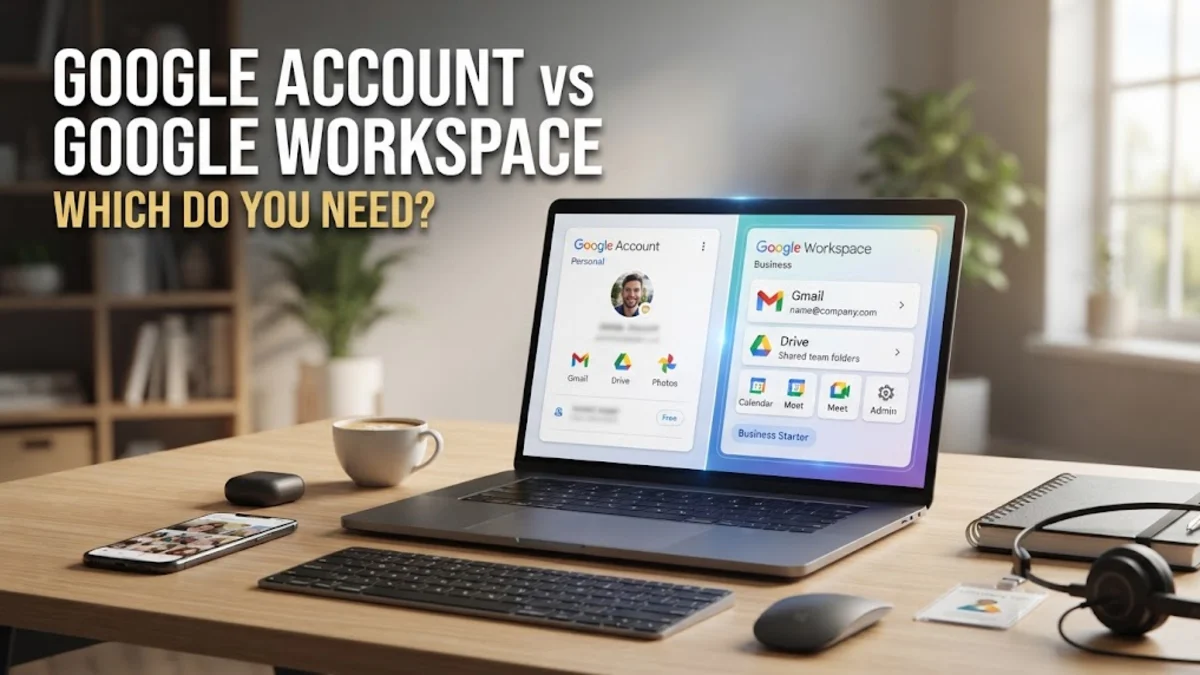
Choosing between a personal Google Account and a Google Workspace subscription is a fundamental decision for your digital setup in 2026. While both provide access to the same core suite of productivity tools—including Gmail, Drive, Docs, and Sheets—the underlying infrastructure, ownership models, and security protocols differ significantly. A standard Google Account is designed for individual use, offering a free entry point into the Google ecosystem with a consumer-facing @gmail.com address.
The Core Identity and Ownership Model
The most significant distinction between a personal Google Account and Google Workspace lies in who owns the data and the account itself. In a standard personal account, the individual user is the sole owner. You control the password, the security settings, and the data stored within the account. This is ideal for personal use, but it creates a liability for businesses. If an employee uses a personal Google Account for work, the business has no legal or technical way to recover that data if the employee leaves the company or loses access to the account.
Google Workspace, conversely, is built on an organizational model. When a company signs up for Workspace, the organization owns every account created under its domain. An IT administrator uses the **Admin Console** to manage these users. From the **Users** > **Manage Users** dashboard, an administrator can reset passwords, suspend accounts, and migrate data between users. This centralized control ensures that company intelligence remains within the company, regardless of personnel changes. For any entity larger than a single freelancer, this ownership model is the primary reason to opt for Workspace over a personal account.
Custom Domains and Brand Professionalism
In a competitive market, professionalism is often dictated by your digital identity. A standard Google Account limits you to an @gmail.com suffix. While functional, it lacks the authority of a custom business domain. Google Workspace allows you to link a domain you own—such as @techbridge.top—to your email services. This means every email sent from your team reinforces your brand identity rather than Google's.
Setting this up requires configuring DNS records, specifically MX (Mail Exchanger) records, to point your domain toward Google’s servers. Within the **Admin Console**, you navigate to **Account** > **Domains** > **Manage Domains** to verify ownership and activate Gmail for your specific URL. This custom domain capability also extends to other areas; for example, you can create custom URLs for your internal sites or calendar booking pages. In 2026, where phishing and spoofing are rampant, having a verified, domain-specific email address is a critical trust signal for clients and partners in the US, UK, and beyond.
Storage Capacity and Pooled Resources
Storage management is another area where the two services diverge. A free Google Account currently provides 15GB of storage, which is shared across Gmail, Google Drive, and Google Photos. Once this limit is reached, users must either delete files or pay for a Google One subscription. However, Google One is still a consumer-grade product and does not provide the administrative oversight required for professional teams.
Google Workspace offers tiered storage plans that scale with your business needs. Most Business Standard plans provide 2TB of storage per user, while Business Plus offers 5TB. One of the most powerful features in Workspace is 'pooled storage.' Instead of every individual having a hard cap, the total storage is aggregated across the entire organization. If one user utilizes very little space, their 'unused' portion can be utilized by a power user who handles large video files. Administrators can monitor this usage via **Reporting** > **Storage** in the **Admin Console**. This flexibility prevents the common personal account headache of running out of space mid-project.
Security, Compliance, and Administrative Control
Security is the pillar upon which Google Workspace is built. While personal accounts offer basic security like Two-Factor Authentication (2FA), Workspace provides enterprise-grade tools. Administrators can enforce 2FA across the entire organization by navigating to **Security** > **Authentication** > **2-Step Verification**. If an employee fails to secure their account, the admin can block their access until they comply. Furthermore, Workspace includes Advanced Protection Programs and Data Loss Prevention (DLP) rules that prevent sensitive information, like credit card numbers, from being emailed outside the company.
For businesses in regulated industries, Google Workspace provides essential compliance tools. Google Vault, available in higher-tier plans, allows for eDiscovery and data retention. This means even if a user deletes an email or a file, the organization can retain it for legal purposes. Additionally, Workspace admins can control 'Data Regions,' choosing whether their data is stored on servers in the United States, Europe, or other specific locations to meet local privacy laws like GDPR. These granular controls are entirely absent from personal Google Accounts.
Collaboration and Shared Drives
Collaboration is handled differently in a managed environment. In a personal account, you use 'My Drive.' If you share a folder with a collaborator, you still own those files. If you delete your account, those files vanish for everyone else. This 'individual ownership' model is a recipe for data loss in a collaborative setting. Google Workspace solves this with 'Shared Drives.'
Files in a Shared Drive belong to the team, not an individual. If a team member is removed from the organization, the files remain exactly where they are, accessible to the remaining members. Administrators can set granular permissions for Shared Drives, such as 'Commenter,' 'Contributor,' or 'Content Manager.' To set this up, users simply right-click **Shared Drives** in their sidebar and select **New Shared Drive**. This structural difference ensures project continuity and prevents the 'orphaned file' syndrome that plagues personal account users who try to collaborate on long-term business projects.
Feature Comparison Table
| Feature | Personal Google Account | Google Workspace (Business) |
|---|---|---|
| Email Address | @gmail.com | Custom (@yourcompany.com) |
| Account Ownership | The Individual | The Organization |
| Standard Storage | 15GB (Shared) | 30GB to 5TB+ (Pooled) |
| Admin Controls | None | Full Admin Console |
| Support | Self-service / Help Forums | 24/7 Priority Support |
| Video Conferencing | Google Meet (100 participants) | Google Meet (up to 500 + Recording) |
| Security Tools | Basic 2FA | Advanced DLP, Vault, and MDM |
The bottom line
The choice between a Google Account and Google Workspace depends entirely on your intent. If you are an individual managing personal emails and photos, a standard Google Account is more than sufficient. However, if you are running a business, managing a team, or handling sensitive client data, the administrative control, security features, and professional branding of Google Workspace make it an essential investment for 2026.
Frequently asked questions
Can I convert my personal @gmail.com account into a Google Workspace account?
No, you cannot technically 'convert' a personal address into a Workspace address because they exist on different systems. However, you can sign up for Workspace and then use the Google Workspace Migration Service to move your emails, contacts, and calendar entries from your personal account to your new professional one.
Do I have to pay for every user in Google Workspace?
Yes, Google Workspace is billed on a per-user, per-month basis. However, you can create 'Email Aliases' for free. For example, if you want info@yourcompany.com and sales@yourcompany.com to both go to your primary inbox, those aliases do not count as additional paid users.
Is Google Workspace more secure than a regular Gmail account?
While the underlying infrastructure is similarly secure, Workspace is considered 'more secure' for businesses because it gives administrators the power to enforce security policies. An admin can mandate hardware security keys, remotely wipe a lost company phone, and audit file-sharing activity, which a personal user cannot do for others.
Can I still use Google Drive for desktop with a personal account?
Yes, Google Drive for desktop works with both personal and Workspace accounts. It allows you to sync files between your computer and the cloud, making them accessible even when you are offline.