AirPods vs Galaxy Buds: Which Wireless Earbuds Are Best?
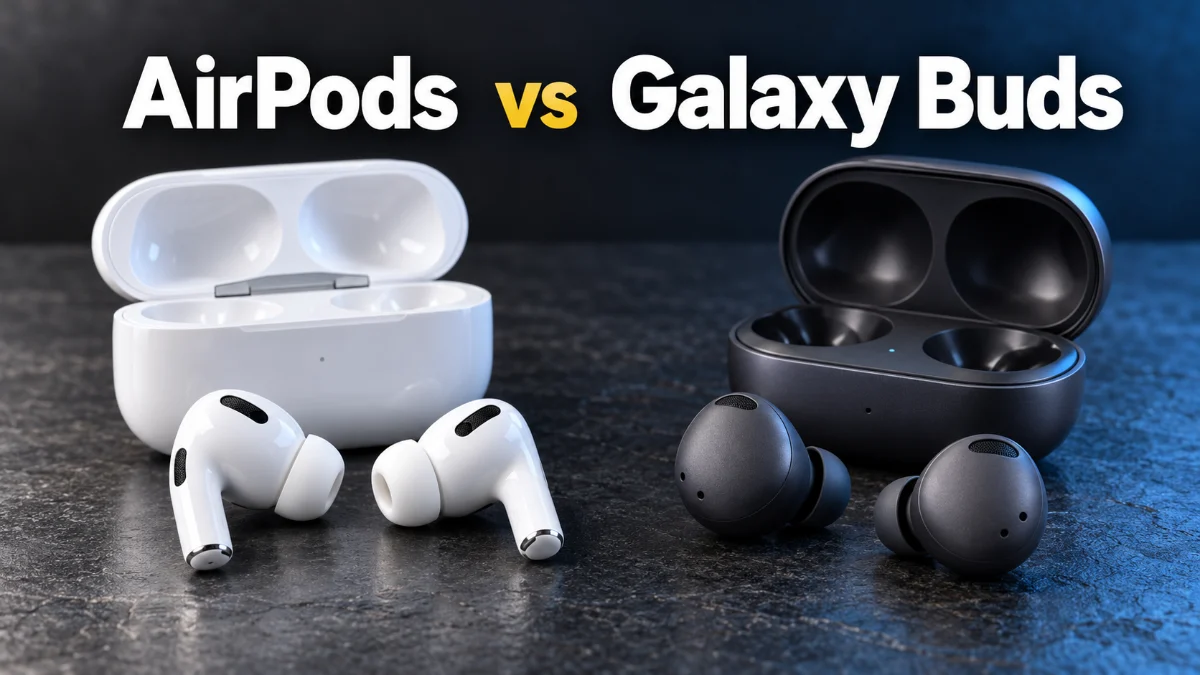
Choosing between AirPods and Galaxy Buds is no longer just about which pair sounds better; it is about which ecosystem you live in. In 2026, both Apple and Samsung have refined their wireless earbuds to the point where they serve as extensions of their respective operating systems. If you are using an iPhone, the integration of AirPods is nearly impossible to beat, while Samsung Galaxy users get exclusive features with Galaxy Buds that are unavailable to any other Android device.
While both brands offer premium active noise cancellation, high-fidelity audio, and impressive battery life, they handle these features in very different ways. This comparison breaks down the technical specifications, real-world performance, and the 'walled garden' limitations that might prevent you from switching brands. Whether you prioritize spatial audio, call quality, or long-term comfort, understanding these differences is essential before you spend your hard-earned money.
Ecosystem Integration and The Walled Garden
Audio Quality and High-Resolution Codecs
Active Noise Cancellation and Transparency Modes
Active Noise Cancellation (ANC) has reached a plateau where both the AirPods Pro and Galaxy Buds Pro can silence a jet engine or a humming air conditioner with ease. However, they differ in how they handle 'Adaptive' noise control. Apple's AirPods Pro use the H3 chip to sample environmental noise 48,000 times per second. This power enables 'Adaptive Audio,' which dynamically blends ANC and Transparency mode based on your surroundings. For example, if you are walking past a construction site, the buds will instantly increase cancellation, but if a friend starts talking to you, 'Conversation Awareness' will lower your music volume and amplify their voice automatically.
Samsung’s ANC is equally powerful but offers more manual control. Through the settings menu, you can often adjust the strength of the noise cancellation across multiple levels. Samsung's 'Ambient Sound' mode is highly praised for sounding natural, though most tech experts still give the edge to Apple’s 'Transparency Mode' for its lack of electronic hiss. Samsung has integrated AI-driven voice pickup units that excel at isolating your voice during calls in windy environments. If you frequently take calls in busy city streets, the Galaxy Buds' ability to filter out screeching tires and wind gusts is slightly more pronounced than Apple's current implementation.
Design, Ergonomics, and Wearability
The design philosophy of these two products couldn't be more different. AirPods are famous for their 'stem' design. While some find the stems unsightly, they serve a functional purpose: they house the microphones closer to your mouth for better call quality and provide a tactile area for 'Squeeze' controls. Squeezing the stem is often more reliable than tapping the side of an earbud, as it doesn't push the bud deeper into your ear canal. AirPods generally come in a 'one-size-fits-most' open design or a 'Pro' design with silicone tips.
Samsung opted for a 'bud' or 'bean' shape that sits flush within the concha of the ear. This makes the Galaxy Buds much better for side-sleepers or for wearing under a helmet or beanie. Because they don't have stems, they use touch gestures. To adjust settings, you typically tap or long-press the outer surface of the bud. While this looks sleeker, it can lead to accidental touches when you are just trying to adjust the fit. In terms of durability, Samsung usually leads with higher IP-ratings (such as IPX7), meaning they can survive a brief immersion in water, whereas AirPods are typically rated IPX4, which is only resistant to sweat and light splashes.
Battery Life and Charging Performance
Cross-Platform Functionality: A Warning
If you are considering 'mixing and matching'—using AirPods with a Samsung phone or Galaxy Buds with an iPhone—be prepared for a degraded experience. When you connect AirPods to an Android device, they function as basic Bluetooth headphones. You lose the ear-tip fit test, the ability to customize what a double-tap does, and the 'Find My' tracking features. Most importantly, the earbuds do not automatically pause music when you take them out of your ears on Android. While there are third-party apps like AndroPods that attempt to fix this, they are often buggy and drain the phone's battery.
Similarly, using Galaxy Buds on an iPhone is a frustrating experience in 2026. Since Samsung does not provide a functional 'Galaxy Buds' app for iOS for their newer models, you cannot update the firmware or change the touch controls unless you borrow an Android phone to do it first. You are stuck with the out-of-the-box settings. For this reason, we strongly recommend staying within your phone's brand ecosystem. The loss of 'Spatial Audio' and 'Seamless Switching' significantly devalues these premium products when used cross-platform.
The bottom line
In the battle of AirPods vs Galaxy Buds, the winner is determined by the smartphone in your pocket. AirPods Pro remain the gold standard for iPhone users due to their unparalleled transparency mode and seamless device switching. However, for those in the Samsung ecosystem, the Galaxy Buds offer superior high-resolution audio support and a more discreet design. Unless you plan on switching your phone brand soon, stay loyal to the manufacturer of your device to ensure you get the full suite of features you are paying for.
Frequently asked questions
Can I use AirPods with a Samsung Galaxy phone?
Yes, but they will function as standard Bluetooth earbuds. You will lose features like automatic ear detection, Siri, and customized controls.
Do Galaxy Buds work well on an iPhone?
They will connect via Bluetooth, but you cannot use the Galaxy Wearable app to customize EQ or update firmware, as it is not supported on iOS for recent models.
Which earbuds have better water resistance?
Generally, the Galaxy Buds Pro series offers higher water resistance (IPX7) compared to the AirPods Pro (IPX4), making them safer for intense workouts or heavy rain.
Does AirPods spatial audio work on Android?
No. Personalised Spatial Audio and head tracking are exclusive to the Apple ecosystem and require an iPhone or iPad to function.