What Is an Android Phone with NFC and How to Use It
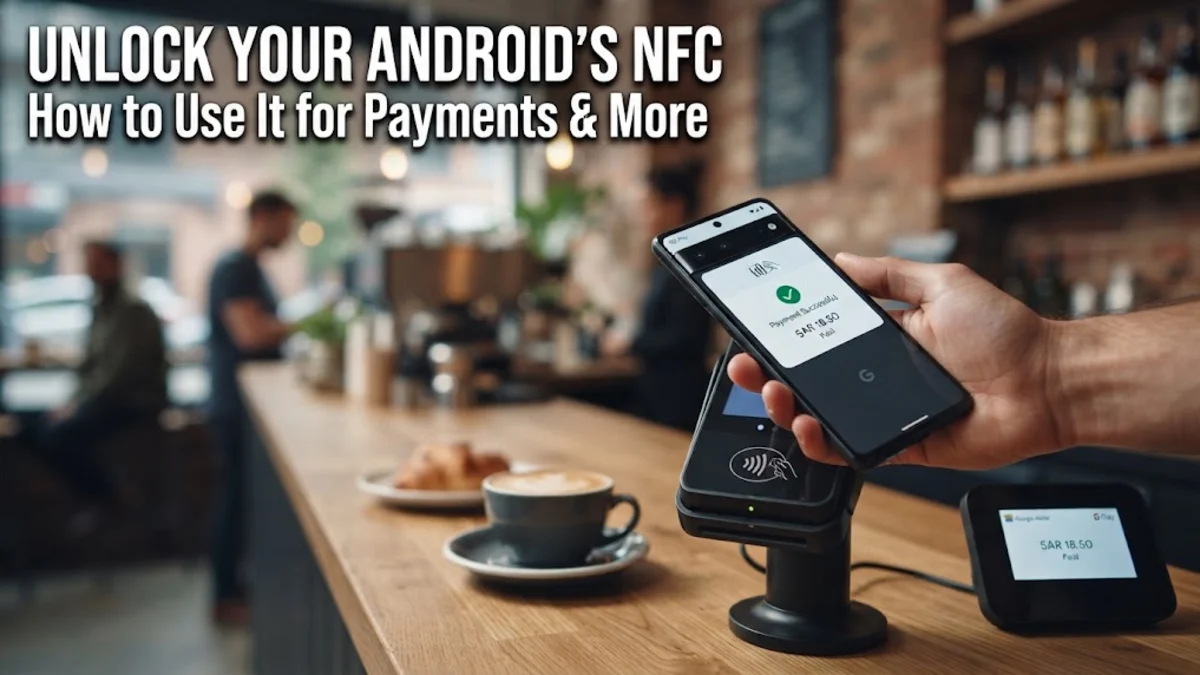
An Android phone with NFC contains a specialized microchip that enables encrypted, short-range wireless communication with nearby devices and card terminals. When you hold your phone within a couple of inches of an NFC reader, the two devices instantly establish a secure connection without manual pairing or typing passwords.
While contactless payments through Google Wallet or Samsung Wallet are the most common application, NFC hardware unlocks several practical conveniences in daily life. Understanding how this technology works helps you take full advantage of transit passes, smart home tags, and instant accessory pairing while keeping your personal data secure.
Understanding Near Field Communication on Android
NFC stands for Near Field Communication. It operates at an ultra-high frequency of 13.56 MHz and transmits data over an extremely short physical distance, typically four centimeters (about 1.5 inches) or less. Unlike Bluetooth or Wi-Fi, which broadcast signals over dozens of feet and require discovery handshakes, NFC triggers instantly upon physical proximity. The proximity requirement serves as a built-in layer of physical security, preventing accidental transfers or unauthorized snooping from across a room.
Android hardware handles NFC through two operational states: active and passive. In active mode, your phone generates an electromagnetic radio field to transmit data to another powered device, such as a point-of-sale terminal or another smartphone. In passive mode, your phone can read unpowered tags—such as contactless stickers, key fobs, or transit cards—by temporarily powering the tiny chip inside the tag using its own magnetic field. This flexibility allows one device to replace physical credit cards, badge keys, and transit tokens.
How to Check If Your Android Phone Supports NFC
Most modern mid-range and flagship smartphones include built-in NFC antennas, but budget models in certain regional markets occasionally omit the chip to cut production costs. Verifying whether your specific handset has NFC hardware takes only a few seconds through your operating system settings or your quick toggles panel.
Depending on your phone manufacturer, follow these steps to verify your hardware:
- On Samsung Galaxy phones: Open Settings > Connections > NFC and contactless payments. If this menu entry exists, your phone supports NFC. Toggle the switch to On to activate it.
- On Google Pixel and stock Android phones: Open Settings > Connected devices > Connection preferences > NFC. Toggle Use NFC to the active position.
- Quick Settings method: Swipe down twice from the top of your screen to reveal the full Quick Settings grid. Look for an NFC tile with the stylized "N" icon. If the tile is missing, tap the edit pencil icon to check whether the toggle is sitting in your inactive drawer.
Contactless Payments and Mobile Wallets
Tap-to-pay is the primary reason most users rely on an Android phone with NFC. When you link debit and credit cards to Google Wallet or Samsung Wallet, your phone communicates with payment terminals exactly like a physical contactless chip card. Transactions process in under two seconds, making grocery checkout lanes, coffee shop runs, and retail shopping significantly faster than inserting chip cards or swiping magnetic stripes.
Security for mobile payments is actually higher than using physical plastic cards. Android devices do not transmit your actual credit card number to the merchant terminal. Instead, they use a security protocol known as tokenization. The wallet app generates a temporary, encrypted virtual card number (a token) alongside a unique single-use cryptogram for that specific purchase. Even if a point-of-sale terminal suffered a database breach, the captured payment data cannot be reused elsewhere. Furthermore, your phone requires biometric authentication—such as your fingerprint or facial scan—before authorizing higher-value transactions.
Everyday Uses Beyond Mobile Payments
While financial transactions capture the headlines, an Android phone with NFC handles dozens of routine tasks without touching your bank balance. Public transit systems in major metropolitan areas throughout North America, Europe, and Australasia now support open-loop NFC tap entry. Instead of maintaining a separate reloadable plastic transit card, you can tap your locked or unlocked phone against turnstiles on buses, trains, and subways.
Physical access control is another expanding area. Many modern office buildings, apartment complexes, gyms, and hotels issue digital keys directly to your Android device via manufacturer wallet apps. Beyond access control, NFC simplifies hardware pairing. Rather than opening Bluetooth settings and searching through dozens of nearby discovery names, touching your phone against the NFC logo on a compatible speaker, headphone set, or smart camera automatically initiates pairing and completes the Bluetooth link in one step.
Automating Your Routine with Programmable NFC Tags
One of the most powerful features for power users is reading and writing programmable NFC stickers. These adhesive tags cost very little, require no batteries, and can be stuck onto bedside tables, car dashboards, work desks, and doorways. Using free automation apps, you can write specific tasks to each tag that execute instantly whenever your phone taps the surface.
Here are several practical automation scenarios you can configure at home:
- Nightstand trigger: Stick a tag to your nightstand to automatically enable Do Not Disturb mode, turn off smart bedroom lights, and set your morning alarm with a single tap.
- Car mount setup: Place a tag on your vehicle dashboard cradle that opens Google Maps, toggles your preferred music playlist, and disables home Wi-Fi when you dock your phone.
- Guest Wi-Fi portal: Write your home Wi-Fi credentials to an NFC coaster on your coffee table so visitors can connect to your guest network without typing complex passwords.
- Workout mode: Tap a tag on your gym bag to launch your workout tracking app and switch audio output directly to your wireless earbuds.
Battery Consumption and Security Misconceptions
A common concern among new users is whether keeping NFC turned on will drain their phone battery. In practice, the power consumption of an idle NFC antenna is practically undetectable. When your phone sits in your pocket, the NFC controller remains in a low-power listening state, drawing fractions of a milliampere. It only draws meaningful current for the few milliseconds during which it actively transmits data to a terminal or reads a tag. Turning NFC off provides virtually no noticeable improvement in daily battery life.
Digital pickpocketing concerns are similarly exaggerated. Skeptics often worry that a bad actor holding a portable scanner in a crowded subway could skim their cards through their pockets. In reality, NFC requires precise alignment within three to four centimeters, and your phone screen must be awake (and usually unlocked) to process payment requests. Combined with the tokenization protocols mentioned earlier, the risk of drive-by electronic theft via NFC on Android is near zero.
Troubleshooting Common Android NFC Problems
If your phone fails to register at checkout terminals or refuses to read NFC tags, the issue is almost always physical alignment rather than software corruption. Unlike an iPhone, where the NFC antenna is positioned consistently at the top rim, Android manufacturers place the NFC antenna coils in different locations across different device models. On many Samsung devices, the coil surrounds the central camera island or sits dead-center on the glass back; on Pixel devices, it is typically located near the upper third of the rear panel.
If you encounter failed taps, try these practical fixes:
- Check your phone case: Heavy-duty rugged cases containing steel kickstands, magnetic mounting plates for car docks, or thick leather wallets with RFID-blocking liners will shield and disrupt the radio signal. Remove metal accessories to test.
- Verify default payment services: Navigate to Settings > Connected devices > Connection preferences > NFC > Contactless payments (or Default payment app on One UI). Ensure your intended wallet application is selected as default.
- Hold the phone flat: Tapping the edge of your phone against payment terminals often fails. Lay the rear center of your phone flat against the contactless icon on the payment terminal for two full seconds until you feel a vibration.
The bottom line
An Android phone with NFC is far more than a digital credit card; it is a versatile short-range tool that speeds up payments, simplifies mass transit, and automates your daily environment. With built-in tokenization and minimal battery impact, leaving NFC enabled gives you frictionless convenience without compromising your personal privacy.
Frequently asked questions
Can someone steal my money through NFC if they bump into me?
No. Android phones require the screen to be turned on and unlocked for financial transactions to complete. Furthermore, NFC demands extremely close proximity (under four centimeters), and transactions use one-time cryptographic tokens that cannot be duplicated or reused.
Does leaving NFC turned on drain my Android battery?
No. The idle battery impact of NFC is negligible. The chip remains passive until it detects an active magnetic field from a reader or tag, consuming less than one percent of your battery charge over an entire day.
Do I need an active internet connection to use NFC payments?
You can make a limited number of offline payments with Google Wallet and Samsung Wallet. Your phone stores a small batch of pre-generated security tokens locally. However, you will eventually need to reconnect to mobile data or Wi-Fi so your wallet can refresh its secure tokens.
Where is the NFC antenna located on my Android phone?
Antenna placement varies by manufacturer. On most Google Pixel phones, the coil sits in the upper half of the back plate below the camera bar. On Samsung Galaxy phones, it is typically located in the center or upper-center of the rear panel. Refer to your device manual or spec sheet if tap registration is inconsistent.
Can I use NFC if my phone has an RFID-blocking card case?
No. RFID-blocking materials and metal wallet plates are specifically engineered to block 13.56 MHz radio frequencies. If your phone case has built-in signal shielding or metallic kickstands covering the antenna, your phone will not communicate with payment terminals or smart tags.