How to Fix a Router Not Working After a Power Outage
When a power outage hits, your home network goes dark instantly, but once the electricity returns, your router should boot back up automatically. If your router remains unresponsive or refuses to connect to the internet, a temporary electrical glitch or corrupted hardware state is usually to blame.
Perform a Hard Power Cycle
The sudden surge or drop in voltage during a blackout frequently causes router firmware to freeze or enter a temporary loop. A standard reboot may not be enough to clear this state completely because residual electrical charge can remain trapped in the internal capacitors for several seconds.
To perform a complete hard power cycle, unplug the power adapter from the back of your router entirely. Next, unplug the modem or optical network terminal if you have a separate unit. Leave both devices completely powered down and disconnected from the wall outlet for at least 60 seconds. This allows all internal memory components to drain fully. Once the waiting period is over, plug the modem in first and wait for its status lights to stabilize, usually indicated by a solid or slowly blinking online light. Finally, reconnect the power cable to your router and give it two to three minutes to fully broadcast its wireless signals and re-establish your local IP addresses.
Inspect the Power Supply and Surge Protector
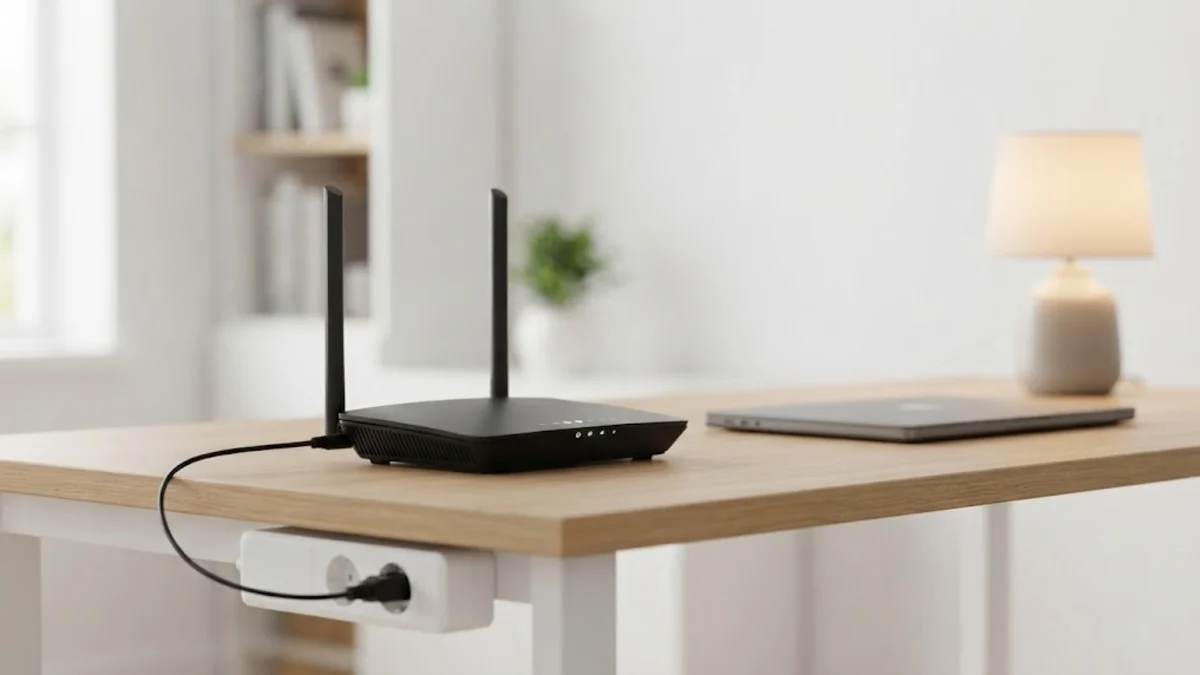
Power outages are frequently accompanied by severe electrical voltage spikes that can damage sensitive electronics or trip protective mechanisms in power strips. If your router's indicator lights remain completely dead after power returns, the power brick itself or the outlet may have failed during the surge.
Check the small LED indicator light on the router's power adapter block if it has one to confirm it is receiving electricity from the wall. Unplug the router from your current power strip or surge protector and plug it directly into a standard wall outlet to rule out a tripped strip breaker. If you have a compatible spare power adapter with the exact same voltage and amperage ratings, test it to see if the original adapter was fried by the blackout. Inspect the entire length of the power cord for any visible fraying, melting, or burn marks caused by sudden electrical fluctuations.
Check the Upstream Modem and ONT Connection
Many homeowners mistakenly assume the router is completely broken when the real culprit is the upstream modem or fiber-optic ONT box provided by your internet service provider. If the modem fails to sync with your provider's network after a blackout, your router will not be able to pass traffic or access the internet, resulting in a flashing red or orange status light.
Examine the physical connection between your modem and router. Ensure the Ethernet cable plugged into the router's WAN or Internet port is securely clicked into place on both ends. Look at the status lights on your modem to verify it has achieved an active link with the street connection. If your modem has been unresponsive for more than ten minutes, power cycle the modem independently by unplugging it for 30 seconds before reconnecting it.
Verify Ethernet Cables and Port Integrity
Electrical surges traveling through copper wiring during a storm or blackout can occasionally short-circuit individual Ethernet ports on networking hardware, even if the primary device chassis survives. If your Wi-Fi network appears active but connected wired devices cannot access local settings or the internet, physical port damage is a strong possibility.
Unplug the Ethernet cable connecting your modem to your router and inspect the plastic locking clip and golden contact pins for signs of physical distortion or soot. Try plugging the cable into a different available LAN port on the router to test if the primary port was fried. If you have a laptop with an Ethernet port, plug it directly into one of the router's LAN ports to determine if the issue is isolated to the wireless broadcasting modules or affects the entire routing engine.
Perform a Factory Reset as a Last Resort
If power cycling and cable checks fail to restore normal operations, the router's internal configuration file or non-volatile storage may have suffered a data corruption glitch during the abrupt shutdown. Restoring the device to its original factory default state clears all corrupted settings and forces the firmware to rebuild its operational environment from scratch.
Locate the recessed reset button on the back or bottom panel of your router. Using a paperclip or a SIM card ejector tool, press and hold the reset button continuously for 10 to 15 seconds while the device is powered on. Release the button once you notice the front status lights flash simultaneously or turn off and on again. Keep in mind that a factory reset will erase your custom Wi-Fi network name and password, requiring you to reconnect your devices using the default credentials printed on the bottom sticker.
Contact Your Internet Service Provider
Sometimes a home router stops working after a power outage simply because the neighborhood infrastructure supplying your home is still offline or experiencing severe signal degradation. Local utility work, damaged street-level fiber nodes, or neighborhood amplifier boxes can lose power independently or fail right as household power is restored.
Check your smartphone using mobile data to see if your internet service provider has posted an active regional outage alert in your area. Contact your provider's customer support line to run a remote line test; their automated systems can ping your modem to check if it is communicating with their central office. If the hardware is unresponsive from their end, they may need to dispatch a technician or replace a damaged line drop outside your home.
The bottom line
Fixing a router after a power outage usually requires nothing more than a thorough power cycle to clear temporary electrical glitches. By systematically checking your power adapters, physical connections, and modem status, you can quickly identify the root cause and restore your home internet connection.
Frequently asked questions
Why does my router not work even though the power is back on?
Power surges during outages often crash the router's firmware or lock up its internal memory. A hard power cycle by unplugging the device for 60 seconds usually resolves this issue.
Should I unplug my modem as well as my router?
Yes. Both devices need to be rebooted in sequence so the router can properly re-establish an IP handshake with your modem once power is restored.
Can a power outage permanently damage a wireless router?
While modern routers include basic surge protection, severe electrical spikes can fry power adapters, blow internal capacitors, or ruin Ethernet ports.
How long should I wait for my router to reconnect after an outage?
Most routers take between two to five minutes to fully boot up, initialize their wireless radios, and establish a stable connection with your internet service provider.
Will a factory reset erase my internet service provider settings?
No. Standard consumer routers pull basic connection protocols like DHCP or PPPoE automatically from your modem, but you will need to re-enter your custom Wi-Fi name and password.