How to Fix Samsung Galaxy Black Screen
Encountering a black screen on your Samsung Galaxy can be stressful, especially when the phone vibrates or rings but refuses to display anything. Fortunately, this issue is frequently caused by a software glitch or a frozen system rather than permanent hardware damage.
By following a structured troubleshooting approach, you can systematically diagnose whether the problem stems from a frozen display driver, a drained battery, or a corrupt application, and restore your phone to full working order.
Force Restart Your Samsung Galaxy
Charge Your Phone and Check the Cable
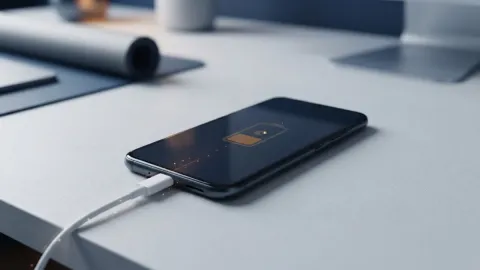
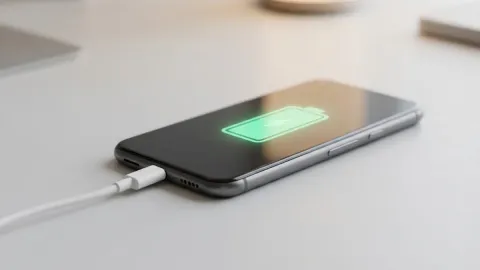
Sometimes a black screen is simply the result of a deeply depleted battery that lacks enough juice to turn on the backlight or display panel. When lithium-ion batteries drop below a critical voltage threshold, the phone may refuse to show the charging icon immediately when plugged in. Connect your Samsung Galaxy to a certified wall charger using an original or high-quality cable, and leave it undisturbed for at least thirty minutes. Avoid using a computer USB port, as they supply significantly less power and can prolong the diagnostic process. While the phone is charging, inspect the USB-C port for accumulated lint, dust, or pocket debris that might obstruct the connection pins. If you spot any debris, gently clean the port using a wooden toothpick, taking extreme care not to bend the delicate central connector. Once the phone has charged for a while, try turning it on again or performing a forced restart to see if the display responds to the restored power level.
Boot Into Safe Mode to Check Third-Party Apps
Clear the Cache Partition via Recovery Mode
Perform a Factory Reset as a Last Resort
The bottom line
Fixing a black screen on your Samsung Galaxy usually comes down to isolating whether the issue stems from a frozen system UI, a depleted battery, or a corrupt third-party app. By following these structured troubleshooting steps, from forced restarts to clearing cache partitions, you can safely restore your display and get your phone working normally again.
Frequently asked questions
Why is my Samsung Galaxy screen black even though the phone is ringing?
This usually means the operating system and internal components are working, but the display driver or screen backlight has frozen. A forced restart or charging the phone typically resolves this issue.
Can a cracked screen cause a black display?
Yes, physical damage to the internal OLED or LCD panel can cause the screen to go completely black even if the outer glass looks intact. If dropping the phone preceded the issue, hardware repair is likely required.
Will clearing the cache partition delete my photos?
No, wiping the cache partition only removes temporary system files and app caches. Your personal photos, contacts, messages, and downloaded applications remain completely safe.
How do I know if my battery is causing the black screen?
If your phone does not vibrate, show an LED light, or respond to button presses, and the screen remains dark even after being plugged into a certified charger for an hour, a dead battery or charging port failure may be the culprit.
What should I do if none of these fixes work?
If software troubleshooting and factory resets fail to bring back the display, the problem is likely a hardware failure in the screen assembly. Take your phone to an authorized Samsung service center for professional diagnosis.