Outlook vs Apple Mail: Which Email Client Is Best in 2026?
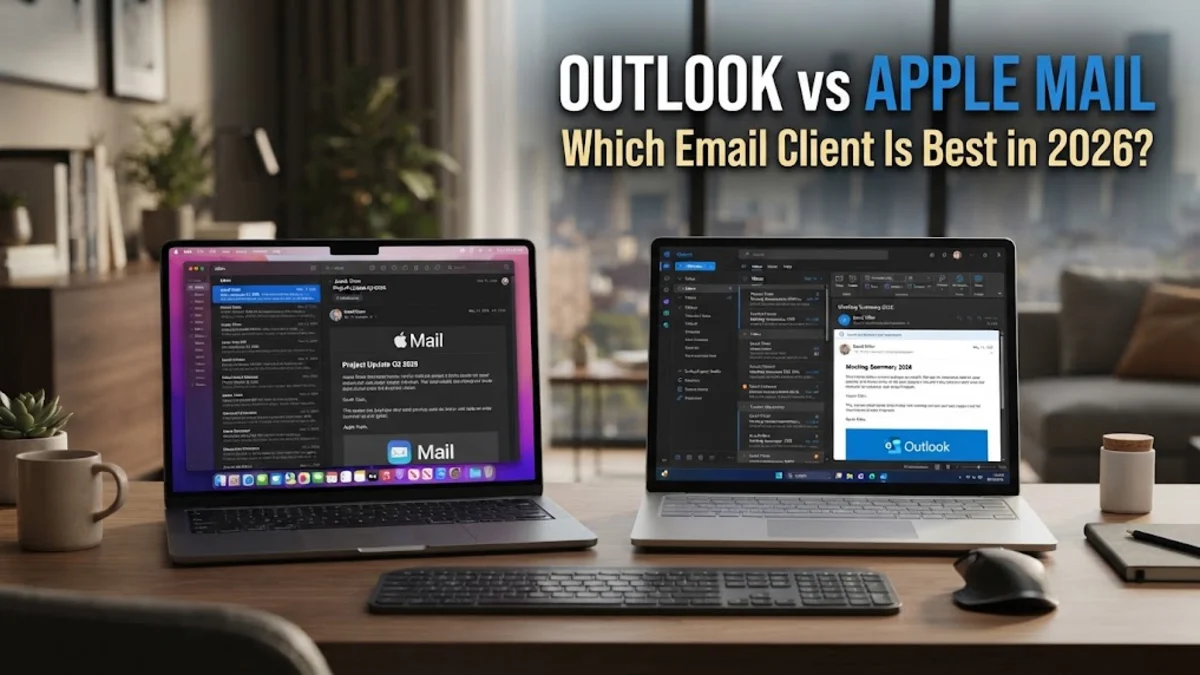
Choosing between Microsoft Outlook and Apple Mail in 2026 involves more than just picking an interface; it is about deciding which ecosystem best supports your workflow and data privacy. While Apple Mail remains the gold standard for minimalist design and seamless integration across Apple devices, Outlook has evolved into a comprehensive productivity hub, offering deep AI-driven automation and cross-platform flexibility for professional environments. If you are currently evaluating these options, the best choice depends heavily on whether you prioritize simplicity or power features.
User Interface and Visual Density
Microsoft Outlook, on the other hand, embraces a more information-dense design. The 'New Outlook' architecture, which has become the standard for both Windows and Mac in 2026, uses a refined ribbon interface that places calendars, tasks, and contacts just a single click away. While it may look busier than Apple Mail, the customizability is unmatched. You can change the layout, density, and even the theme to match your specific workflow. If your daily routine involves managing hundreds of emails alongside a packed schedule, the higher visual density of Outlook is often a benefit rather than a drawback. The ability to see your upcoming meetings in a sidebar while drafting an email provides a level of multitasking that Apple Mail typically separates into different application windows.
Artificial Intelligence and Smart Features
Apple Mail has responded with its own suite of 'Apple Intelligence' features. Rather than a separate assistant, Apple’s AI is woven into the system-wide experience. It provides high-quality summaries at the top of long emails and offers 'Smart Replies' that feel more natural and less robotic than earlier iterations. Apple’s approach is notably privacy-centric, with most processing happening on-device to ensure that your data remains your own. While it may not yet offer the deep enterprise-level document synthesis that Copilot provides, Apple Mail excels at making the user more efficient without the need for complex prompts. Features like 'Remind Me' and 'Send Later' are now standard, utilizing machine learning to suggest the best times to re-engage with an archived message.
Organization and Inbox Management
Apple Mail takes a different, more flexible approach with 'Smart Mailboxes.' Instead of moving emails into physical folders, you can create virtual views based on specific criteria like the sender, date, or presence of an attachment. To set this up, go to Mailbox > New Smart Mailbox. This keeps your main inbox intact while allowing you to view your mail through various lenses. However, Apple Mail still lacks a unified task management system equivalent to Microsoft To Do. While you can drag an email to the Reminders app, it is not as tightly integrated as the Outlook Tasks module. For users who prefer a 'get in and get out' style of email management, Apple’s system is faster, but for those who manage their life through their inbox, Outlook’s deeper feature set is usually preferred.
Performance and System Resource Usage
The 'New Outlook' is based on a web-technologies framework, which makes it incredibly versatile across different operating systems but often comes at the cost of higher memory consumption. While Microsoft has made significant strides in 2026 to optimize the performance of the Outlook client, it still uses more RAM than Apple Mail, particularly if you have multiple large Exchange accounts connected. Users on older hardware might notice a slight delay when switching between the calendar and the inbox. However, the trade-off is that Outlook provides a consistent experience regardless of whether you are on a Mac, a PC, or a web browser. The 'search' in Outlook is server-side for most Microsoft 365 accounts, which means it can search through decades of archived mail without requiring you to download every message to your local drive, a feature that is essential for enterprise users with multi-gigabyte mailboxes.
Ecosystem and Third-Party Integrations
Outlook is built for extensibility. Through the Get Add-ins menu, users can connect dozens of third-party services directly to their inbox. This allows you to turn an email into a Jira ticket, save a receipt to QuickBooks, or schedule a meeting via Calendly without ever leaving the Outlook window. This 'all-in-one' philosophy is why Outlook remains the standard for business professionals. Furthermore, Outlook’s integration with the rest of the Microsoft 365 suite is unparalleled. Attaching a file from OneDrive doesn't just send a copy; it manages permissions and version control automatically. For those who live in the Microsoft ecosystem, using anything other than Outlook often feels like working with one hand tied behind your back.
Summary Comparison Table
| Feature | Apple Mail | Microsoft Outlook |
|---|---|---|
| Best For | Personal use, Mac purists | Business, Power users |
| AI Integration | Apple Intelligence (Native) | Microsoft Copilot (Add-on) |
| Platform Support | Apple Devices Only | Windows, Mac, iOS, Android, Web |
| Third-Party Add-ins | Limited | Extensive Library |
| Resource Usage | Very Low | Moderate to High |
| Search Type | Local (Spotlight) | Server-side & Local |
The bottom line
Ultimately, Apple Mail is the best choice for users who want a clean, fast, and private email experience that stays out of the way. It is the perfect tool for personal correspondence and those who are already deeply invested in the Apple ecosystem. Conversely, Microsoft Outlook is the superior tool for professionals who need to manage complex schedules, integrate with business software, and leverage the latest in AI-driven productivity. If your work revolves around your inbox, Outlook’s density and extensibility make it the clear winner for 2026.
Frequently asked questions
Can I use Microsoft Outlook for free on my Mac?
Yes, Microsoft offers a version of Outlook for Mac that is free to use with personal accounts like Outlook.com, Gmail, and iCloud. However, advanced features like Copilot and certain enterprise integrations require a Microsoft 365 subscription.
Does Apple Mail support Microsoft Exchange accounts?
Yes, Apple Mail fully supports Microsoft Exchange. You can sync your mail, contacts, and calendars by adding your account under Mail > Settings > Accounts. While it supports the basics, it may not support specific advanced Exchange features like 'Shared Mailboxes' as effectively as Outlook does.
Which app is better for privacy and data security?
Apple Mail is generally considered better for individual privacy due to features like 'Mail Privacy Protection,' which hides your IP address and prevents senders from tracking when you open an email. Outlook is preferred for corporate security, offering robust encryption and administrative controls for IT departments.
Can I use Apple Mail on a Windows 11 PC?
No, Apple Mail is exclusive to the Apple ecosystem, including macOS, iOS, and iPadOS. If you move between Windows and Mac, Outlook is the better choice as it provides a consistent experience across both platforms.