How Password Managers Work and Why You Need One

Password managers work by storing all your login credentials inside a heavily encrypted digital vault that is locked behind a single master password. Instead of trying to memorize dozens of complex combinations or reusing the same weak password across multiple websites, you only need to remember one secure passphrase.
Understanding the mechanics behind these tools helps demystify how they can drastically improve your online security without slowing down your daily browsing. Whether you use a built-in browser tool or a dedicated third-party application, knowing how your data is handled gives you greater confidence in managing your digital life.
The Core Concept: Master Passwords and Vaults
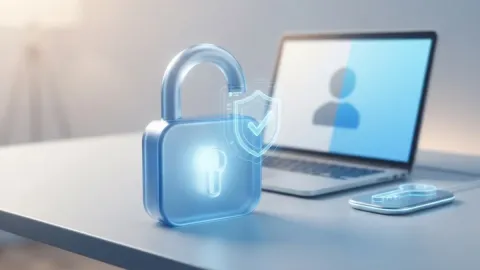
At the heart of every password manager is the secure vault. This is a centralized, highly encrypted database where all your usernames, passwords, credit card numbers, and secure notes are kept. To access this vault, you must create and remember one single phrase known as the master password. This master password is the only key capable of unlocking your information, and it is crucial that you never lose it.
Unlike traditional methods where data is written down on paper or saved in plain text files, a password manager acts like a digital safe deposit box. The application itself never actually knows or stores your master password. Instead, it uses your master password to derive a cryptographic key that decrypts your local or cloud-stored vault only when you enter it correctly. If someone gains access to your device while the vault is locked, they cannot read your stored credentials without that exact passphrase.
Client-Side Encryption: How Your Data Stays Secure
One of the most important aspects of how password managers protect you is through zero-knowledge architecture and client-side encryption. When you add a new password to your manager, the encryption and decryption processes happen entirely on your local device—whether that is your smartphone, tablet, or laptop—before the data is ever sent anywhere else.
This means that even if a cloud server hosting your vault suffers a security breach, the cybercriminals will only see scrambled, unreadable ciphertext. They lack the cryptographic key needed to unscramble the data because that key is generated using your master password, which never leaves your device. Providers cannot read your passwords even if law enforcement demands access or hackers compromise their infrastructure, ensuring absolute privacy for your personal credentials.
Autofill Technology: Convenience Meets Security
Manually typing out long, random passwords every time you log into a website is tedious, which is why password managers use advanced autofill technology. When you visit a login page, the password manager extension or built-in service recognizes the specific domain and matches it with the corresponding entry stored inside your encrypted vault.
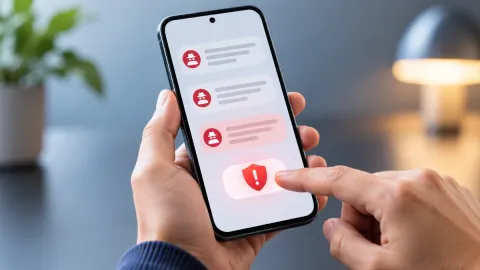
Modern autofill goes beyond mere convenience by protecting you against phishing attacks. Because the password manager checks the actual domain name of the website you are visiting before filling in your credentials, it will refuse to autofill on a fake, malicious clone site designed to steal your information. If a site URL does not match what is stored in your vault, the manager stays quiet, alerting you that something might be wrong with the page you are viewing.
Password Generation: Creating Uncrackable Credentials
Reusing passwords across multiple accounts creates a massive security vulnerability because a data breach on a minor forum can expose your primary email and banking accounts. Password managers solve this by including built-in generators that create truly random, highly complex strings of letters, numbers, and symbols for every new account you create.
When you sign up for a new service, the generator prompts you to create a unique password that is often twenty or more characters long. Because you never have to memorize these credentials, there is no temptation to keep them simple. The manager automatically saves the generated password to your vault, ensuring that a security breach on one website remains completely isolated and cannot compromise your other online profiles.
Cloud Syncing vs. Local Storage Options
To ensure you can access your accounts across all your devices, most modern password managers utilize secure cloud synchronization. When you save a new login on your laptop, the encrypted vault updates in the cloud and instantly syncs with your smartphone or tablet, giving you seamless access wherever you go. This synchronization happens automatically in the background without exposing your unencrypted data.
For users who prefer complete offline control, some services and local tools allow you to store your vault exclusively on your own hardware or sync it via private local networks. While cloud syncing offers the best balance of accessibility and modern convenience, local storage appeals to privacy purists who want to eliminate third-party cloud servers entirely from their security model.
Security Features Beyond Basic Storage
Beyond simply storing and filling passwords, contemporary password managers include sophisticated auditing tools to keep your digital life secure over time. Many services feature vault health dashboards that scan your stored credentials to identify weak passwords, duplicate entries used across multiple sites, or credentials that have appeared in known data breaches published online.
Additionally, these tools often integrate multi-factor authentication generators, secure file storage, and encrypted digital legacy sharing features. These extra layers ensure that your password manager functions as a comprehensive security suite rather than a simple digital notepad, actively helping you maintain robust cybersecurity habits with minimal ongoing effort.
The bottom line
Password managers transform online security by replacing memory-heavy habits with automated, encrypted vaults and unique credentials. By understanding how master passwords, client-side encryption, and autofill mechanisms work together, you can browse the web safely and efficiently without worrying about account breaches.
Frequently asked questions
What happens if I forget my master password?
Because reputable password managers use zero-knowledge architecture, the provider cannot recover or reset your master password for you. If you lose it, you will likely lose access to your vault unless you have set up an emergency access contact or saved your recovery key in a secure physical location.
Are cloud-based password managers safe from hackers?
Yes. Because your data is encrypted on your local device before it is ever uploaded to the cloud, hackers cannot read your passwords even if they manage to breach the cloud servers, as they do not have your master password.
Can I use a password manager on multiple devices?
Most modern password managers support cross-platform syncing, allowing you to access your secure vault seamlessly across your Windows PC, Mac, iPhone, Android device, and web browsers.
Is it safe to store credit card details in a password manager?
Yes, storing financial details, secure notes, and passport numbers in a reputable password manager is generally much safer than keeping them in plain text files or writing them down on paper.
Do I have to pay for a good password manager?
Many top-tier password managers offer robust free tiers that cover basic cross-device syncing and storage, while paid subscriptions unlock advanced family sharing, emergency access, and dark web monitoring features.