Best Password Manager Apps for 2026

Finding the best password manager app is essential for protecting your digital life from data breaches, phishing attacks, and weak credentials. Modern password managers do much more than simply store login details; they generate unbreakable passwords, monitor dark web leaks, and autofill credentials securely across all your devices and browsers.
Why You Need a Dedicated Password Manager App
Using the same password across multiple websites is one of the most common security risks today. If a minor website suffers a data breach, cybercriminals immediately test those credentials against your email, banking, and social media accounts through automated credential stuffing attacks. A dedicated password manager app solves this problem by creating and remembering a unique, complex password for every single account you own.
Beyond security, a password manager vastly improves your daily workflow. Instead of struggling to remember obscure character combinations or resetting passwords every few weeks, you only need to memorize one secure master password. The app handles the rest, securely syncing your vault across your smartphone, tablet, and computer using end-to-end encryption so that not even the service provider can read your private data.
Bitwarden: The Best Open-Source Value
Bitwarden stands out as the premier open-source password manager, making it a top choice for security-conscious users who want complete transparency. Because the source code is publicly available and regularly audited by independent security firms, anyone can inspect how your data is handled. Bitwarden offers a remarkably generous free tier that includes unlimited password storage, cross-device syncing, and secure note storage without arbitrary device limits.
Upgrading to the paid premium tier unlocks advanced features such as encrypted file storage, two-factor authentication key generation, and emergency access sharing for family members or trusted contacts. The application interface is clean and functional, available across Windows, macOS, Linux, iOS, Android, and major web browsers. Whether you want a completely free tool or a low-cost subscription with robust administrative controls, Bitwarden delivers exceptional reliability and speed.
1Password: The Premium Standard for Security and Usability
1Password is widely regarded as the gold standard for user experience and ecosystem integration. It introduces a unique security feature called the Secret Key—a randomly generated 34-character code that combines with your master password to decrypt your vault locally on your device. This architecture ensures that even if your master password is intercepted or guessed, your data remains completely inaccessible to outsiders.
The app excels on Apple and Windows platforms alike, featuring polished extensions and native apps that integrate seamlessly with operating system security features like biometric authentication. While 1Password does not offer a free tier, it provides a robust 14-day trial and specialized family and team plans. Features like Travel Mode, which lets you temporarily remove sensitive vaults from your mobile devices when crossing borders, make it a favorite for frequent travelers and privacy enthusiasts.
Dashlane: Best for Built-In VPN and Monitoring
Dashlane focuses heavily on proactive security monitoring and convenience, making it ideal for users who want an all-in-one privacy suite. In addition to password management, higher-tier plans include a built-in virtual private network for secure browsing on public Wi-Fi networks, dark web monitoring that alerts you if your personal information appears in known breaches, and instant password-changing tools for vulnerable websites.
The user interface is modern, colourful, and extremely easy to navigate, guiding beginners through the process of importing existing credentials from web browsers or rival applications. Dashlane also supports seamless two-factor authentication management, acting as an authenticator app replacement for many of your online accounts. While it is one of the more expensive options on the market, the inclusion of extra security utilities justifies the investment for many users.
NordPass: Streamlined Encryption and Modern Design
Created by the cybersecurity experts behind NordVPN, NordPass utilizes cutting-edge XChaCha20 encryption to protect your sensitive data. The application emphasizes minimalism and speed, stripping away unnecessary clutter to focus entirely on fast autofill performance and secure sharing. It is built on zero-knowledge architecture, meaning your master password never leaves your device and is never stored on company servers.
NordPass includes handy tools such as a data breach scanner that checks your email addresses against known leaks, item sharing with trusted contacts, and biometric login support using your fingerprint or face recognition. It offers a capable free version alongside competitively priced premium and family plans, making it a strong contender if you prefer a lightweight, visually appealing app that stays out of your way.
How to Choose the Right Password Manager for Your Needs
Selecting the best password manager app depends heavily on your specific budget, technical comfort level, and device ecosystem. If you use a mix of Windows, Android, Apple devices, and Linux computers, open-source platforms like Bitwarden ensure you never hit artificial software restrictions. Conversely, if you want out-of-the-box polish with advanced biometric integration and family-sharing tools, premium options like 1Password or Dashlane provide superior day-to-day convenience.
Before committing to a subscription, take advantage of free trials or free tiers to test how well the browser extensions and mobile autofill features work on your daily apps. Always ensure that whichever service you choose offers true zero-knowledge architecture, multi-factor authentication recovery options, and regular third-party security audits to keep your digital identity safe from evolving threats.
The bottom line
Investing in a reliable password manager app is one of the most effective steps you can take to secure your online presence. By eliminating weak passwords and automating secure logins, you protect your personal data from modern cyber threats without sacrificing daily convenience.
Frequently asked questions
Are password managers safe to use?
Yes, reputable password managers use robust zero-knowledge encryption, meaning your data is encrypted locally on your device before it ever reaches cloud servers. Not even the company hosting the service can read your passwords.
What happens if I forget my master password?
Because of zero-knowledge security architecture, companies cannot reset or recover your master password for you. You must rely on your pre-configured emergency contact, recovery code, or backup hint to regain access.
Should I store passwords in my web browser instead?
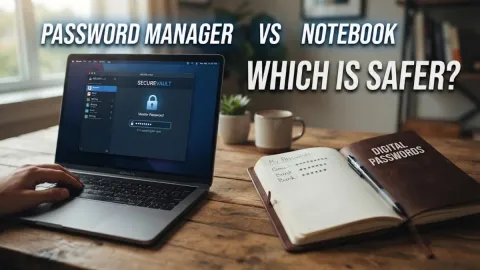
While browser password storage is convenient, dedicated password managers offer superior security features, cross-platform syncing, secure sharing, dark web monitoring, and advanced credential auditing.
Can I import passwords from another app or browser?
Yes, virtually all major password managers allow you to easily export your existing login credentials from Chrome, Safari, or rival apps as a CSV file and import them securely into your new vault.