Best Microsoft Word Alternatives in 2026
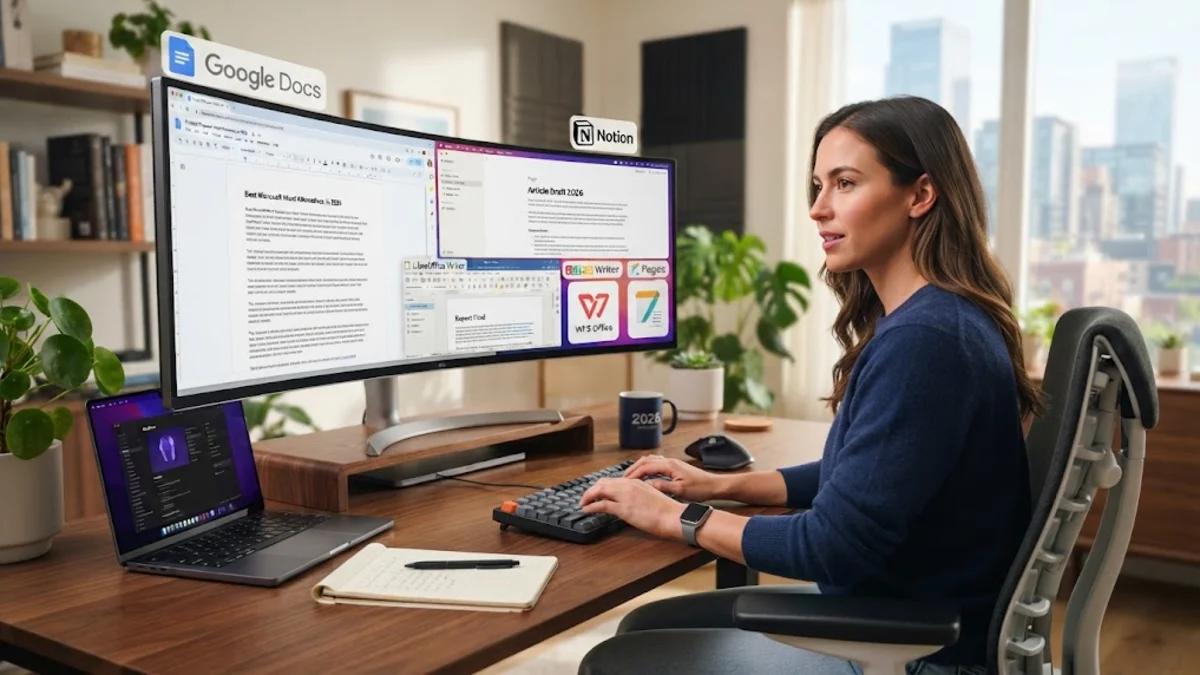
Finding the best Microsoft Word alternative allows you to write, format, and share professional documents without paying for an ongoing Microsoft 365 subscription. While Word remains an industry benchmark, its rising licensing costs and heavy system overhead prompt many writers, students, and businesses to explore independent options.
Today, capable replacements range from fully featured open-source office suites to nimble cloud-first platforms. Whether you need strict compatibility with complex docx files, offline document editing, or seamless real-time team collaboration, these top alternatives deliver dependable performance across desktop and mobile devices.
Why Replace Microsoft Word?
Microsoft Word has evolved into a feature-dense program, but its modern packaging poses friction for everyday computer users. The transition toward perpetual cloud subscriptions means maintaining access to desktop Office applications requires recurring monthly or annual payments. For users who only write occasional reports, cover letters, or personal manuscripts, paying high recurring fees rarely makes financial sense.
Beyond cost considerations, resource consumption is another major motivation. Word bundles extensive background telemetry, cloud synchronizers, and automated proofing components that can strain older laptops and battery life. Additionally, proprietary formatting quirks sometimes cause layout shifts when shared across different platforms. Modern open-source and web-based word processors offer clean interfaces, lightweight footprints, and open document format standards that keep you in total control of your personal data.
Google Docs: The Leading Cloud-Based Word Processor
Google Docs remains the most practical free word processor for anyone who prioritizes effortless collaboration and cross-device synchronization. Because it operates entirely inside any modern web browser on ChromeOS, Windows, macOS, or Linux, there is no bulky desktop installer to manage. Documents save automatically to Google Drive with every keystroke, offering complete revision histories that make rolling back accidental edits simple.
Collaboration tools in Google Docs set the modern standard. Multiple contributors can edit, leave threaded comments, and assign follow-up action items in real time without version conflicts. You can open existing docx files directly and export documents to PDF, EPUB, or plain text format via File > Download. While it lacks Word's advanced index generation and granular typographic micro-adjustments, its speed and reliability make it an outstanding daily writing environment.
LibreOffice Writer: The Premier Open-Source Desktop Alternative
LibreOffice Writer serves as the direct spiritual successor to traditional desktop word processors. Maintained by The Document Foundation, this completely free, open-source application runs locally on Windows, macOS, and Linux without advertisements, telemetry tracking, or mandatory user accounts. It retains a familiar, customizable ribbon or classic toolbar interface that appeals to long-time office software users.
Under the hood, Writer delivers industrial-strength capabilities comparable to Word. It provides comprehensive support for mail merges, master documents, advanced style hierarchies, equation editors, and native OpenDocument Format (ODF) specifications alongside robust docx reading and writing. If you handle sensitive files and work strictly offline or prefer avoiding cloud storage providers, LibreOffice Writer is the most complete sovereign replacement available.
Apple Pages: The Polished Choice for Mac and iPad
Apple Pages comes preinstalled on all modern Mac computers and iPad devices, offering an elegant layout-oriented take on word processing. Unlike traditional processors that emphasize strict sequential margins, Pages combines standard word processing with desktop publishing tools. Its clean inspector pane keeps formatting options organized on the right side of the screen without cluttering your workspace.
Pages excels at producing brochures, visual newsletters, and academic essays that incorporate heavy photography and custom typography. It integrates seamlessly with iCloud for real-time collaboration with other Apple users, and it allows web-based editing for Windows colleagues through iCloud.com. When you finish your draft, you can convert the document by navigating to File > Export To > Word or PDF, ensuring smooth interoperability with non-Apple recipients.
OnlyOffice Desktop Editors: Exceptional DOCX Formatting Fidelity
If maintaining identical formatting with existing Microsoft Word files is your top priority, OnlyOffice Desktop Editors is an exceptional tool. Unlike suites that translate Word files into an internal proprietary format before rendering, OnlyOffice uses Microsoft Office Open XML standards natively. This architectural design virtually eliminates ruined margins, shifted tables, and broken line wraps when exchanging docx files with corporate clients.
OnlyOffice features a polished tabbed interface that matches modern desktop conventions. It also includes integrated document comparison tools, cryptographic signature support, and modular plugins for translation and bibliography management through Zotero and Mendeley. The application is free for individual desktop use on Windows, macOS, and Linux, providing an enterprise-grade writing experience without enterprise software licensing fees.
Feature and Platform Comparison
Choosing the right replacement depends heavily on whether you prioritize desktop independence, cloud teamwork, or visual desktop publishing. Review this side-by-side comparison to find the best match for your workflow:
| Word Processor | Best For | Offline Support | Primary File Support | Price |
|---|---|---|---|---|
| Google Docs | Real-time teamwork & cloud access | Partial (via Chrome extension) | Cloud native / DOCX import | Free |
| LibreOffice Writer | Privacy & deep offline features | Full (native desktop app) | ODT / DOCX / PDF | Free / Open Source |
| Apple Pages | Visual layouts & macOS integration | Full (Apple devices) | PAGES / DOCX / PDF | Free (Apple hardware) |
| OnlyOffice | Exact DOCX formatting fidelity | Full (cross-platform app) | Native DOCX / ODT | Free (Desktop) |
For most personal writers, pairing Google Docs for collaborative notes with LibreOffice Writer or OnlyOffice for complex offline projects provides all the flexibility of Microsoft 365 without spending a penny.
The bottom line
You no longer need to pay for an expensive office subscription just to create polished, professional documents. If you spend most of your day collaborating online, Google Docs provides unparalleled convenience. For privacy-focused users requiring desktop power and deep style controls, LibreOffice Writer and OnlyOffice offer formidable alternatives that handle docx files reliably.
Frequently asked questions
Can I open DOCX files without Microsoft Word installed?
Yes. Free programs such as LibreOffice Writer, OnlyOffice, Apple Pages, and Google Docs open, edit, and save DOCX files natively without requiring any Microsoft software or licenses.
Will formatting change when opening a Word document in LibreOffice?
Simple text and standard headers translate cleanly. However, documents containing complex WordArt, nested multi-column tables, or proprietary Microsoft fonts may display slight layout shifts. Installing standard Microsoft core fonts on your computer minimizes these differences.
Is Google Docs completely safe for confidential business documents?
Google Docs encrypts data both in transit and at rest, adhering to enterprise security standards. However, organizations handling sensitive or strictly regulated data often prefer self-hosted solutions or offline desktop tools like LibreOffice to keep proprietary files off third-party servers.
Does Apple Pages work on a Windows PC?
While Pages does not have a native Windows desktop installer, Windows users can create, view, and edit Pages documents using any modern web browser by signing into iCloud.com.