WiFi vs. Ethernet: Which Connection Is Better?
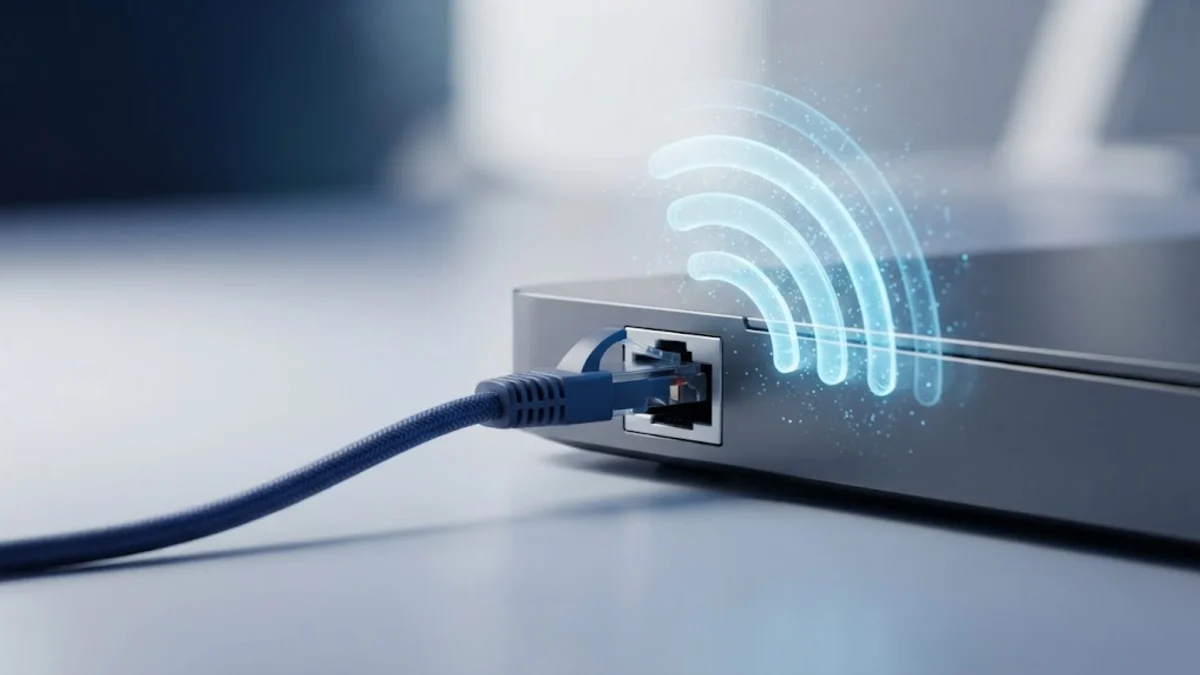
Choosing between a wireless network connection and a wired cable setup can significantly impact your internet speed, gaming performance, and streaming quality. While wireless networking offers unmatched convenience for portable devices, a physical cable provides a direct link to your router that eliminates interference entirely. Understanding the core differences between these two technologies will help you decide which connection method best suits each device in your home.
Understanding How WiFi Works
WiFi is a wireless networking technology that uses radio waves to transmit data between your devices and your wireless router. Instead of relying on physical cables, your smartphone, laptop, or smart TV communicates through invisible airwaves using specific frequency bands such as 2.4 GHz, 5 GHz, and 6 GHz. This wireless freedom allows you to move freely around your home or office while maintaining an active connection to the internet, making it the default choice for modern portable devices.
However, because WiFi relies on radio frequencies, it is inherently susceptible to interference and physical obstructions. Walls, floors, large metal appliances, and even neighboring wireless networks can disrupt the signal, leading to packet loss and fluctuating speeds. Understanding these limitations helps explain why your wireless connection might feel fast one moment and sluggish the next, even when you are sitting relatively close to your router.
Understanding How Ethernet Works
Ethernet is a wired connection method that uses physical copper cables, commonly known as Category 5e, Cat6, or Cat8 cables, to connect your computer, gaming console, or smart TV directly to your router or switch. By bypassing the airwaves entirely, Ethernet creates a dedicated, closed transmission path that is immune to wireless interference, radar signals, and physical walls. This direct physical link ensures that data packets travel from your device to the network router with maximum efficiency and zero signal degradation.
The primary advantage of using an Ethernet cable is uncompromising reliability and maximum possible throughput. Unlike wireless signals that weaken over distance, a standard copper Ethernet cable can maintain full gigabit or multi-gigabit speeds over lengths up to 100 meters without loss of performance. This makes wired connections the gold standard for bandwidth-heavy tasks such as transferring large files across a local network, streaming uncompressed 4K media, or participating in competitive online multiplayer games where every millisecond counts.
Speed and Bandwidth Comparison
When comparing speed between a wireless and a wired connection, Ethernet almost always emerges as the clear winner. Modern Wi-Fi standards like Wi-Fi 6 and Wi-Fi 7 offer impressive theoretical speeds, but real-world wireless throughput is severely impacted by distance, interference, and network congestion. In a typical home environment, a wireless connection will rarely achieve its maximum advertised speed, and speeds drop significantly as you move further away from the access point or encounter physical barriers like concrete walls.
In contrast, a wired Ethernet connection delivers full duplex communication, meaning your device can send and receive data at maximum rated speeds simultaneously without interference. Below is a quick comparison of how both connection types stack up across key network performance metrics:
| Metric | WiFi | Ethernet |
|---|---|---|
| Max Speed | High (Varies by distance) | Very High (Consistent gigabit+) |
| Latency | Moderate to High (Prone to spikes) | Ultra-Low (Stable and reliable) |
| Interference | High (Walls, other networks) | None (Shielded copper cable) |
| Mobility | Complete freedom of movement | Tethered to cable length |
As illustrated in the comparison, Ethernet provides superior raw performance and stability, whereas WiFi offers unmatched flexibility for devices that need to move around the house.
Latency and Stability in Gaming and Work
Latency, commonly referred to as ping, measures the time it takes for data packets to travel from your device to a server and back. Low latency is critical for real-time applications such as cloud gaming, competitive online shooters, video conferencing, and VoIP phone calls. Wireless connections are inherently prone to jitter and latency spikes because radio waves can be momentarily blocked or delayed by environmental interference, leading to rubberbanding in games or frozen frames during important video calls.
Ethernet connections provide exceptionally low and stable latency because data travels through a dedicated copper wire without interference from external radio sources. While a good Wi-Fi setup might show a low ping most of the time, it will occasionally experience micro-stutters and sudden ping spikes when background processes or other wireless devices contend for airtime. For professionals working with remote virtual desktops or gamers seeking a competitive edge, the rock-solid stability of an Ethernet cable is virtually irreplaceable.
Convenience, Mobility, and Installation
While Ethernet wins on raw performance, WiFi holds an undeniable crown when it comes to convenience, flexibility, and ease of use. Smartphones, tablets, smart home appliances, and modern ultrabooks are designed primarily for wireless connectivity. Setting up a wireless network requires only entering a password, allowing dozens of devices to connect instantly without the clutter, expense, and aesthetic challenge of running physical cables through walls, ceilings, and hallways.
Mobility is another major advantage of wireless networks. You can carry your laptop to the couch, the kitchen, or the balcony while remaining fully connected to the internet. Running Ethernet cables to every room requires careful planning, specialized tools, cable management channels, or drilling holes through drywall. For casual web browsing, streaming social media, and managing smart home devices, the convenience of WiFi far outweighs the marginal performance gains of a wired connection.
When to Use WiFi vs When to Use Ethernet
Deciding whether to use WiFi or Ethernet depends entirely on the type of device you are using and what you intend to do online. Fixed devices that demand high bandwidth and ultra-low latency—such as desktop gaming PCs, PlayStation or Xbox consoles, 4K streaming boxes, and home office workstations used for large file transfers—should always be connected via Ethernet cables whenever physically possible. This frees up wireless bandwidth for your mobile devices and guarantees maximum performance for your heaviest workloads.
On the other hand, smartphones, tablets, smart home sensors, robotic vacuums, and portable laptops are tailor-made for Wi-Fi. It is neither practical nor necessary to tether these mobile devices to a wall outlet with a physical cable. By adopting a hybrid approach—wiring your stationary heavy hitters and keeping your mobile devices on a robust wireless network—you can enjoy the absolute best of both worlds without compromise.
The bottom line
Both WiFi and Ethernet serve vital roles in modern home networks. Ethernet delivers unmatched speed, zero interference, and ultra-low latency for stationary devices like gaming rigs and workstations. Meanwhile, WiFi provides essential mobility and seamless connectivity for smartphones, tablets, and laptops. Evaluating your specific needs will help you create an optimized network setup.
Frequently asked questions
Does Ethernet make your internet faster than WiFi?
Ethernet does not increase your internet service provider plan speed, but it delivers that maximum speed consistently without the packet loss and speed drops commonly caused by wireless interference.
Is Ethernet better for online gaming than WiFi?
Yes, Ethernet provides lower ping, eliminates sudden latency spikes, and prevents packet loss, making it significantly more reliable for competitive online multiplayer gaming.
Can I use an Ethernet cable with a laptop?
Yes, though many modern thin laptops lack built-in Ethernet ports, you can easily connect them using an affordable USB-C to Ethernet adapter.
Does distance affect Ethernet cables like it does WiFi?
Standard copper Ethernet cables can maintain full gigabit speeds up to 100 meters (328 feet) without any signal degradation, unlike WiFi signals which degrade quickly over distance.
What type of Ethernet cable should I buy?
Cat6 or Cat6a cables are ideal for most home networks, easily supporting gigabit and multi-gigabit internet speeds with excellent durability.