Google Account vs Gmail Account: What Is the Difference?
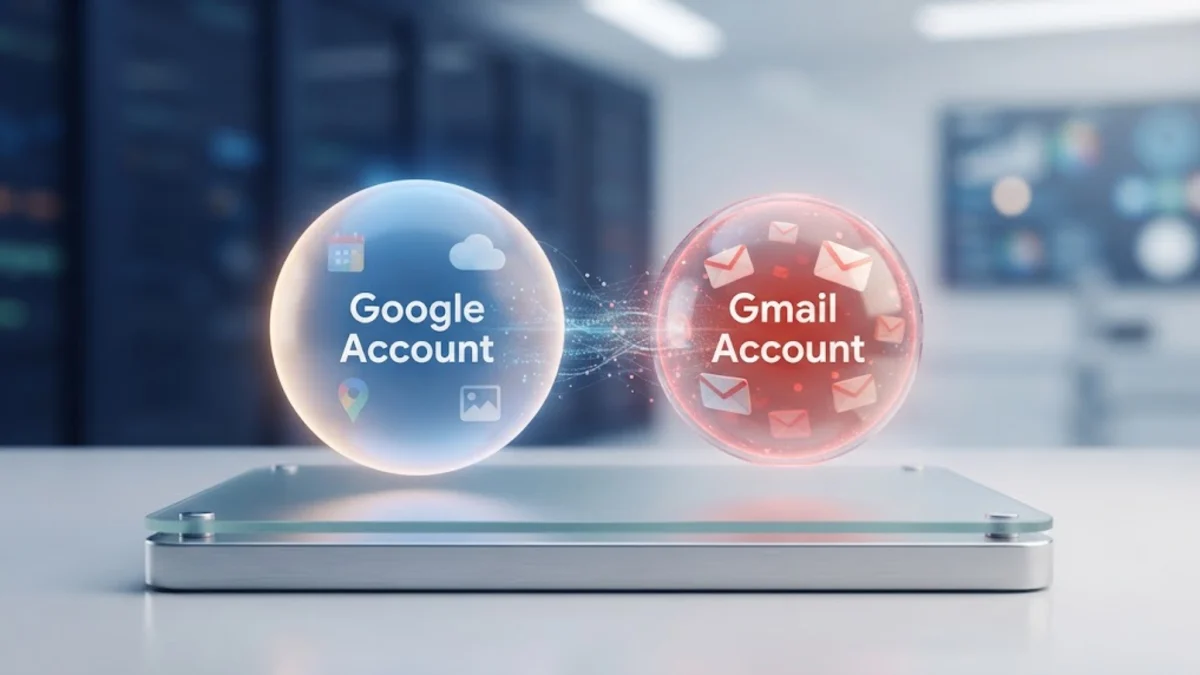
A Google Account serves as your master digital identity across all Google services, while a Gmail Account is simply the specific email service tied to that profile. Understanding how these two entities relate helps you manage your data, storage, and security settings more effectively without confusing your login credentials.
What Is a Google Account?
A Google Account is your master user profile that grants access to an entire ecosystem of web services and applications provided by Google. When you create this account, you establish a unified digital identity that authenticates your access to platforms like YouTube, Google Drive, Google Photos, Docs, and Google Play. This profile acts as the central hub for your personal information, security preferences, connected devices, and billing details.
Your Google Account functions independently of any specific email address. While it often includes an email address for communication and recovery purposes, its primary purpose is identity management and authorization across the web. You can create a Google Account using an existing email address from third-party providers like Outlook or Yahoo, meaning you do not strictly need a Gmail address to maintain a valid Google Account.
What Is a Gmail Account?
A Gmail Account is a specific email service subscription hosted by Google under the @gmail.com domain name. When you sign up specifically for Gmail, Google automatically generates a master Google Account behind the scenes to support your email storage, contacts directory, and calendar integration. In essence, Gmail is just one of dozens of individual applications housed within your broader Google Account ecosystem.
Your Gmail inbox relies entirely on your master Google Account for security authentication, two-factor verification, and storage allocation. If you close your Gmail service or remove the @gmail.com address from your profile, your underlying Google Account can still exist as long as you attach an alternative email address for sign-in and recovery. This distinction highlights why every Gmail user has a Google Account, but not every Google Account holder uses Gmail.
Google Account vs Gmail Account: Key Differences
To understand how these two concepts diverge, it helps to examine their primary functions, scope, and operational boundaries within the digital ecosystem. While people frequently use the terms interchangeably in casual conversation, their technical architectures and user permissions are distinctly separate.
| Feature | Google Account | Gmail Account |
|---|---|---|
| Primary Purpose | Master identity and ecosystem access | Sending and receiving electronic mail |
| Dependency | Independent master profile | Requires a parent Google Account |
| Address Format | Any valid email (Gmail, Yahoo, Outlook) | Strictly username@gmail.com |
| Included Services | All Google apps, storage, and settings | Email inbox, contacts, and calendar sync |
As shown in the comparison table, your Google Account is the umbrella entity that manages your entire digital footprint with the company, whereas the Gmail account is a dedicated communication tool operating underneath that umbrella.
How Storage and Data Sharing Work
Storage allocation is one of the most common points of confusion when discussing Google Account vs Gmail Account boundaries. Google provides a standard pool of free cloud storage for every Google Account, which is shared simultaneously across Google Drive, Google Photos, and your Gmail inbox messages and attachments. Running out of storage in your Gmail inbox means your overall Google Account storage quota has been exhausted.
Because your storage pool is centralized, deleting large emails with heavy attachments in Gmail directly frees up space for your Google Photos backups and Drive documents. You do not have separate storage buckets for different Google services; everything funnels into your master Google Account storage limit, which can be upgraded via Google One subscriptions when necessary.
Managing Security and Access Control
Security management for both entities is handled entirely through your master Google Account security dashboard. When you update your password, enable two-factor authentication, review security checkups, or check authorized third-party app connections, you are applying those rules to your master Google Account profile, which automatically secures your Gmail inbox and all other connected apps.
You cannot secure your Gmail inbox independently of your Google Account because the email service does not have a standalone security gateway. If an unauthorized user gains access to your master Google Account credentials, they gain complete control over your Gmail messages, Drive files, and connected devices, reinforcing the importance of protecting your master login profile.
Can You Use a Non-Gmail Email for Your Google Account?
Many users prefer keeping their existing email provider while still taking advantage of Google tools like Docs, Sheets, and YouTube. You can easily register a third-party email address, such as an Outlook or corporate domain address, as your primary Google Account username without ever creating a Gmail inbox.
When you sign in using a non-Gmail address, you still enjoy the full benefits of the Google ecosystem, but any communication from Google will be sent to your external inbox. If you later decide you want a Gmail address, you can add @gmail.com as a secondary name or alternate username within your existing Google Account management settings.
The bottom line
In summary, a Google Account is your overarching digital identity and control center across all Google platforms, while a Gmail Account is simply the email service attached to that profile. Recognizing this hierarchy helps you troubleshoot storage issues, manage your login credentials, and configure your privacy settings accurately.
Frequently asked questions
Can I have a Google Account without a Gmail address?
Yes. You can create and use a Google Account with any valid email address from providers like Outlook, Yahoo, or a custom domain.
Does deleting my Gmail account delete my entire Google Account?
No. You can remove the Gmail service from your profile while keeping your master Google Account active, provided you designate an alternative sign-in email.
Why is my Google Account storage full if my Gmail is empty?
Your Google Account storage is shared across Gmail, Google Drive, and Google Photos. Large files in Drive or Photos may be consuming your shared quota.
Are my Google Account password and Gmail password the same?
Yes, because Gmail is integrated directly into your master Google Account, they share the exact same login credentials and security settings.