PC vs Mac: Which Computer Is Better in 2026?

While Windows PCs give you unmatched hardware variety, customizability, and gaming prowess, Apple Macs provide a seamless ecosystem, exceptional battery efficiency, and optimized performance. Understanding how these differences impact your daily workflow will help you make the right choice.
Performance and Hardware Options
When comparing performance and hardware in the PC versus Mac debate, the fundamental difference lies in variety and control. Windows PCs are manufactured by dozens of different brands, including Dell, HP, Lenovo, and ASUS. This means you can find a PC in virtually any form factor, price range, or specification configuration imaginable, from budget-friendly office laptops to high-end desktop rigs with dedicated graphics cards.
Apple, on the other hand, designs both the hardware and the macOS operating system entirely in-house. Powered by Apple silicon chips such as the M-series processors, Macs deliver industry-leading energy efficiency and quiet operation. While you have fewer hardware choices, every Mac offers a premium build quality, high-resolution retina displays, and consistent performance across the board.
Operating System Interface and Ease of Use
The user experience between Windows and macOS comes down to personal preference and how you like to interact with your device. Windows 11 offers a highly customizable interface with features like snap layouts for multitasking, a centralized taskbar, and deep integration with Microsoft services. It gives you granular control over system settings, file management, and window placement, making it ideal for power users who love to tweak their setup.
macOS is renowned for its clean, intuitive design and minimalist aesthetic. It emphasizes simplicity and seamless integration with other Apple devices like the iPhone and iPad. Features like Universal Control, AirDrop, and iCloud sync make moving files and data between your phone and computer effortless. If you prefer a system that works out of the box with minimal configuration, macOS provides a remarkably smooth experience.
Software Compatibility and Ecosystem
Software availability is a major factor when deciding between a PC and a Mac. Windows remains the undisputed king of software compatibility. Almost every major enterprise application, specialized engineering tool, financial software, and productivity suite is built natively for Windows. If your workplace or university requires specific legacy applications, a Windows PC ensures you will never run into compatibility roadblocks.
Macs have closed the gap considerably, especially for creative professionals. Industry-standard applications like Adobe Creative Cloud, Final Cut Pro, and Microsoft Office run exceptionally well on Apple silicon. However, niche industry software, proprietary database tools, and specialized business applications are still frequently exclusive to Windows, requiring Mac users to rely on virtualization software or alternative solutions.
Gaming and Entertainment Capabilities
When it comes to gaming, the PC versus Mac comparison has a clear winner. Windows PCs dominate the gaming landscape with overwhelming support from game developers, compatibility with virtually all PC games on platforms like Steam, and robust support for high-end graphics cards. Furthermore, Windows PCs offer extensive hardware upgradeability, allowing you to swap out components like GPUs and RAM to keep up with demanding modern titles.
Historically, Macs were largely ignored by major game developers. While Apple has introduced gaming toolkits and modern Macs feature powerful integrated graphics, the game library on macOS is still significantly smaller than what is available on Windows. Casual games and select blockbuster titles run well, but serious gamers who want access to every new release will find that a Windows PC is the only practical choice.
Pricing, Value, and Upgradability
Budget and long-term value heavily influence whether a buyer chooses a PC or a Mac. Windows PCs cover the entire financial spectrum. You can purchase a functional laptop for a few hundred dollars or invest thousands in a powerhouse machine. Moreover, many desktop PCs and some laptops allow you to upgrade components over time, extending the lifespan of your machine and providing greater long-term flexibility.
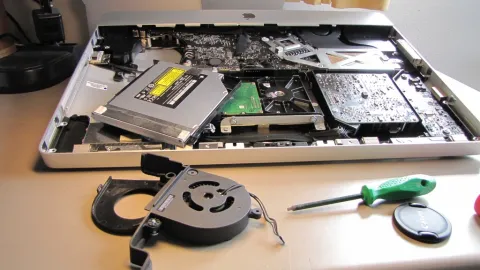
Apple products are positioned primarily in the mid-to-high tier price range. While entry-level MacBooks offer remarkable value given their battery life and build quality, upfront costs are generally higher because there are no budget-tier Mac models. Additionally, modern Macs feature unified memory and soldered storage soldered directly onto the motherboard, making post-purchase hardware upgrades virtually impossible.
Battery Life and Portability
For users who travel frequently or work away from a desk, battery life and physical portability are critical considerations. Apple silicon has revolutionized laptop engineering. MacBooks are legendary for their incredible battery life, often lasting well over fifteen hours of active use on a single charge while maintaining full performance even when unplugged.
Windows laptops vary widely in battery performance. While premium Windows ultraportable laptops equipped with efficient processors can last a full work day, many gaming laptops and budget Windows machines suffer from poor battery endurance when running heavy tasks. If you need a laptop that can reliably last through a full day of classes or travel without its charger, MacBooks hold a distinct advantage in the ultraportable category.
The bottom line
Ultimately, the choice between a PC and a Mac depends entirely on your specific needs, budget, and daily workflow. Choose a Windows PC if you want maximum hardware customizability, extensive gaming libraries, and universal software compatibility. Opt for a Mac if you value elite battery life, premium build quality, seamless Apple ecosystem integration, and a streamlined creative experience.
Frequently asked questions
Is a PC easier to learn than a Mac?
Both operating systems are user-friendly, but they have different learning curves. Windows offers familiar file structures and deep customizability, while macOS offers a streamlined, minimalist interface that many find easier to navigate initially.
Can I play PC games on a Mac?
You can play games on a Mac, but the library is much smaller compared to Windows. While cloud gaming services and Apple's gaming tools have improved performance, serious gamers should choose a Windows PC.
Do Macs last longer than PCs?
Macs often hold their resale value longer and feature durable aluminum builds, but a high-end Windows PC built with quality components can last just as many years with proper care and maintenance.
Are Macs better for video editing and creative work?
Macs are exceptionally popular among creative professionals due to optimized software like Final Cut Pro, excellent color-accurate displays, and high-performance Apple silicon chips, though high-end Windows PCs are equally capable.
Can I transfer files easily between an iPhone and a Windows PC?
Yes, you can use cloud storage services like OneDrive or Google Drive, or apps like Phone Link on Windows, though transferring files between an iPhone and a Mac via AirDrop is much more seamless.