How to Fix Password Keeper Not Working
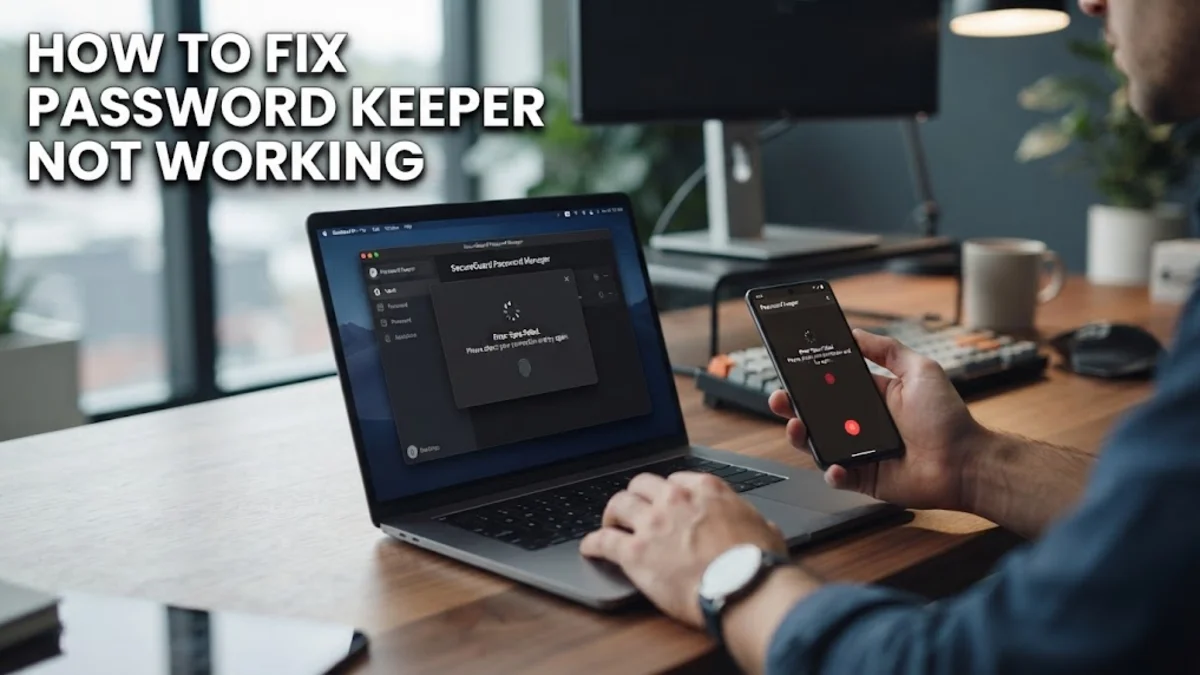
When your password keeper stops working, you lose instant access to your secure vaults, autofill features, and critical login credentials. Whether the application is freezing on launch, failing to sync across your devices, or refusing to autofill passwords in your web browser, fixing the issue usually comes down to resolving local cache corruption, network connectivity roadblocks, or outdated app versions.
Check Internet Connection and Server Status
Most modern password managers rely on cloud servers to sync your encrypted vault across your phone, tablet, and computer. If your password keeper is not working or fails to load your latest entries, the issue might stem from a temporary disruption in your internet connection or an outage on the provider's end. First, open a web browser and visit a reliable website to confirm your internet connection is stable and active. If your network is working fine, check the official status page of your password manager provider, such as Bitwarden or 1Password, to see if they are experiencing server maintenance or unexpected downtime. When servers are offline, local offline mode may still let you view previously cached passwords, but syncing will remain disabled until service is fully restored. If you are using a virtual private network or a strict corporate firewall, try temporarily disabling it to ensure it is not blocking secure communication ports required by the password keeper.
Restart the App and Clear Local Cache
Update Your Password Manager to the Latest Version
Verify Master Password and Biometric Settings
Re-enable Browser Extensions and Autofill Permissions
A common symptom of a broken password keeper is the failure of autofill prompts on login pages or shopping websites. This usually happens when browser extensions lose necessary permissions or conflict with built-in browser password managers. To fix this, open your browser settings and navigate to your extensions manager. Ensure that your password keeper extension is toggled on and that you have granted it permission to read and change site data on all websites. Additionally, check your browser native credential manager settings—such as Google Chrome autofill or Apple Safari autofill—and disable them to prevent conflicts where multiple managers try to fill the same form simultaneously. Click on the password manager extension icon in your toolbar, lock and unlock your vault once to re-establish the session token, and refresh the web page where you are trying to log in. These adjustments clear out permission blocks and restore smooth, automated login functionality across your favorite web services.
Reinstall the Password Keeper Application
The bottom line
Fixing a password keeper that is not working requires a methodical approach, starting with basic network checks and progressing to cache clearing, software updates, and clean reinstantiation. By working through these troubleshooting steps, you can quickly restore your encrypted vault and secure autofill features without compromising your sensitive personal data.
Frequently asked questions
Will I lose my passwords if I reinstall my password manager?
No, your passwords are stored securely in cloud-based encrypted vaults provided by your password manager service. Uninstalling the app only removes local temporary files, and all your data will reappear once you sign back in.
Why is my password manager not autofilling on websites?
This is usually caused by disabled browser extension permissions, conflicts with built-in browser password managers, or an expired session token. Check your browser extension settings and make sure permissions are allowed.
What should I do if I forget my master password?
Most reputable password managers provide an account recovery method, such as an emergency contact, a recovery code, or a hint you set up during registration. If none of these work, you may need to reset your account, which erases old vault data for security reasons.
Why does my password keeper keep freezing on startup?
App freezing is typically caused by a corrupted local cache file or an outdated application version. Clearing the app cache or performing a clean reinstallation usually resolves the freezing behavior immediately.
Is it safe to use offline mode when my password keeper is not working?
Yes, offline mode allows you to access previously cached vaults securely on your local device. However, you will not be able to sync recent password changes or add new credentials until internet connectivity and server communication are restored.