How to Fix AirPods Water Damage
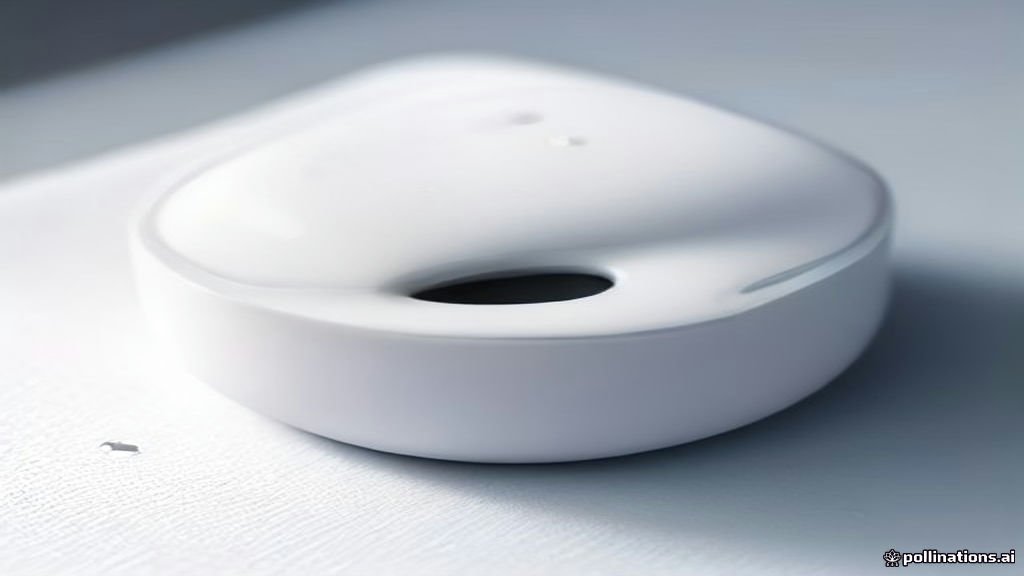
If your AirPods took an unexpected dive into a pool, washing machine, or cup of coffee, quick action can prevent permanent internal damage. Water exposure can short-circuit the sensitive drivers and microphones inside your earbuds, but many wet AirPods can be saved if you act immediately.
This step-by-step guide walks you through the exact recovery procedures, dangerous myths to avoid, and how to test your equipment safely once the drying process is complete.
Immediate Actions After Water Exposure
The moment you realize your AirPods have been submerged or heavily splashed, your priority is to stop power flow and remove any remaining liquid. Leaving wet electronics powered on creates a high risk of electrical shorts that can fry the internal logic board and speaker coils permanently. Open your charging case immediately, pull out both earbuds, and set them down on a clean, absorbent surface.
Next, wipe down the exterior of each earbud using a lint-free microfiber cloth to absorb surface droplets. If you were wearing silicone tips on your AirPods Pro, pull them off gently and dry the plastic mesh underneath. Tilting the stems downward, lightly tap the AirPods against the palm of your hand to encourage any trapped liquid inside the acoustic vents to exit. Do not insert cotton swabs or sharp objects into the grilles, as this can push moisture deeper into the internal assembly.
Safely Drying the Charging Case
The charging case is just as vulnerable to water damage as the earbuds themselves, especially because it contains a built-in battery and metal charging pins. If the case was exposed to water while open or submerged entirely, turn it upside down immediately with the lid open to let gravity pull moisture away from the Lightning or USB-C port. Place the open case on a stable surface in a well-ventilated room with moderate ambient airflow.
Avoid applying direct, intense heat from a hair dryer or leaving the case in direct scorching sunlight, as extreme heat will warp the plastic casing and degrade the internal lithium-ion battery. Instead, let the case air-dry naturally for at least 48 hours. You can check the status light on the front of the case only after this period has passed, but do not plug a charging cable into the port until you are completely certain all internal moisture has fully evaporated.
Expelling Trapped Water with Sound Waves
Once you have completed the initial surface drying, you can use low-frequency sound waves to vibrate remaining droplets out of the speaker mesh. Specialized water-ejection shortcuts and audio tracks play a specific tone that forces the speaker membrane to oscillate rapidly, pushing micro-droplets out through the grille. You can trigger this function easily using your iPhone by opening a trusted audio utility shortcut or searching for water ejection audio files online.
To run this process, connect your dry iPhone via Bluetooth if possible, or play the ejection tone through your connected device at maximum volume. Hold the AirPods vertically with the grilles facing down toward a soft cloth while the sound plays for several cycles. You will often see tiny beads of moisture appear on the speaker mesh as the sound vibrations do their work. Wipe these away immediately with your microfiber cloth before they can run back inside.
Testing Audio and Microphone Functionality
After allowing your AirPods to dry in a well-ventilated area for a full 48 hours, it is time to check whether they function normally. Place both earbuds back into their charging case, close the lid for thirty seconds, and then open it near your iPhone. Check your screen to ensure the battery percentage widget displays correctly for both the left and right units and the case. If your iPhone does not recognize them, you may need to reset your Bluetooth connection via Settings > Bluetooth.
Put the earbuds in your ears and test playback by playing a familiar podcast or music track at a moderate volume level. Listen closely for static, crackling, or muffled audio output, which indicates lingering moisture or damaged speaker drivers. Next, place a short test call or use a voice memo app to verify that the internal microphones are picking up your voice clearly without distortion or excessive background static.
Common Mistakes to Avoid When Drying AirPods
When panic sets in, it is easy to fall for common internet myths that can actually destroy your AirPods permanently. The most dangerous and widespread myth is placing wet electronics into a bag of uncooked rice. Rice dust, starch, and tiny grain particles easily infiltrate the delicate mesh grilles, mixing with water to form a cement-like paste that completely ruins the internal components and voids any remaining warranty coverage.
Another major mistake to avoid is using compressed air cans or high-temperature blow dryers to speed up the process. The sheer air pressure from a commercial compressor can tear the fragile speaker diaphragms inside the AirPods, rendering them useless even if the water is successfully removed. Stick strictly to passive air-drying, gravity drainage, and gentle sound vibration methods to give your device the best possible chance of survival.
Understanding Warranty and Repair Options
Standard Apple Limited Warranty coverage does not protect against accidental liquid damage unless you have purchased an active AppleCare+ protection plan for your headphones. If your AirPods refuse to power on, fail to charge, or exhibit distorted audio after a thorough 48-hour drying period, internal hardware corrosion has likely occurred. In this scenario, trying further home remedies will not yield results, and professional service is required.
You can check your coverage eligibility and start a service request by visiting an official Apple Store or using the Apple Support application on your iPhone. While Apple typically does not repair individual water-damaged AirPods, they do offer out-of-warranty replacement options for affected single units or charging cases at a fraction of the cost of buying a brand-new retail set.
The bottom line
Recovering water-damaged AirPods requires patience, quick initial action, and avoidance of harmful drying myths like using rice or heat. By giving your earbuds adequate time to air-dry and testing their components carefully, you can often restore full functionality and avoid unnecessary replacement costs.
Frequently asked questions
Can I put my wet AirPods in rice to dry them out?
No, you should never put AirPods in rice. Starch and fine dust particles can enter the speaker grilles and mix with water, causing permanent internal damage.
How long should I wait before turning on water-damaged AirPods?
You should allow your AirPods and charging case to air-dry in a well-ventilated space for at least 48 hours before attempting to charge or use them.
Are AirPods waterproof or water-resistant?
Certain models like AirPods Pro and third-generation AirPods feature sweat and water resistance for non-water sports, but they are not waterproof and cannot withstand submersion.
What should I do if only one AirPod works after getting wet?
Place both AirPods back in the charging case, clean the charging contacts, reset your Bluetooth connection, and give them additional drying time before testing again.
Does AppleCare+ cover water damage for AirPods?
Yes, AppleCare+ covers accidental damage incidents, including liquid exposure, subject to a small service fee per incident.