What to Do if You Get a Scam Text
If you receive a scam text, the most critical action you can take is to do absolutely nothing. Do not click any links, do not reply to the sender, and do not call any phone numbers mentioned in the message. Interacting with these messages, even just to text back "STOP," often confirms to the scammer that your number is active and monitored, leading to an even higher volume of fraudulent attempts.
Scam texts, often referred to as smishing (SMS phishing), have become increasingly sophisticated in 2026, using generative AI to create highly convincing narratives. Whether the message claims to be from a delivery service, a government agency, or your own bank, the goal is always to steal your personal data, login credentials, or money. Understanding how to handle these messages properly is essential for maintaining your digital security and privacy.
Why You Are Receiving Scam Texts
You are likely receiving these messages because your phone number has been included in a database used by automated dialing bots. In 2026, most scammers do not target individuals manually; instead, they use software that can send thousands of messages per minute to ranges of numbers. These numbers are often harvested from public records, social media profiles, or, most commonly, from data breaches at major retailers, telecommunications companies, or online services where you have registered an account.
Another common reason for an influx of spam is the use of data brokers. These companies collect information about consumers and sell it to third parties. While many of these buyers are legitimate marketing firms, some of this data inevitably leaks into the hands of cybercriminals. Additionally, if you have ever replied to a spam text or clicked a link within one, your number is likely tagged as "active" in scammer databases, making you a high-priority target for future campaigns. This is why immediate, non-interactive deletion is the best initial response.
Immediate Actions to Take When You Spot a Scam
When a suspicious message appears on your screen, follow these immediate safety protocols to prevent a security breach. The first step is to avoid the temptation to investigate the link. Modern smishing links can trigger "drive-by downloads" that install malware on your device without your consent. Even if you think the link looks legitimate, scammers frequently use URL shorteners or deceptive domain names that look nearly identical to official sites (for example, using a zero instead of the letter 'O').
- Do not reply: Even responding with "STOP" or "Unsubscribe" confirms your identity to the scammer.
- Do not click links: These lead to credential-harvesting sites or malicious scripts.
- Do not call the number: Scammers use high-pressure tactics over the phone that are harder to resist than text.
- Screenshot for evidence: If the scam is targeted or particularly threatening, take a screenshot before deleting it, especially if you plan to file a police report.
How to Identify a Scam Text in 2026
As we move through 2026, scams have evolved beyond simple spelling errors. However, there are still several red flags that can help you distinguish a scam text from a legitimate communication. Most fraudulent messages rely on creating a sense of extreme urgency or fear. They may claim that your bank account has been locked, a package is waiting for payment, or that there is an outstanding warrant for your arrest. If the message demands immediate action or threatens negative consequences if you do not act within minutes, it is almost certainly a scam.
Another indicator is the sender's identity. Legitimate companies usually use "short codes" (five or six-digit numbers) for automated notifications. If you receive a supposed official notification from a standard 10-digit mobile number or an international number you do not recognize, be wary. Look closely at the language; while AI has improved the grammar of scams, these messages often use generic greetings like "Dear Customer" instead of your actual name. In 2026, some scammers even use Rich Communication Services (RCS) to add fake official branding to their messages, so do not assume a message is safe just because it includes a logo.
Block and Report on iPhone and Android
Both iOS and Android have integrated powerful tools to help you manage and report spam. On an iPhone, open the message and tap the contact icon at the top of the screen. Select info and then tap Block this Caller. This prevents the specific number from reaching you again. To report it to Apple, you can tap Report Junk directly under the message if it is from an unknown sender. This sends the message information to Apple and your carrier to help improve their global filters.
For Android users, the process is equally straightforward. Open the Messages app, long-press the conversation you want to block, and select the Block or Report Spam icon (usually a circle with a line through it). Most Android devices now use Google's Spam Protection, which automatically flags suspected scam texts with a warning. If you see a message labeled "Suspected Spam," do not open it. Instead, tap Settings > Spam protection and ensure that Enable spam protection is toggled on to allow your phone to learn from new threats in real-time.
Reporting Scam Texts to Carriers and Authorities
Reporting a scam text is a vital step in stopping the scammer from targeting others. In the United States, United Kingdom, and Australia, there is a universal reporting system. You can forward any suspicious message to the short code 7726 (which spells "SPAM" on a traditional keypad). This service is free and sends the scam details directly to your mobile carrier's security team. They use this data to block the originating numbers and the malicious URLs across their entire network.
| Entity | How to Report |
|---|---|
| Mobile Carriers | Forward the message to 7726 |
| Federal Trade Commission (FTC) | Report at ReportFraud.ftc.gov |
| FCC | File a complaint at consumercomplaints.fcc.gov |
| Anti-Phishing Working Group | Email details to reportphishing@apwg.org |
By reporting these messages, you contribute to a larger database that law enforcement and technology companies use to track the infrastructure of scam networks. This collective effort is what allows providers to update their server-side filters, which catch billions of scam messages before they ever reach a user's device.
What to Do If You Clicked a Link or Provided Data
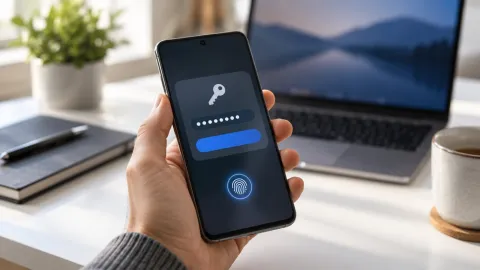
If you accidentally clicked a link or, worse, entered personal information on a scam site, you must act quickly to mitigate the damage. The first priority is to secure your financial accounts. Contact your bank immediately to inform them of the potential breach; they can monitor for suspicious transactions or issue new cards if necessary. If you provided a password, change it immediately on the affected site and any other accounts where you used that same password. Using a password manager is highly recommended in 2026 to ensure every account has a unique, complex credential.
Next, consider placing a fraud alert or a credit freeze on your credit reports. In the US, you would contact the three major bureaus: Equifax, Experian, and TransUnion. This prevents scammers from opening new lines of credit in your name. Finally, run a security scan on your device. If you clicked a link, it is possible that malware was downloaded. Use a reputable mobile security app to check for unauthorized software or hidden processes that might be logging your keystrokes or accessing your data in the background.
The bottom line
Receiving a scam text is a common occurrence in 2026, but it only becomes a threat if you interact with it. By staying calm, avoiding links, and utilizing the reporting tools built into your smartphone, you can effectively neutralize the risk. Remember that no legitimate organization will ever pressure you to provide sensitive information via a text message. Stay vigilant, keep your software updated, and use the 7726 reporting feature to help keep the digital ecosystem safer for everyone.
Frequently asked questions
Can I get a virus just by opening a scam text?
Simply opening and reading a text message is extremely unlikely to infect your phone with a virus in 2026. Modern mobile operating systems use sandboxing to prevent messages from executing code. However, the danger lies in clicking links or downloading attachments within the message, which can lead to malware installation or phishing sites.
Why did I get a scam text from my own number?
This is a technique called 'spoofing.' Scammers use software to mask their real number with another one, sometimes even your own, to bypass filters or pique your curiosity. If you receive a text from yourself, it is a scam. Do not open any links and report it to your carrier immediately.
Does replying 'STOP' actually work for scam texts?
No. While 'STOP' works for legitimate marketing messages from real companies, it is a mistake to send it to a scammer. Replying tells the scammer that your number is active and that a human is reading the messages, which will lead to even more spam and scams being sent to you.
What is VSMS and is it dangerous?
VSMS, or Verified SMS, is a feature meant to show that a sender is legitimate. However, scammers in 2026 have found ways to mimic these verification marks or use social engineering to make their messages look 'verified.' Always verify the request through an official app or website rather than trusting the 'verified' badge in a text.